What This Adapter Does
The USB-C to HDMI + Charge Adapter lets you connect a USB-C device to an HDMI display while simultaneously delivering power to keep your device charged. It's a practical solution for presentations, streaming, or extending your workspace without worrying about battery life.
Key Specs at a Glance
-
USB-C to HDMI + Charge Adapter: Supports up to 60W power delivery for charging while in use. 60W pass-through means your laptop or tablet can stay powered during extended use, even while outputting video to an external display.
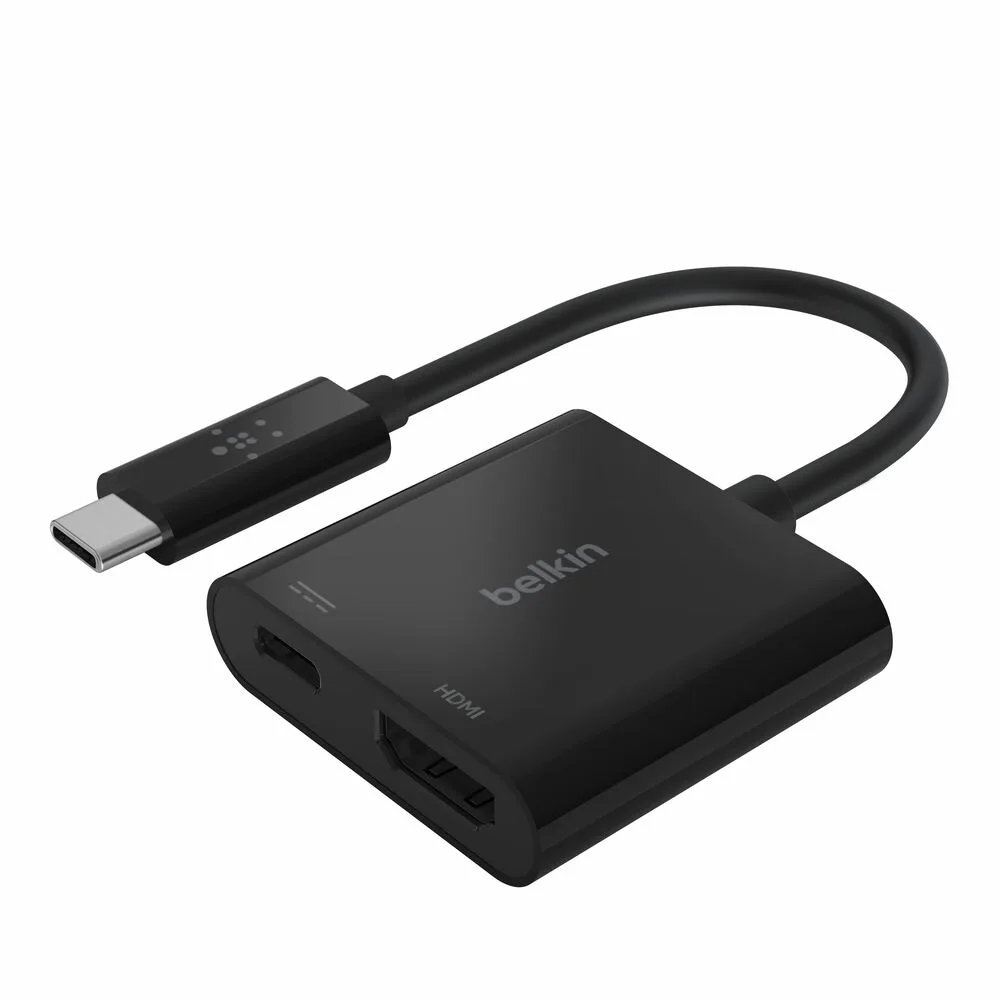
USB-C to HDMI + Charge Adapter
How to Connect and Charge
The setup is straightforward. You'll need a USB-C device, an HDMI display, and a USB-C power source (such as a wall charger).
- 1. Connect the adapter to your device: Plug the adapter's USB-C connector into your laptop, tablet, or phone. The compact design makes it easy to carry and use on the go.
- 2. Attach the HDMI cable: Connect an HDMI cable from the adapter's HDMI port to your TV, monitor, or projector. The adapter supports standard HDMI connections.
- 3. Connect your power source: Plug a USB-C charger into the adapter's power pass-through port. The adapter delivers up to 60W to your device, so your battery stays topped up during use.
- 4. Select the correct input on your display: Use your display's remote or on-screen menu to choose the HDMI input you connected to. Your device's screen should appear shortly.
What to Keep in Mind
This adapter is designed for USB-C devices that support video output over USB-C. Not all USB-C ports provide video, so check your device's specifications if you're unsure. The 60W power delivery supports most laptops and tablets, but high-power laptops may charge more slowly under heavy load. The adapter itself doesn't require separate power — it draws what it needs from the connected charger.