The adapter vs. the cable: what you're really comparing
A USB-C to Micro USB adapter is a small connector that lets a USB-C device use a Micro-USB cable. It does not add a new capability; it simply changes the physical plug at one end. A native USB-C to Micro-USB cable does the same job without an extra joint. The practical differences are the number of connections, how much strain the setup puts on your device port, and how much of the cable's own capability you can actually use.
The Innov8 USB C to Micro USB Adapter is a Type C male to Micro B female extension connector. That means the USB-C male end plugs into your newer device, and the Micro-B female end accepts an existing Micro-USB cable. The adapter is plug-and-play, but its capabilities depend on your device and cable specification. That single sentence is the key to comparing it fairly with a cable.
What the Innov8 adapter actually provides
-
USB C to Micro USB Adapter – Type C Male to Micro-B Female Extension Connector: USB-C male to Micro-USB (Micro-B) female adapter that enables use of Micro-USB cables with USB-C devices where supported. This is the core comparison point: the adapter reuses a Micro-USB lead rather than replacing it with a USB-C lead.
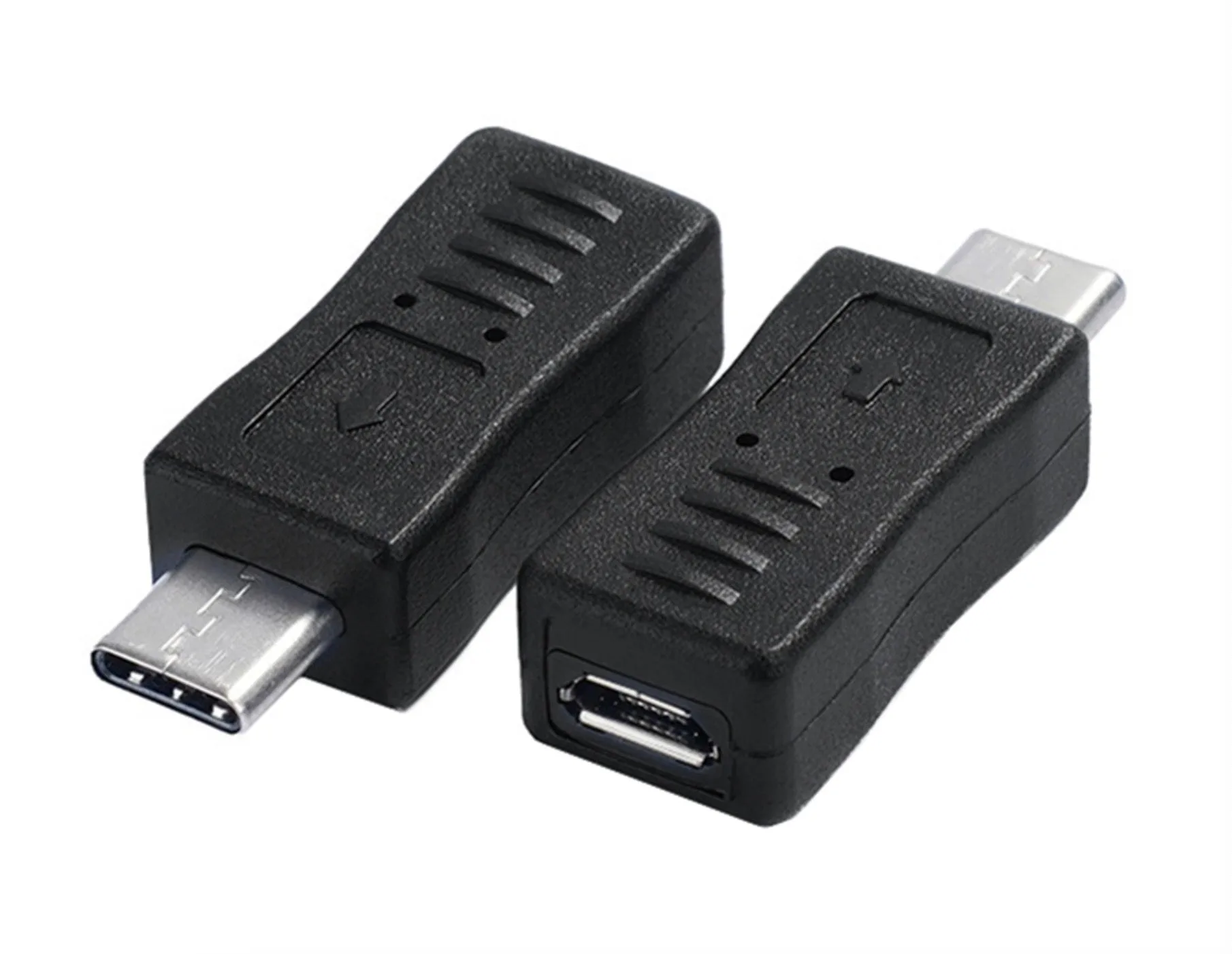
USB C to Micro USB Adapter – Type C Male to Micro-B Female Extension Connector
-
USB C to Micro USB Adapter – Type C Male to Micro-B Female Extension Connector: Compact extender-style design for hard-to-reach ports, with a durable moulded body for grip and longevity. The extender shape can help in tight spaces, but it also adds a second connection point that a native cable does not have.
Charging: what the adapter can and cannot promise
For charging, the adapter passes through whatever your USB-C device, Micro-USB cable, and power source can negotiate. The supplied information does not confirm a maximum wattage, a specific fast-charging standard, or a guaranteed charging speed. That is not a flaw unique to this adapter; it is a limit of what the product record states. Treat any charging expectation as dependent on the full chain, not on the adapter alone.
- USB-C to Micro USB adapter: Works for charging where supported, but the supplied information does not confirm wattage or fast-charge standards. You are relying on the adapter, the Micro-USB cable, and the charger together.
- Native USB-C to Micro-USB cable: Removes one connection point, but the same rule applies: the cable's rating and the device's requirements determine what charging actually happens. The supplied catalog does not provide a native cable's specifications for comparison.
Data transfer: the same dependency applies
The adapter is described as suitable for data connections with compatible legacy electronics, but no data rate is supplied. That means you should not assume USB 3.0 speeds, USB 2.0 speeds, or any specific transfer rate from the adapter alone. The realistic comparison is not adapter versus cable in the abstract; it is whether your existing Micro-USB cable and device support the data speed you need.
- USB-C to Micro USB adapter: Enables a data connection where the device and cable support it. No transfer rate is confirmed in the supplied information.
- Native USB-C to Micro-USB cable: Also depends on the cable's own specification. A native cable may be simpler, but it is not automatically faster unless its rating says so.
Where the adapter wins on convenience
The adapter's real advantage is reuse. If you already own Micro-USB cables for older phones, power banks, Bluetooth accessories, handheld devices, or small peripherals, the adapter lets you keep using them with a USB-C device. That can reduce cable clutter and save you from buying a new cable for every device.
- Reuse existing Micro-USB leads: The adapter is explicitly intended to let you reuse Micro-USB cables with compatible USB-C devices.
- Reach tight ports: The compact extender-style design is intended for hard-to-reach ports, which can help when a straight cable plug is awkward to access.
- Reduce strain during frequent plugging: The supplied description notes the adapter can reduce strain on ports during regular plug and unplug use, compared with repeatedly connecting and disconnecting a cable directly.
Where a native cable is the simpler choice
A native USB-C to Micro-USB cable eliminates the adapter joint. Fewer connections generally mean fewer things to lose, fewer points of wear, and one less place for a poor fit to interrupt charging or data. The tradeoff is that you need the right cable for each device rather than adapting the cables you already own.
- One-piece connection: No adapter to misplace or to add length and leverage at the port.
- Clearer specification: A native cable's rating is stated on the cable itself, whereas an adapter's performance depends on the cable you attach to it.
- Better for permanent setups: If the cable stays plugged in, the adapter's reuse benefit matters less and the extra joint matters more.
How to decide before you order
Start with the port on your device, not the cable in your drawer. If your device has a USB-C port and you want to connect a Micro-USB peripheral or cable, the Innov8 adapter is a direct fit. If your device has a Micro-USB port and you want to connect a USB-C cable, this adapter is the wrong direction: it is USB-C male to Micro-B female, not the reverse.
Next, check what you expect from the connection. For basic charging and data with compatible legacy electronics, the adapter is a practical, low-cost way to avoid buying new cables. For fast charging or high-speed data, the supplied information does not confirm those capabilities, so a native cable with a clearly stated rating is the more predictable choice. Neither option is universally better; the right pick depends on whether reuse or simplicity matters more to you.