Quick Answer
A USB-C to USB-A adapter lets you plug older USB-A accessories into a modern USB-C port. It works instantly with no drivers needed for data transfer up to 5Gbps and basic charging.
When You Need This Adapter
If you own a newer laptop, tablet, or phone with only USB-C ports, you may find that your flash drives, external hard drives, mice, or keyboards still use the classic USB-A connector. This small adapter bridges that gap without replacing your entire accessory collection.
The adapter supports USB 3.0 speeds (up to 5Gbps), which is fast enough for most file transfers and peripheral use. However, it is not designed for high-power charging beyond standard USB-A output, so don't expect to fast-charge a laptop through it.
How to Use a USB-C to USB-A Adapter
- 1. Check Your Ports: Identify the USB-C port on your device (it's small and oval-shaped) and the USB-A plug on your accessory (it's rectangular). Make sure your adapter is a male USB-C to female USB-A type. Common mistake: Trying to force a USB-C plug into a USB-A port. The shapes are different—never apply pressure.
- 2. Connect the Adapter: Insert the USB-C end of the adapter firmly into your device's USB-C port. It should click into place with gentle pressure. The adapter will fit only one way. Checkpoint: If the adapter feels loose, you may have inserted it upside down. USB-C is reversible, but the adapter may have a specific orientation for stable connection.
- 3. Plug in Your Accessory: Insert your USB-A device (like a flash drive or mouse receiver) into the adapter's USB-A port. Your operating system should recognize it automatically within seconds. Common mistake: Expecting the adapter to charge a high-power device like a laptop. This adapter is meant for data and low-power charging only.
- 4. Verify the Connection: Check your file manager or system settings to confirm the accessory is detected. For a flash drive, you should see its contents appear. For a mouse or keyboard, it should start working immediately. Checkpoint: If nothing happens, try unplugging and reconnecting. If the issue persists, the accessory may require more power than the adapter can provide.
Product Facts
-
General Type C (USB-C) Male to USB 3.0 A Female Adapter: This adapter connects USB 3.1 Type-C ports to traditional USB 3.0 Type-A devices, supporting transfer speeds up to 5Gbps with plug-and-play setup. You can instantly use your existing USB-A flash drives or mice with a new USB-C laptop without installing software or buying new peripherals.
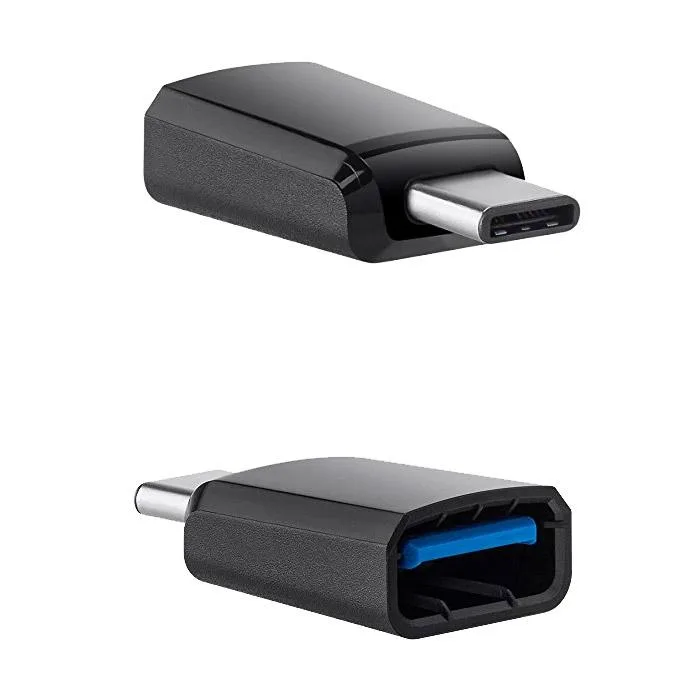
General Type C (USB-C) Male to USB 3.0 A Female Adapter