Quick answer
For a quick live sound hookup, use a 3.5mm TRS to dual XLR male splitter cable to send your laptop or phone's stereo output into two mixer channels. Set both channels to unity gain, pan one left and one right, and start with low gain to avoid clipping.
Why a stereo to XLR cable can be a lifesaver
When a mixer lacks a 3.5mm input, a 3.5mm to dual XLR cable is the fastest way to get audio from a laptop, phone, or tablet into the board. It splits the stereo signal into left and right mono XLR channels, so you can use two standard mic inputs.
The trade-off is that you're converting an unbalanced consumer signal into a balanced pro connection. The cable doesn't convert the signal to a true balanced line level, so keep cable runs short and avoid running it parallel to power cables to reduce noise.
When this cable is not the right tool
If you need to send a mono signal (like a single microphone) to one XLR input, a simple 3.5mm to XLR adapter is overkill. Also, if your mixer has a dedicated 3.5mm aux input, you don't need this splitter—just use a standard 3.5mm to 3.5mm cable.
For long cable runs (over 5 meters), consider a DI box with a 3.5mm input and XLR outputs, as it provides proper balanced output and ground isolation. The splitter cable is best for short, temporary setups.
Step-by-step: Connect your laptop to a mixer
- Check your mixer inputs: Confirm the mixer has at least two XLR inputs you can spare. Each XLR input will receive one channel (left and right). If the mixer has combo jacks, you can use the XLR portion. Do not plug the XLR ends into mic inputs that are needed for microphones—you'll lose those channels.
- Set mixer channels to unity and pan: On the two channels you'll use, set the gain to unity (0 dB) and pan one channel hard left and the other hard right. This preserves the stereo image from your source. If you want a mono output, pan both channels to center—but you'll lose the stereo separation.
- Power down or mute before connecting: Before plugging the 3.5mm connector into your laptop or phone, mute the mixer channels or turn down the main output. This prevents loud pops or feedback when making connections. Always mute before plugging or unplugging—protects your speakers and ears.
- Connect the 3.5mm end to your source: Plug the 3.5mm TRS connector into your laptop's headphone jack or phone's audio out. If your device only has a USB-C port, you'll need a USB-C to 3.5mm adapter first. Make sure the 3.5mm plug is fully inserted—partial contact can cause one channel to drop out.
- Connect the XLR ends to the mixer: Plug the XLR male ends into the two mixer inputs you selected. The cable splits the stereo signal into left and right mono channels automatically. If you only get sound on one side, swap the XLR ends or check that both are fully seated.
- Set levels and test: Start with the mixer channel gains low and the main volume down. Play audio from your source, then gradually raise the channel faders and main volume until you reach a comfortable listening level. Watch the channel meters—if they hit the red, reduce the source volume or gain to avoid distortion.
- Troubleshoot if no sound: If you hear nothing, check that the 3.5mm source is playing and not muted, verify the XLR cables are plugged into the correct inputs, and confirm the mixer channels are not muted or assigned to a different bus. A quick test with a known-good source (like a phone) can isolate whether the issue is the cable or the mixer.
Product fact
-
3.5mm TRS Stereo Male to Dual XLR Male Y Splitter Cable – Audio Adapter for Mixer, Speaker & DJ Setup (0.3m / 1.8m / 3m / 5m): This 3.5mm TRS stereo male to dual XLR male Y splitter cable connects smartphones, laptops, tablets, cameras, and other 3.5mm audio output devices to professional audio equipment with dual XLR inputs. It's a one-cable solution for getting your laptop or phone into a mixer without needing extra adapters, and it's available in lengths from 0.3m to 5m so you can choose the right reach for your setup.
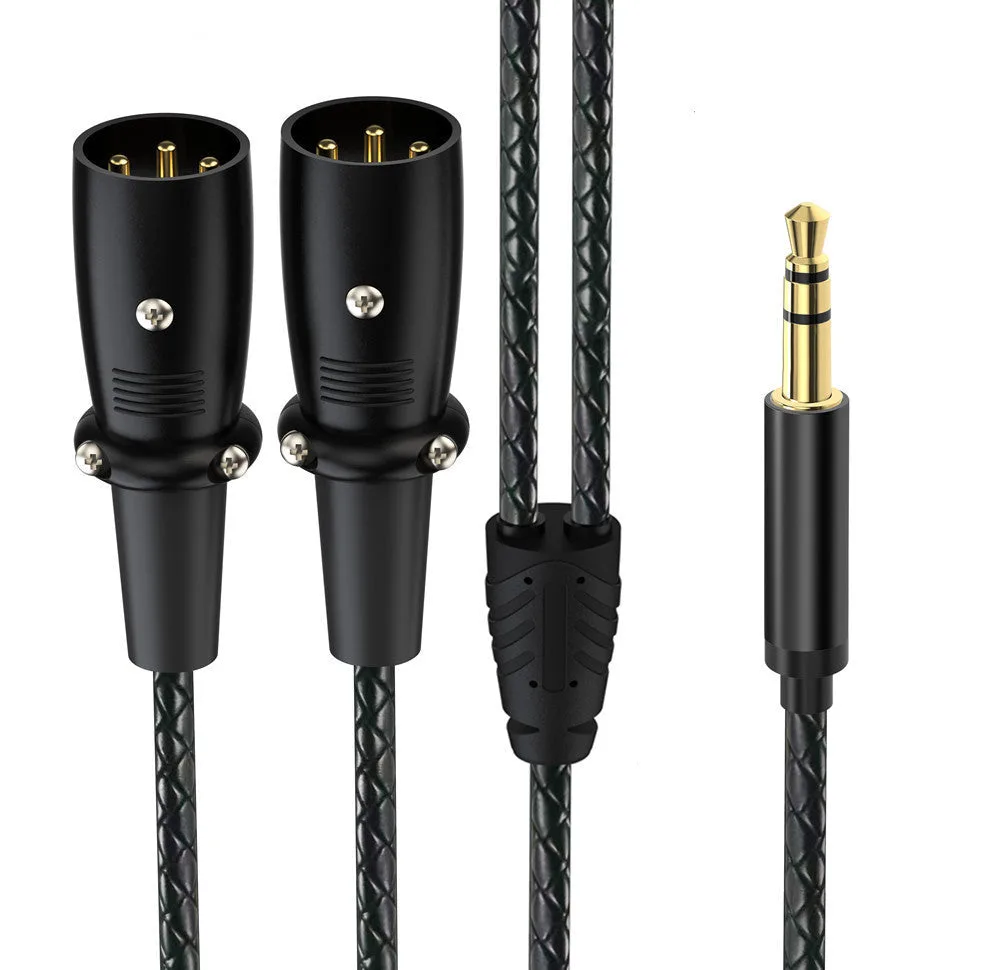
3.5mm TRS Stereo Male to Dual XLR Male Y Splitter Cable – Audio Adapter for Mixer, Speaker & DJ Setup (0.3m / 1.8m / 3m / 5m)