What the Lomography Fisheye No. 2 Offers
The Lomography Fisheye No. 2 is a compact point & shoot 35mm camera designed for creative, experimental photography. Its defining feature is a super-wide 170° field of view that produces classic bulbous fisheye distortion. The camera includes a powerful built-in flash, multiple exposure mode, and long exposure capability, all in a sleek portable body.
Key Specifications at a Glance
-
Lomography Fisheye No. 2 Point & Shoot 35mm Camera: Film Format: 35 mm; Focal Length: 10 mm Confirms it uses standard 35mm film (easy to find) and the ultra-wide 10mm lens creates the signature fisheye effect.
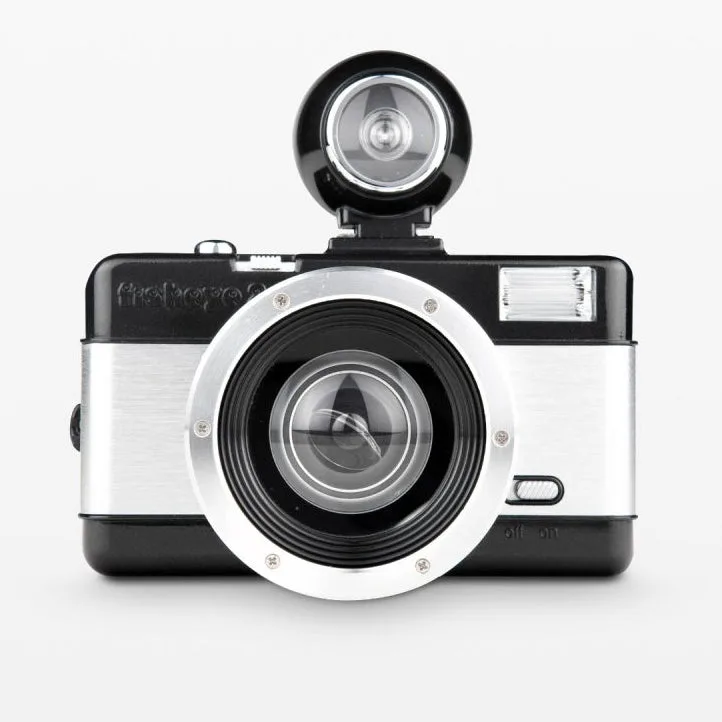
Lomography Fisheye No. 2 Point & Shoot 35mm Camera
-
Lomography Fisheye No. 2 Point & Shoot 35mm Camera: Built In Flash, PC - Flash Plug You can shoot indoors or at night without extra gear, and the PC plug allows connection to external flash if needed.
-
Lomography Fisheye No. 2 Point & Shoot 35mm Camera: Multiple Exposure: Yes; Tripod Mount: Yes Multiple exposure mode lets you layer scenes; the tripod mount is essential for steady long-exposure shots.
-
Lomography Fisheye No. 2 Point & Shoot 35mm Camera: Battery: 1 x AA AA batteries are widely available, so you won't struggle to find power on the go.
How to Use the Fisheye No. 2 for Creative 35mm Shots
Follow these steps to get started with the Fisheye No. 2 and make the most of its creative features.
- Load 35mm film: Open the back, insert a 35mm film canister, pull the leader across to the take-up spool, and advance until the frame counter shows 1. The camera uses standard 35mm film with no ISO adjustment—the camera sets exposure automatically.
- Use the built-in flash: The powerful built-in flash activates when needed. For indoor, nighttime, or backlit subjects, ensure the flash is charged (AA battery powers it). The PC flash plug also lets you connect an external flash for more control.
- Shoot multiple exposures: After taking a shot, use the multiple exposure mode to cock the shutter without advancing the film. This lets you overlay two or more scenes in one frame for surreal, layered images.
- Try long exposures: Mount the camera on a tripod using the built-in tripod mount. Use the long exposure setting to capture light trails, night scenes, or motion blur. The bulbous fisheye effect adds a dreamy quality to long exposures.
- Compose with the 170° view: The super-wide 170° field of view means you'll capture a huge area—including your own hands or feet if you're not careful. Center your subject for a classic fisheye look, or place them off-center for exaggerated distortion.
What the Fisheye No. 2 Does Not Do
The camera has no ISO adjustment, so it relies on the film's own ISO rating and the built-in auto-exposure. There is no cable release port, so long exposures must be triggered by the shutter button—use a tripod to avoid camera shake. The supplied information does not confirm a self-timer or specific flash range, so test your first roll in varied lighting to learn the camera's behavior.