Quick Answer
Photo-resist material lets you transfer precise circuit patterns onto copper-clad boards at home, producing professional-quality PCBs without expensive equipment.
Why Photo-Resist Beats Toner Transfer
Toner transfer works for simple boards but often leaves gaps or rough edges. Photo-resist material gives sharper lines and better adhesion, especially for fine-pitch traces or small SMD pads. The trade-off is that you need a UV exposure source and a developer solution, which adds a few steps but dramatically improves consistency.
Choosing the Right Photo-Resist Sheet
Not all photo-resist films are the same. For home use, look for sheets that are pre-sensitized and compatible with standard UV exposure units. The 12" x 19" size works well for most hobby boards and can be cut down for smaller projects. A package of two sheets gives you room for a test run before committing to your final design.
Step-by-Step: Etching a PCB with Photo-Resist
- Prepare Your Artwork and Board: Print your circuit layout onto a transparency film using a laser printer. The black areas must be fully opaque to block UV light. Clean the copper board with fine steel wool or a scouring pad to remove oxidation. Common mistake: inkjet transparencies are often too translucent. Use a laser printer or double up two transparencies for solid black areas.
- Laminate the Photo-Resist Film: Cut a piece of photo-resist material slightly larger than your board. Peel off the protective liner and carefully apply the film to the copper surface, starting from one edge and smoothing out air bubbles with a squeegee or credit card. Checkpoint: work under dim or yellow light — UV from sunlight or fluorescent tubes will expose the film prematurely.
- Expose Under UV Light: Place the transparency on top of the laminated board with the printed side facing the film. Use a UV exposure unit or a UV lamp held 6–8 inches away. Typical exposure time is 3–8 minutes depending on your light source. The film should turn a slightly darker shade when properly exposed. Common mistake: underexposure leaves the resist soft and prone to peeling; overexposure makes it impossible to develop. Run a test strip with 30-second increments to dial in your setup.
- Develop the Board: Submerge the exposed board in a developer solution (usually sodium hydroxide or a commercial developer) and gently agitate for 1–2 minutes. The unexposed areas will wash away, leaving the circuit pattern. Rinse thoroughly with water. Checkpoint: if the resist starts lifting from areas that should remain, the board was overexposed or the developer is too strong. Dilute the developer and try a shorter exposure.
- Etch the Copper: Place the developed board in an etching solution such as ferric chloride or ammonium persulfate. Agitate the container or use a bubble etcher to speed up the process. Etching typically takes 10–20 minutes. Remove the board once all unprotected copper is gone. Common mistake: leaving the board in the etchant too long undercuts the traces. Check every 5 minutes and remove as soon as the bare copper is gone.
- Strip the Resist and Finish: Remove the hardened photo-resist with acetone or a dedicated resist stripper. Rinse the board, dry it, and apply a thin layer of flux before soldering to protect the copper from oxidation. Checkpoint: if the resist is stubborn, soak the board in stripper for 2–3 minutes and scrub gently with an old toothbrush.
Product Facts
-
Photo-Resist Material, 12" x 19" (Pkg. of 2): Light-sensitive material 12" x 19" package of 2 sheets for photoengraving and photolithography. The large sheet size lets you cut custom pieces for multiple boards, and having two sheets means you can practice exposure settings before etching your final design.
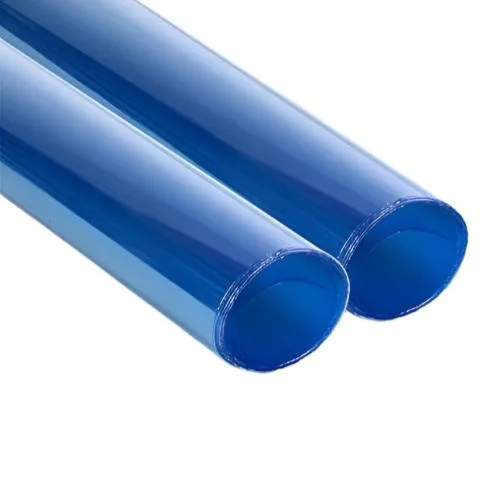
Photo-Resist Material, 12" x 19" (Pkg. of 2)