Quick answer
Set up the VANGUARD Desert Tan Missile Launcher Add-On by attaching the launcher turret to your Vanguard vehicle, loading the missiles, and positioning the turret for your desired display or play pose.
Why the Desert Tan version stands out
The Desert Tan colorway is designed to match desert-themed Vanguard vehicles and displays. It gives your setup a cohesive military look without needing to repaint or modify anything.
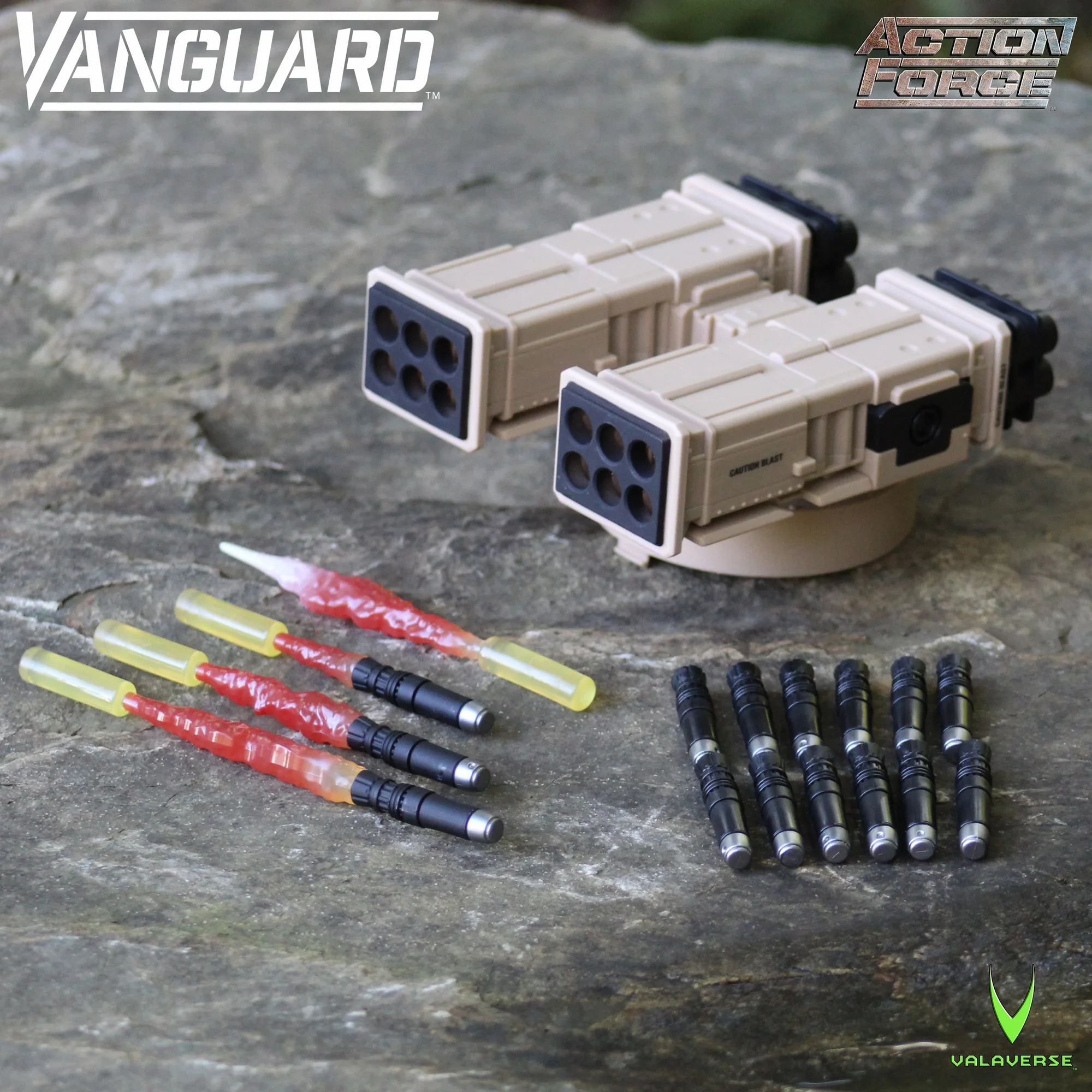
Because the add-on includes both non-firing and blasting missiles, you can choose between a static display or an action-packed scene. The launcher turret can also be angled upward, which opens up more dynamic posing options.
What to know before you start
The VANGUARD Missile Launcher Add-On is an accessory set, so it does not include the Vanguard vehicle itself. Make sure you have a compatible Vanguard vehicle ready before you begin.
The set includes 12 non-firing missiles, 3 blasting missiles in different sizes, and 1 rear blast effect. The variety lets you customize the look of the launcher, but it also means you need to identify which missile goes where during setup.
Step-by-step setup
- Prepare your Vanguard vehicle: Place your Vanguard vehicle on a stable, flat surface. Check that the mounting points are clean and free of debris to ensure a secure fit. A clean mounting surface prevents loose attachment.
- Attach the launcher turret: Align the launcher turret's connectors with the vehicle's mounting points and press firmly until it clicks into place. Do not force it; if it doesn't fit, re-check alignment. Forcing the turret can damage the connectors.
- Position the turret: Decide on the firing angle: keep it horizontal for a standard look or rotate it to the upward firing position for a more dynamic display. Test the range of motion before locking the angle.
- Load the missiles: Insert the 12 non-firing missiles into the launcher tubes. For a blast effect, add the 3 blasting missiles and the rear blast effect piece as desired. Use non-firing missiles for safe play; blasting missiles are for visual effect.
- Secure and display: Gently wiggle the launcher to confirm it's secure. Place the vehicle on your display shelf or play area, ensuring the rear blast effect has clearance. Check that the blast effect doesn't obstruct other accessories.
Product facts
-
VANGUARD Desert Tan Missile Launcher Add-On: Fits all Action Force Vanguard vehicles and includes 12 non-firing missiles plus 3 blasting missiles and 1 rear blast effect. You can safely attach the launcher to any Vanguard vehicle and choose between display or play configurations without compatibility concerns.
VANGUARD Desert Tan Missile Launcher Add-On