Quick answer
A vertical mouse can help wrist pain caused by forearm twisting and sustained grip pressure, but it is not a cure-all. It works best when your pain is mild, tied to long mouse sessions, and you also fix your desk height and posture.
Why a vertical mouse changes the equation
A standard mouse encourages you to rotate your forearm palm-down and hold it there for hours. A vertical mouse turns the grip toward a handshake position, which reduces the twist that often contributes to wrist discomfort. The change is mechanical, not magical: it removes one common source of strain so your wrist can relax into a more neutral line.
That said, the shape only helps if the mouse fits your hand and you are not compensating with a tighter grip or a raised shoulder. A vertical mouse with a wired USB connection, like the Ergonomic Optical USB Wired Vertical Mouse from Anker, also eliminates battery weight and charging interruptions, which keeps the device consistent day to day.
When a vertical mouse is not the right fix
If your wrist pain comes with numbness, tingling, weakness, or pain that wakes you at night, stop adjusting your gear and seek medical advice. A mouse cannot diagnose or treat a nerve issue. Similarly, if your pain started after a fall or a sudden increase in activity, the mouse is not the cause and will not be the solution.
Also be honest about desk setup. A vertical mouse cannot offset a keyboard that is too high or a chair that leaves your feet dangling. Fix the big pieces first, then use the mouse as a refinement.
Diagnose your wrist pain before you switch mice
- Symptom: dull ache along the top or thumb side of the wrist after long mouse use: Likely cause: sustained forearm twist and grip pressure from a flat mouse. Corrective action: try a vertical mouse for a week, keeping your elbow at roughly 90 degrees and your wrist straight. Stop if pain sharpens or moves into your fingers. Mild, activity-related ache is the best candidate for an ergonomic vertical mouse.
- Symptom: tingling, numbness, or weakness in the hand or fingers: Likely cause: possible nerve involvement, not simple muscle fatigue. Corrective action: do not rely on a mouse change. See a clinician before spending on ergonomic gear. Nerve-like symptoms are a stop sign for self-treatment with a mouse.
- Symptom: pain persists even when you use the other hand or take breaks: Likely cause: the problem is likely broader than mouse shape—desk height, keyboard position, or chair fit. Corrective action: adjust your chair and keyboard first, then reintroduce a vertical mouse only if the ache is mild and clearly linked to mouse time. If rest and setup changes do not help, choose a professional assessment over another peripheral.
- How to hold a vertical mouse: Rest your hand on the mouse as if you were going to shake hands, with your thumb on the side and fingers draped over the buttons. Keep your wrist neutral, not bent up or down. Use light pressure and let your forearm—not your wrist—move the mouse. A relaxed handshake grip is the goal; a tight squeeze defeats the purpose.
Product facts
-
Ergonomic Optical USB Wired Vertical Mouse: Vertical design intended to reduce strain on the wrist by promoting a more relaxed hand position. This is the core reason to try a vertical mouse for desk-work wrist pain, but it still depends on fit and posture.
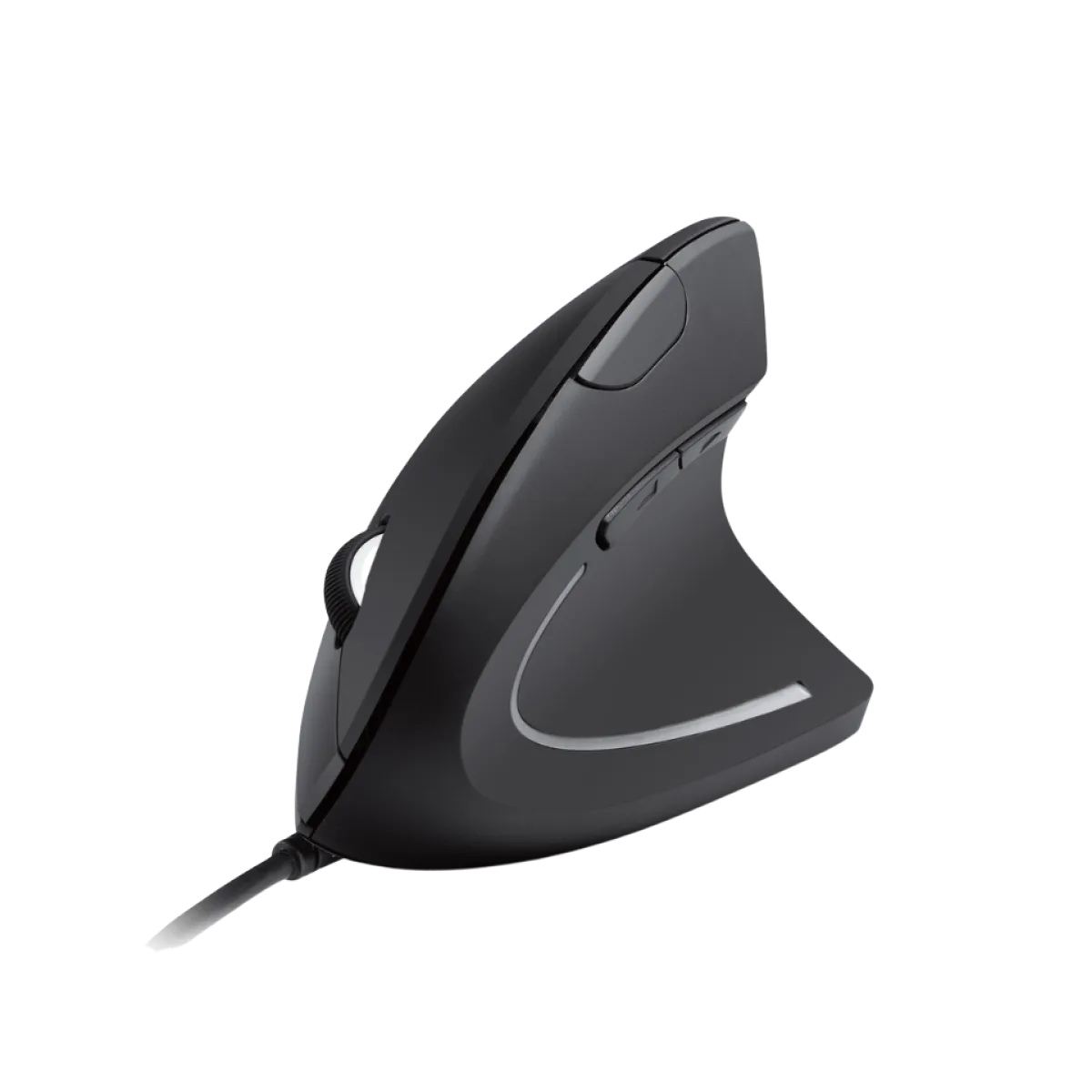
Ergonomic Optical USB Wired Vertical Mouse
-
Ergonomic Optical USB Wired Vertical Mouse: Wired USB connection for reliable, plug-and-play performance. A wired vertical mouse benefits you with no charging breaks and consistent weight, which matters if you are testing whether the shape helps.