Quick Answer
If your wrist pain comes from an unnatural, twisted forearm position, a vertical mouse is the more direct fix. If you want to keep your hand still and avoid repetitive wrist flicks, a trackball mouse is the better choice.
Why hand position matters for wrist pain
Wrist pain often starts when your forearm is forced into a pronated (palm-down) position for hours. A vertical mouse keeps your hand in a neutral handshake-like posture, which reduces strain on the wrist and forearm. A trackball, on the other hand, lets you keep your hand and wrist almost completely still because you move the ball with your thumb or fingers instead of gliding the mouse.
The right choice depends on where your pain originates. If it's in the wrist or forearm from twisting, a vertical mouse targets that directly. If it's from repetitive wrist movements or you have limited desk space, a trackball eliminates most of that motion.
The trade-off: learning curve vs. immediate relief
Vertical mice feel familiar almost immediately—you just grip them like a handshake. Trackballs, however, require a learning curve because you're using different muscles to control the cursor. Many people find trackballs more comfortable after a week or two, but the transition can be frustrating if you need precision work right away.
Another trade-off: trackballs keep your hand stationary, which is great for reducing motion, but they can cause thumb or finger fatigue if you use them for long stretches. Vertical mice reduce wrist twist but still require arm movement, so they may not help if your pain is from repetitive gliding.
How to decide: vertical vs trackball
- Choose a vertical mouse if…: Your wrist pain is in the wrist or forearm and you want a minimal learning curve. The 52° ergonomic angle of the TECKNET MS017 promotes a neutral posture. If you're new to ergonomic mice, a vertical mouse is easier to adapt to.
- Choose a trackball if…: You want to eliminate wrist movement entirely, have limited desk space, or experience pain from gliding. The TECKNET Orb MS023 lets you control the cursor without moving your arm. Be prepared for a learning curve; give it a week before judging.
- If you're unsure…: Try both if possible. Many users keep a trackball for precision tasks and a vertical mouse for general browsing. Both TECKNET models offer tri-mode connectivity, so switching between devices is easy. Consider a trial period or a return-friendly purchase to test which works best for your pain.
Products that fit each approach
-
TECKNET Ergo Tri-Mode Vertical Wireless Mouse MS017: The TECKNET Ergo Tri-Mode Vertical Wireless Mouse MS017 features a 52° ergonomic design for a natural handshake position. This directly addresses wrist twist, making it a strong option if your pain comes from forearm rotation.
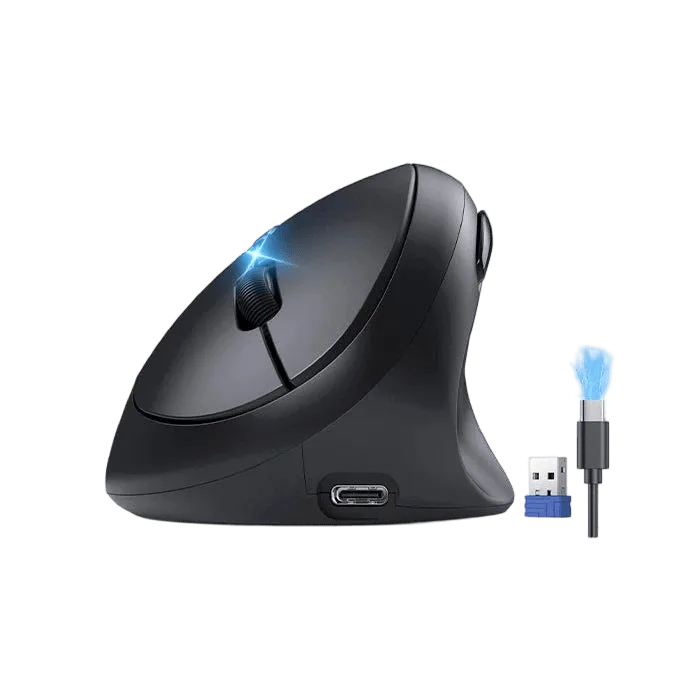
TECKNET Ergo Tri-Mode Vertical Wireless Mouse MS017
-
TECKNET Orb Tri-Mode Rechargeable RGB Trackball Mouse MS023: The TECKNET Orb Tri-Mode Rechargeable RGB Trackball Mouse MS023 is designed for precise control without requiring large hand movements. This minimizes wrist motion, which can help if your pain is aggravated by repetitive gliding or if you have limited desk space.
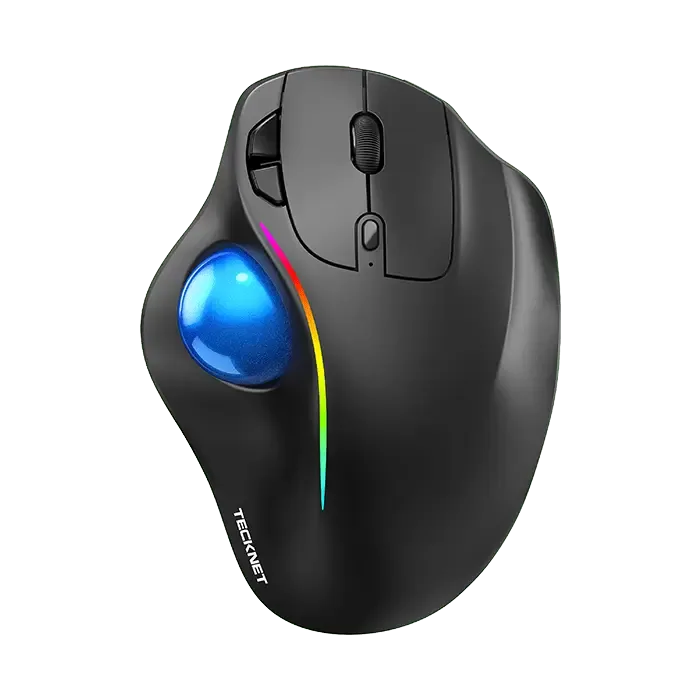
TECKNET Orb Tri-Mode Rechargeable RGB Trackball Mouse MS023
Who each design fits best
Best for
- People with wrist or forearm pain from an unnatural hand position who want a quick, familiar fix
- Users who prefer a more traditional mouse feel but need a more neutral wrist angle
Not for
- People who want to eliminate all wrist movement or have very limited desk space
- Those who need precise cursor control immediately without a learning curve