Which Byrna Launchers Fit This Holster?
The Byrna Waistband Holster is designed specifically for Byrna EP, SD, HD, and SD HI VIZ launchers — but only when no accessories like lights, lasers, or a boost adapter are installed. It will not fit CL, LE, SDXL, or HDXL launchers, nor any launcher with a boost adapter attached.
Before you set up the holster, confirm your launcher model and that it has no add-ons. This ensures a snug, secure fit and prevents the launcher from shifting during daily carry.
Key Compatibility Facts
-
Byrna Waistband Holster - Launcher Only: Compatible with Byrna EP, SD, HD and Byrna SD HI VIZ Launchers only with no accessories (lights, lasers, boost adaptor) installed. Using an incompatible launcher or one with accessories can cause poor retention or damage to the holster.
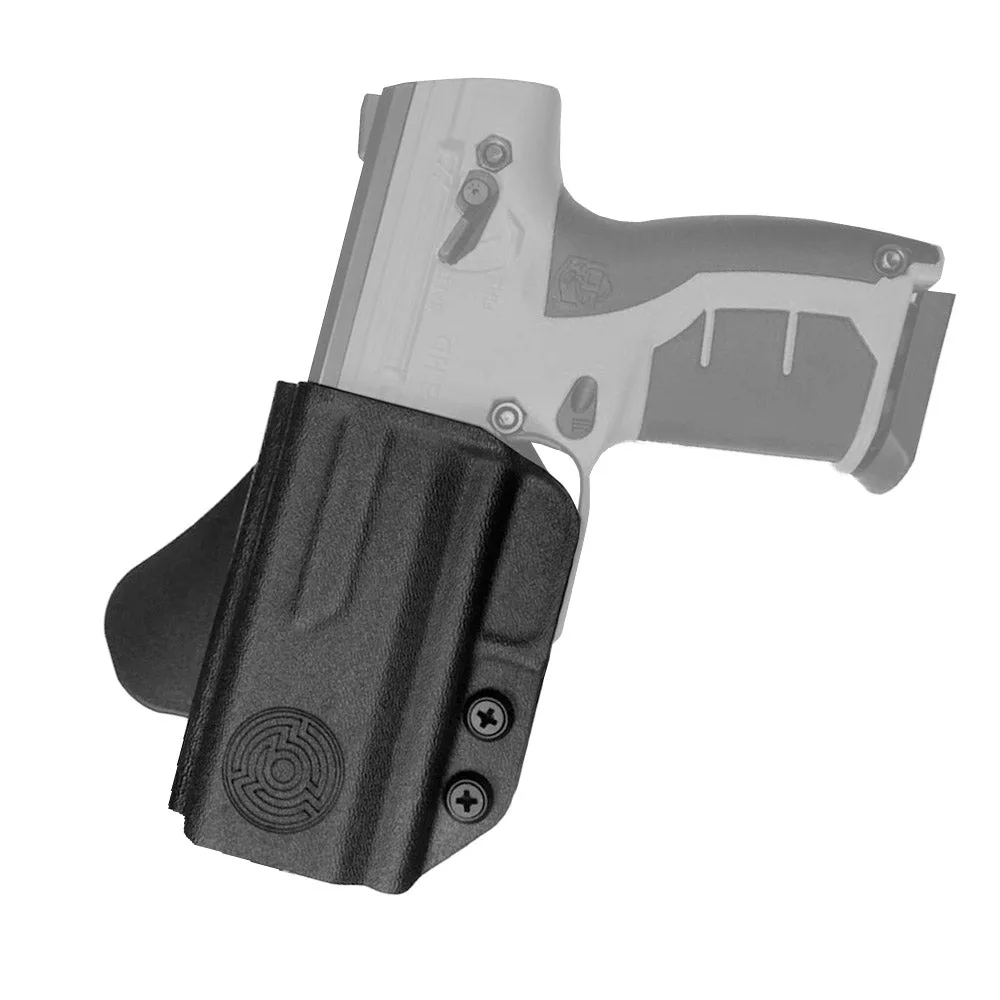
Byrna Waistband Holster - Launcher Only
-
Byrna Waistband Holster - Launcher Only: WILL NOT FIT CL, LE, SDXL OR HDXL LAUNCHERS OR LAUNCHERS WITH BOOST ADAPTER INSTALLED. Double-check your launcher model before purchasing to avoid a frustrating fit issue.
-
Byrna Waistband Holster - Launcher Only: Our fully-adjustable waistband holster has been custom fit for the Byrna HD and Byrna SD. The holster is molded to these specific frames, so the launcher sits securely without wobbling.
Setting Up the Holster for Right-Handed Carry
The Byrna Waistband Holster is available in a right-handed configuration. Follow these steps to get it ready for everyday wear.
- 1. Choose your carry position: Decide whether you prefer appendix carry (around 1–2 o'clock) or strong-side hip carry (around 3–4 o'clock). The adjustable belt clip allows you to set the cant angle for a natural draw.
- 2. Adjust the belt clip: Loosen the clip screws slightly, slide the clip to your desired height and angle, then tighten. A slight forward cant often improves draw speed; adjust the angle according to the product instructions.
- 3. Insert the launcher: With the launcher unloaded and safety on, push it into the holster until you hear or feel a click. The custom fit should hold the launcher securely without excessive force.
- 4. Test retention: Hold the holster upside down and gently shake it. The launcher should not fall out. If it does, adjust the tension screws (if available) or reposition the belt clip.
- 5. Wear and adjust: Put on the holster with your belt, then practice drawing and reholstering a few times. Make small adjustments to the clip angle or belt tightness until the holster feels stable and the draw is smooth.
Tips for Comfortable Everyday Carry
A well-set-up holster should be comfortable enough to wear all day without shifting or digging into your side. Here are a few practical tips:
Wear the holster against a snug undershirt to reduce skin irritation. If you carry at the hip, position the holster slightly behind the hip bone to minimize printing. For appendix carry, a slight forward cant helps the grip tuck closer to your body.
Because the holster is designed for launchers without accessories, keep your launcher clean and free of added attachments. This maintains the custom fit and ensures reliable retention every time you holster it.