Quick answer
The JagSVC lets you output clean S-Video or composite video from your Atari Jaguar to a modern display or CRT, using standard cables you already own.
Why use an adapter at all?
The Atari Jaguar uses a proprietary video port, not the common RCA jacks found on most retro consoles. Without an adapter like the JagSVC, you cannot connect the Jaguar to any TV or monitor that lacks that specific connector.
S-Video vs composite: which one should you choose?
S-Video separates luminance and chrominance, giving a sharper, cleaner picture with less color bleeding than composite video. Composite video is simpler and works with any TV that has a yellow RCA input. The JagSVC supports both, so you can pick based on what your display accepts.
Frequently asked questions
Does the JagSVC improve picture quality?
Yes, when using S-Video cables, you get a noticeably sharper image with less color bleeding compared to composite video. The adapter itself does not upscale or process the signal; it simply passes through the Jaguar's native output.
Will it work with a modern HDTV?
It depends on your TV. Many modern HDTVs lack S-Video or composite inputs. If your TV has them, the JagSVC works fine. If not, you will need an external video converter or scaler to handle the analog signal. Check your TV's input ports before buying.
Can I use it with a CRT monitor?
Absolutely. The JagSVC is described as a perfect CRT companion because CRTs natively accept analog signals and often have S-Video or composite inputs. You will get a crisp, lag-free retro gaming experience.
Product facts
-
JagSVC - Atari Jaguar S-Video & Composite Video Adapter: The JagSVC allows you to connect standard S-Video, Composite Video (CVBS), and Stereo Audio RCA cables to your Atari Jaguar. You can use widely available cables instead of hunting for rare Jaguar-specific ones, saving money and hassle.
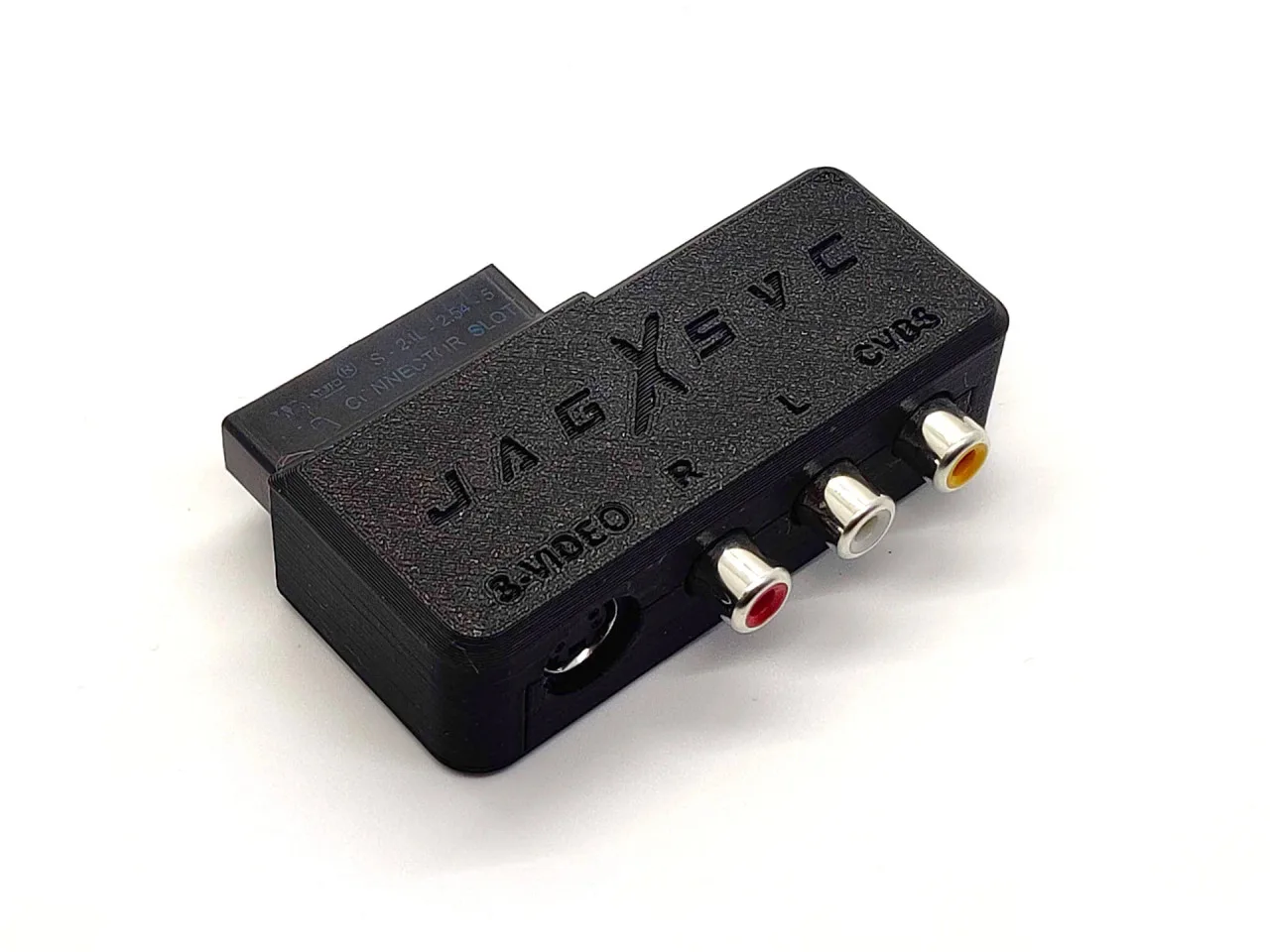
JagSVC - Atari Jaguar S-Video & Composite Video Adapter
-
JagSVC - Atari Jaguar S-Video & Composite Video Adapter: The JagSVC has a small footprint and fits perfectly next to a JagNet Network Adapter. If you also use a JagNet adapter for multiplayer or homebrew, both fit side by side without blocking ports.