What to Check First on a Refurbished iPhone 11 64GB
When you're looking at a refurbished iPhone 11 64GB, the goal is to confirm that the phone matches its description and will serve you reliably. The iPhone 11 itself is a solid device with a 6.1-inch Liquid Retina display, A13 Bionic chip, and a dual-camera system that includes Night mode. But because it's refurbished, a few specific checks help you avoid surprises.
Start with the basics: the storage capacity (64GB), the color, and the condition grade. For example, the iPhone 11 – 64GB – Red – Grade A from The iOutlet comes in a generic box, so you won't get original packaging, but the phone should be in near-mint cosmetic shape. The listed specifications tell you the battery is above 80% capacity and supports wireless charging, which is a good baseline.
Key Specs at a Glance
-
iPhone 11 – 64GB – Red – Grade A: Battery: Above 80% capacity, wireless charging A battery above 80% means you won't need an immediate replacement. Wireless charging is a convenient feature that should work out of the box.
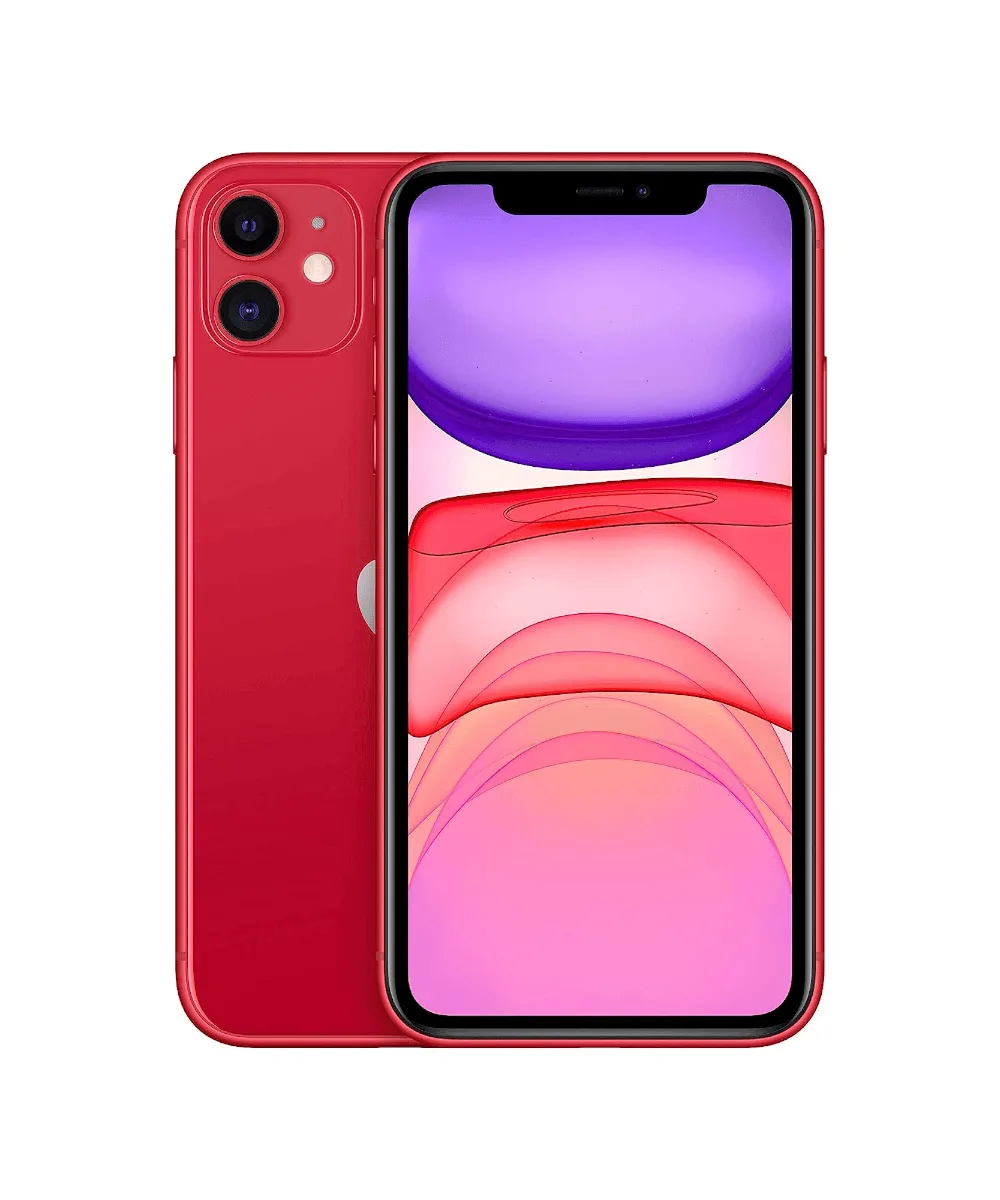
iPhone 11 – 64GB – Red – Grade A
-
iPhone 11 – 64GB – Red – Grade A: Size: 150.9 mm (H) x 75.7 mm (W) x 8.3 mm (D); Weight: 194 g These dimensions help you confirm the phone's physical condition—any significant deviation might indicate damage or a non-original part.
-
iPhone 11 – 64GB – Red – Grade A: Display: 6.1-inch Liquid Retina HD display (1792 x 828 resolution) Check for dead pixels, scratches, or uneven backlight. The display is a major component and costly to replace.
Step-by-Step Inspection Checklist
Use this sequence to verify the phone's condition without relying on guesswork.
- 1. Check Battery Health: Go to Settings > Battery > Battery Health. The listing says 'Above 80% capacity,' so anything below that means the phone doesn't match the description. Also test wireless charging by placing the phone on a Qi-compatible pad—it should start charging without a cable.
- 2. Inspect Cosmetic Condition: Look for scratches, dents, or chips on the glass and aluminum edges. Grade A typically means minimal wear, but verify under good lighting. The Red color should be uniform without fading.
- 3. Test Face ID and Cameras: Face ID is listed as a feature—set it up and make sure it unlocks reliably. Open the Camera app and test both rear lenses (Wide and Ultra Wide) and the front TrueDepth camera. Switch to Night mode in low light to confirm it activates.
- 4. Verify Display and Audio: The 6.1-inch Liquid Retina display should show crisp text and uniform brightness. Play a video to test stereo speakers and spatial audio playback. Any distortion or uneven sound could indicate speaker damage.
- 5. Confirm Connectivity: Turn on Wi-Fi and Bluetooth to see if they detect networks and devices. The iPhone 11 supports Wi-Fi 6 and Bluetooth 5.0—both should work without errors. Also test NFC by holding the phone near a payment terminal or tag reader.
What the Listing Doesn't Tell You
The supplied information confirms the phone's core specs and condition grade, but some details are not included. For example, the exact battery percentage above 80% isn't stated—you'll need to check it yourself. The generic box means you won't get original accessories, so you may need to supply your own charging brick and cable. Also, the listing doesn't specify whether the phone has been opened or repaired, so inspect the seals and screws for signs of tampering.
If the phone arrives and any of these checks reveal an issue, contact the seller promptly. The goal is to confirm that the refurbished iPhone 11 64GB matches its description and will perform as expected.