Quick answer
Replace your Grado stylus when you hear consistent distortion or sibilance that cleaning and alignment cannot fix, when tracking becomes unreliable, or when the stylus tip looks chipped or flattened under magnification. Most users should also consider replacement after roughly 800 to 1,000 hours of play, but the right time depends on your records, tracking force, and listening habits.
A worn stylus rarely fails all at once. It usually degrades slowly, adding harshness, inner-groove distortion, and tracking instability that you might blame on records or speakers. Catching those changes early protects your vinyl and keeps your Grado cartridge performing the way it should.
This guide separates the symptoms you can hear or see from the causes behind them, then gives you a clear corrective action for each. It also explains when a replacement stylus is the right fix and when the problem lies somewhere else in your setup.
Start with the symptoms you can hear
Distorted sound is the most common worn stylus symptom, but it rarely appears everywhere. Listen for harshness or breakup on loud passages, sibilance on vocals, and a loss of detail in the inner grooves of a record. If the same record sounded clean last month and now sounds edgy, the stylus is a strong suspect.
Another clue is uneven channel balance or a sudden thinness in one speaker. Before you blame the cartridge, clean the stylus, check the tracking force, and confirm the turntable is level. If those steps do not restore the sound, the tip is likely worn or damaged.
- Play a familiar record you know well; changes are easier to hear than on new music.
- Compare the first and last tracks on a side; inner-groove distortion often shows up first.
- If cleaning the stylus changes nothing, move on to a closer inspection.
What causes a stylus to wear out
Normal play wears the stylus tip. Every hour of contact with vinyl gradually polishes and flattens the contact area, which is why Grado stylus lifespan is usually measured in hours rather than months. Dirty records, excessive tracking force, and a misaligned cartridge all accelerate that wear.
A single accident can also end a stylus early. A dropped tonearm, a slipped cueing lever, or a brush catching the cantilever can chip the tip or bend the suspension. In those cases, hours of use do not matter; the damage is physical and immediate.
- Keep records clean; grit acts like sandpaper on the stylus tip.
- Use the tracking force recommended for your cartridge, not a heavier setting to mask mistracking.
- Handle the tonearm by the headshell or cueing lever, never by the stylus.
How to inspect the stylus and rule out other problems
A visual check with a magnifier or USB microscope can reveal a chipped, flattened, or misaligned tip. If the cantilever looks bent or the tip has a visible flat spot, stop playing records with it. A worn stylus can damage grooves, and that damage is permanent.
Before buying a replacement, rule out simpler causes. Confirm the tracking force, anti-skate, and cartridge alignment. Try a different record and a different phono input. If the distortion follows the stylus across records and inputs, replacement is the logical next step.
- Inspect under bright light with at least 10x magnification.
- Check the cantilever for bends or a sagging suspension.
- If you cannot see the tip clearly, have a dealer inspect it before you keep playing records.
Match the replacement stylus to your cartridge
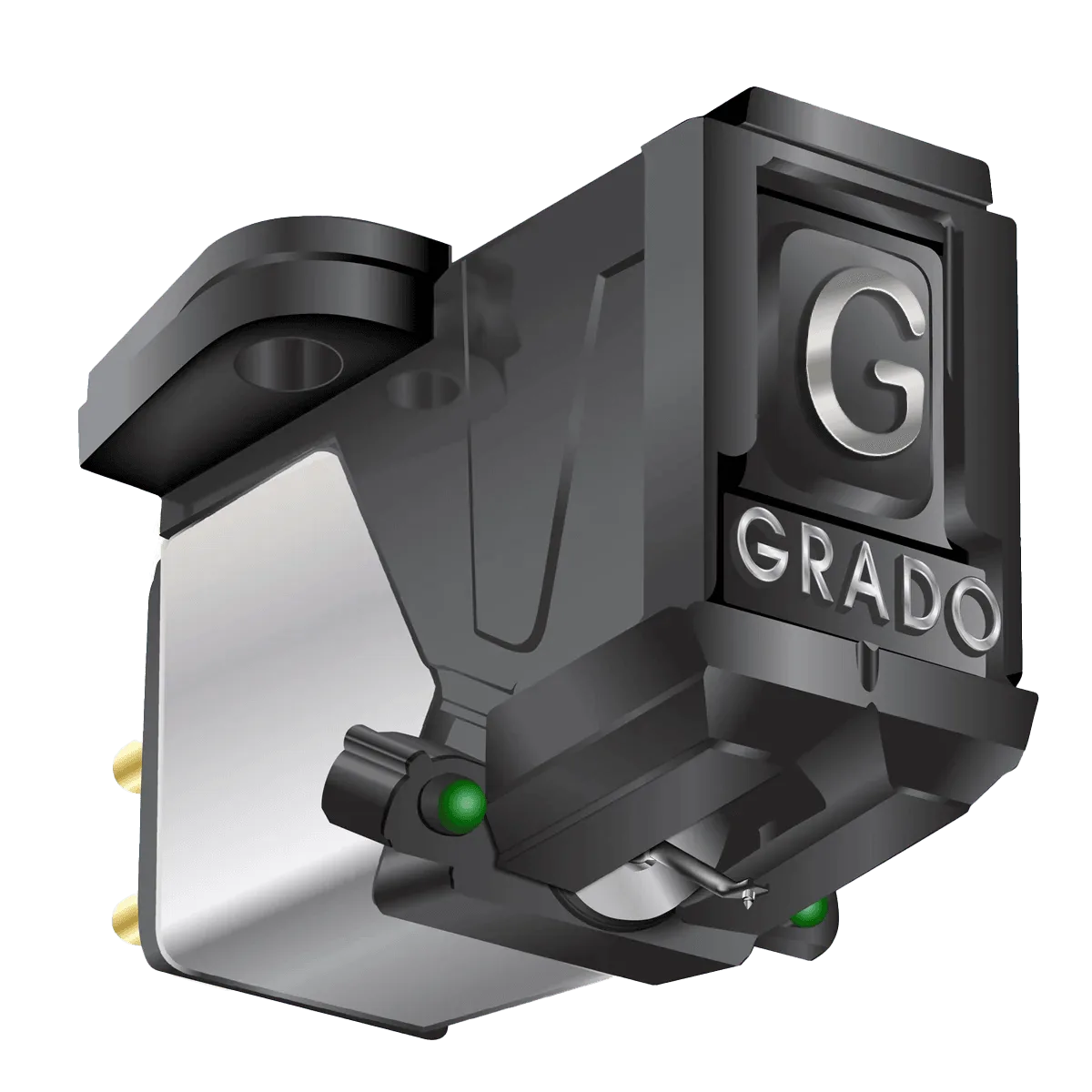
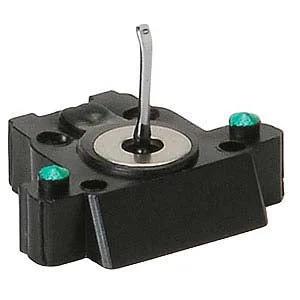
Grado replacement styli are user replaceable, but they are not universal. Each stylus is designed for specific cartridge models, so check compatibility before ordering. The Stylus Green4 is a direct replacement for the 4E-GREEN4E, 4E-GREEN1PC, and 4E-GREEN1PM cartridges, making it the straightforward choice for those Prestige models.
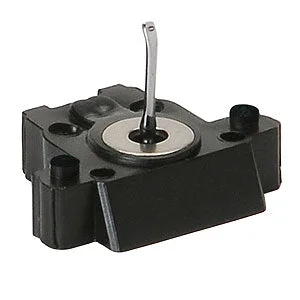
If you own a DJ cartridge, the Stylus DJ200i is the matching replacement for the 4E-DJ200IPC. For listeners who want to move up the range, the Stylus 8MZ and Stylus XTZ are compatible with all Grado Prestige Series cartridges. The 8MZ comes from the Joseph Grado Signature 8MZ cartridge, while the XTZ comes from the Signature XTZ and is an upgrade from the TLZ.
- Match the stylus to your exact cartridge model first.
- Upgrade styli like the 8MZ and XTZ fit all Prestige Series cartridges.
- If you are unsure which cartridge you have, check the model number on the body.
When to stop and choose another option
Replacing the stylus is the right call when the tip is worn or damaged and the cartridge body is otherwise healthy. But if the cantilever is bent, the suspension has collapsed, or the cartridge body itself is damaged, a new stylus may not solve the problem. In that case, consider a complete cartridge replacement or have the unit inspected.
Also stop if distortion persists after a fresh stylus. That points to alignment, tonearm, or phono-stage issues rather than stylus wear. At that point, further stylus swaps waste money; diagnose the rest of the chain instead.
- A new stylus will not fix a bent cantilever or damaged cartridge body.
- If a fresh stylus still distorts, check alignment and tonearm setup.
- Keep a spare stylus on hand if you play records daily.
Stylus wear diagnosis
- Distorted sound on loud passages: Harshness or breakup that was not there before, especially on inner grooves, often points to a worn or dirty tip. Clean the stylus first. If the distortion remains, replace the stylus.
- Tracking instability or skipping: If the stylus skips on records it used to track, check tracking force and anti-skate before assuming wear. If setup is correct and skipping continues, the stylus is likely worn or damaged.
- Visible tip damage: A chipped, flattened, or misaligned tip under magnification means the stylus is done. Stop playing records immediately and replace the stylus to avoid groove damage.
- New stylus still distorts: If a fresh, compatible stylus does not fix the problem, the cause is elsewhere in the turntable or phono chain. Stop replacing styli and have the tonearm, alignment, and phono stage checked.
Grado replacement options at a glance
- Stylus Green4: User replaceable stylus for 4E-GREEN4E, 4E-GREEN1PC, and 4E-GREEN1PM cartridges. A direct match for those Prestige cartridges, so you can restore performance without changing the cartridge body.
- Stylus DJ200i: User replaceable stylus for the 4E-DJ200IPC cartridge. The correct replacement for DJ200i users who need the same tracking and durability for mixing or scratching.
- Stylus 8MZ: User replaceable stylus from the Joseph Grado Signature 8MZ cartridge and compatible with all Grado Prestige Series cartridges. Lets Prestige owners upgrade to a Signature-derived stylus without replacing the cartridge.
- Stylus XTZ: User replaceable stylus from the Joseph Grado Signature XTZ cartridge, an upgrade from the TLZ, and compatible with all Grado Prestige Series cartridges. A higher-tier upgrade path for Prestige Series users who want the XTZ design.
Replace your Grado stylus when cleaning and setup checks no longer fix distortion, tracking problems, or visible tip wear. Match the replacement to your cartridge model, and if a new stylus does not solve it, look beyond the stylus to the rest of your system.