Quick answer
Your print is not defective. Screens project light, paper reflects it, so the same file will always look brighter, cooler, or more saturated on a monitor than on a wall. Before you ask for a replacement, view the print in the room where it will hang, under the light it will actually live in, and compare it to the product photo on a calibrated screen.
Screen vs print colors: why the gap is normal
A monitor mixes red, green, and blue light to make white. Paper has no light of its own; it absorbs some wavelengths and bounces the rest back to your eye. That physical difference means a warm white fine art paper will never glow like an LED display, and deep blues often read slightly softer in print than on screen.
Your device adds its own variables. Night Shift, True Tone, and auto-brightness all shift color temperature. If you viewed the product page on a phone at night, you were comparing the print to a warm, dimmed version of the artwork, not the file itself.
Check the light before you blame the print
Lighting is the single biggest factor in how a print looks after it arrives. A print that seems dull in a north-facing hallway can look rich and dimensional under a warm lamp. Move the print to the intended wall, turn on the lights you normally use, and look at it from two or three feet away rather than holding it under a ceiling fixture.
- Incandescent and warm LED bulbs pull warm tones forward and calm cool blues.
- Cool white and daylight bulbs make whites look crisp but can flatten cream and ivory papers.
- Direct sunlight shifts color over time and is the one light source you should avoid for long-term display.
- Matte papers scatter light and soften contrast; glossy surfaces reflect more and can look darker at an angle.
When the difference is a real print issue
Most color gaps are viewing conditions, but a few are genuine defects. Look for banding, blotches, or a color that is missing entirely in one area. Compare the print to the same artwork on a second device. If the file looks consistent everywhere and the print shows a localized flaw, that is a production problem, not a lighting problem.
Text-heavy pieces make this easier to judge. If the lettering is sharp and evenly inked but the overall tone is warmer than your screen, the print is fine. If letters are fuzzy, doubled, or faded on one side, stop and contact the seller.
How to preview a fingerprint print appearance before ordering
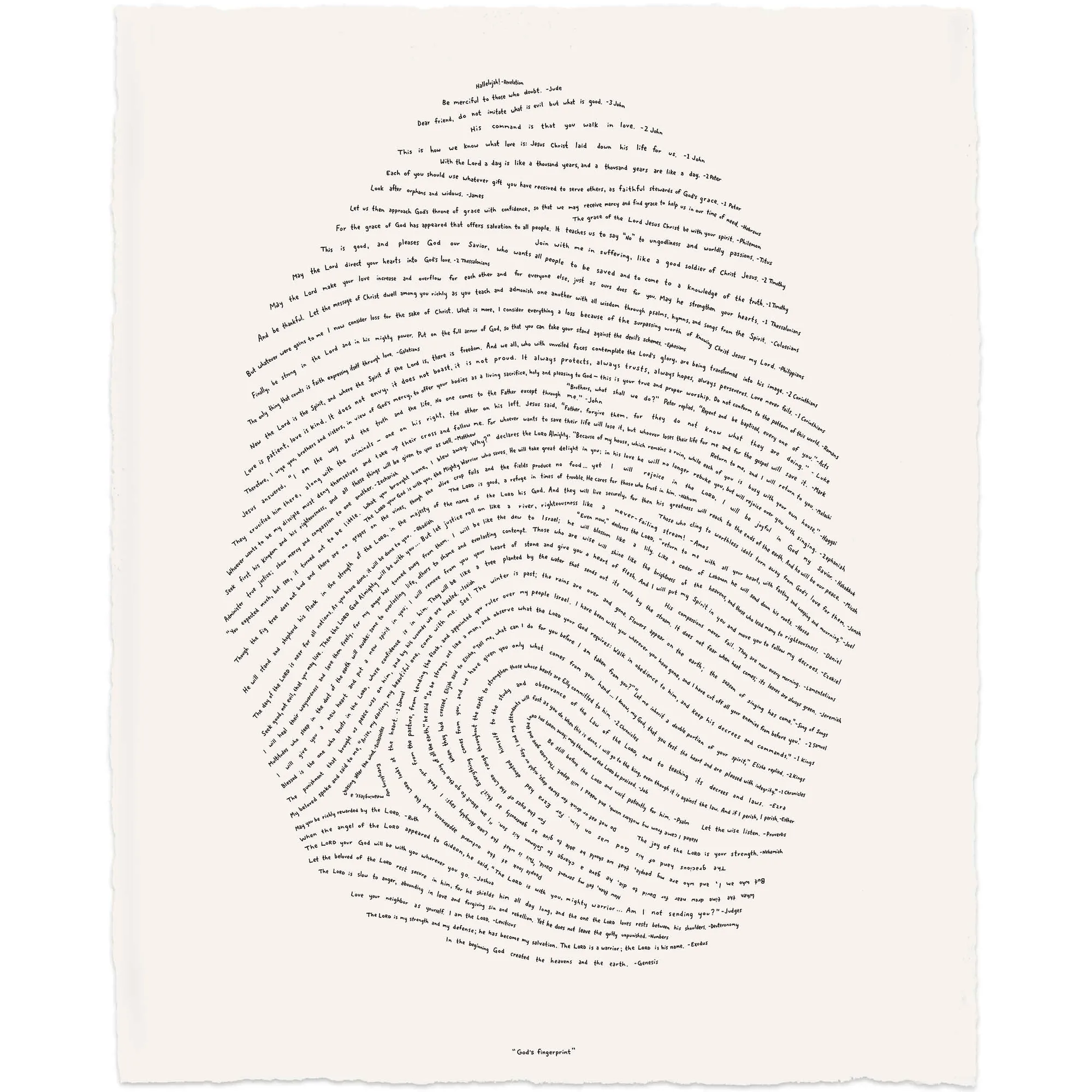
Fingerprint-style artwork is especially sensitive to this gap because it relies on fine line work and subtle paper texture. Ask the seller for a photo of the actual printed piece in natural room light, not just a digital mockup. If you are choosing between sizes, remember that a larger print shows more of the paper's texture and reads slightly softer from across a room.
If you are buying a gift, view the product page on a desktop or tablet with the screen brightness set to a moderate level. That gets you closer to how the print will look on a wall than a phone at full brightness.
Diagnose your print in four steps
- Symptom: the whole print looks duller or warmer than the website: This is the normal screen-to-paper gap. View the print in its intended room under the lights you actually use, and check the product page on a second device with auto-brightness off. If the difference shrinks under room light, the print is behaving as expected.
- Symptom: one area is blotchy, banded, or missing color: A localized flaw is not a lighting issue. Photograph the area in daylight and compare it to the same spot in the product image. If the flaw is only in the print, contact the seller with the photo.
- Symptom: the print looks fine in daylight but muddy at night: Your evening bulbs are the cause. Warm, low-CRI bulbs mute cool tones and reduce contrast. Add a neutral or daylight-balanced lamp near the artwork, or move the print to a wall with better light. Change the light before you change the print.
- Symptom: you still cannot get the look you expected: If the paper tone, texture, or finish does not suit your space even after correcting light and screen settings, the piece may simply not be the right fit. Consider a different size, a brighter paper option, or a different artwork. Stop adjusting and choose another option rather than forcing a match.
Products where paper and ink choices affect the final look
- God's Fingerprint - NIV Artisan Edition: The Artisan Edition is screen-printed by hand on warm white fine art paper with hand-torn deckled edges. Warm white paper and hand screen-printing give this piece a softer, more textured look than a bright white digital print, so the on-screen version will read cooler and flatter.
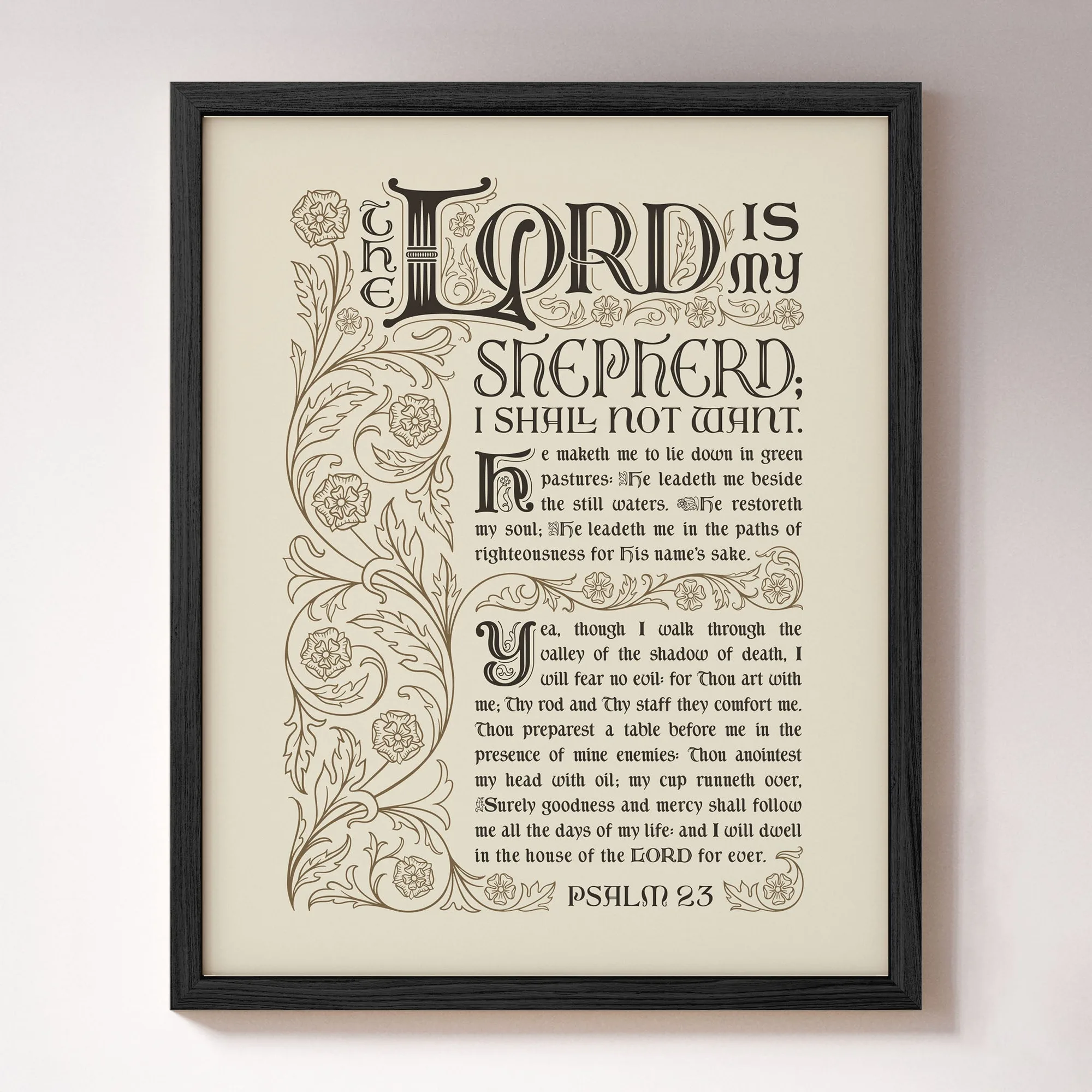
- Psalm 23: Psalm 23 features the complete text of Psalm 23 in the King James Version, illustrated by Beth Rufener. Text-heavy artwork makes color and sharpness differences easy to spot, so compare the lettering in the product photo to the print in your room light before deciding something is wrong.