Quick Answer
A wobbly ceiling fan is usually caused by loose screws, an unbalanced blade, or a bent blade. Start by tightening all visible screws and cleaning the blades. If wobbling persists, use a balancing kit or swap blades to isolate the issue. If the fan still shakes, it may be time to replace the fan or call a professional.
A ceiling fan that wobbles can be more than just a nuisance—it can indicate loose parts or an unbalanced setup that may lead to premature wear or even safety hazards. Whether your fan has been running smoothly for years or you've just installed a new one, understanding the root causes of wobbling is the first step to a stable, quiet fan.
In this guide, we'll walk through the most common reasons why ceiling fans wobble, how to diagnose the problem, and step-by-step fixes you can do yourself. We'll also highlight when it's time to replace the fan rather than repair it.
Common Causes of Ceiling Fan Wobbling
Wobbling usually stems from one of four issues: loose screws, unbalanced blades, bent blade arms, or an uneven mounting bracket. Loose screws are the most frequent culprit—over time, vibration can loosen the screws that hold the blades to the motor and the fan to the ceiling. Check all visible screws, including those on the mounting bracket and the canopy.
Another common cause is dust accumulation on the blades. When one blade is dirtier than the others, it becomes heavier and causes an imbalance. Cleaning the blades often resolves minor wobbles. If cleaning doesn't help, the blades themselves may be warped or bent, especially if they're made of wood or plastic.
Finally, the mounting bracket may not be securely attached to the ceiling joist, or the downrod (if used) may be slightly bent. Inspect the mounting hardware and ensure the fan is hanging level.
- Loose screws on blades and mounting bracket
- Dust or debris on blades causing imbalance
- Warped or bent blades or blade arms
- Uneven mounting or a bent downrod
Step-by-Step Fixes for a Wobbly Fan
Start by turning off the fan and waiting for it to stop completely. Use a ladder to access the fan safely. Tighten all screws on the blades, the blade arms, and the mounting bracket. Be careful not to overtighten, as this can strip the screws or crack the blades.
Next, clean the blades with a damp cloth to remove dust and grime. If the wobble persists, you can use a ceiling fan balancing kit. These kits typically include small adhesive weights that you attach to the top of a blade. Follow the kit's instructions to place the weight on the blade that is lowest when the fan is running.
If you don't have a balancing kit, you can try swapping the position of two blades. Sometimes blades are slightly different in weight, and swapping them can help balance the fan. If the wobble continues after these steps, the issue may be a bent blade arm or a damaged motor, in which case you may need to replace the fan.
- Always turn off power before adjusting your fan.
- Use a stable ladder and have someone spot you.
- Consider replacing blades if they are warped or cracked.
When to Replace Your Ceiling Fan
If you've tried tightening, cleaning, and balancing, but the fan still wobbles significantly, it may be time for a new fan. Persistent wobbling can strain the motor and lead to more serious issues down the line. Also, if you notice any cracks in the blades or the mounting system, replacement is the safest option.
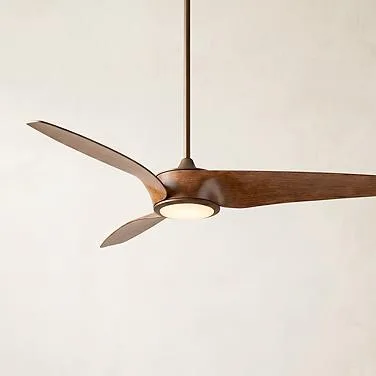
When choosing a new fan, look for models with high-quality construction and good reviews. The 72 Inch Casa Vieja Airbender Ultra Airflow Emperial Bronze Led Ceiling Fan 7797h is a solid choice for large rooms, offering a 72-inch blade span and ultra airflow design. For outdoor spaces, the 52 Inch Casa Delta Dc Matte Black Outdoor Ceiling Fan With Remote 4127g features a DC motor for quiet, efficient operation.
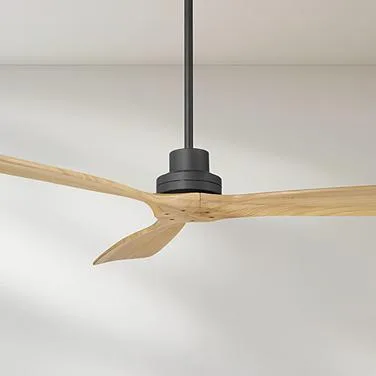
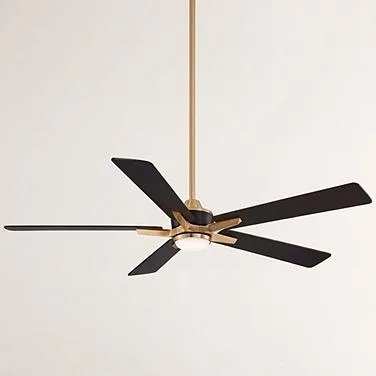
52 Inch Casa Delta Dc Matte Black Outdoor Ceiling Fan With Remote 4127g
Diagnosis Guide: Wobbling Fan
- Symptom: Fan shakes during operation: Notice if the wobble is constant or intermittent, and whether it worsens at higher speeds. Check for loose screws and clean blades first.
- Likely cause: Unbalanced blades: Use a balancing kit or swap blades to identify if one blade is heavier or bent. If balancing doesn't help, inspect blades for damage.
- Corrective action: Tighten and balance: Tighten all screws, clean blades, and apply weights or swap blades as needed. If wobble persists, consider replacing the fan.
- Stop or choose another option: If you notice cracks, excessive wear, or the fan continues to wobble after multiple attempts, stop using it and replace it. Safety first: a damaged fan can be a hazard.
Product Facts: Fans Built for Stability
- 72 Inch Casa Vieja Airbender Ultra Airflow Emperial Bronze Led Ceiling Fan 7797h: 72-inch blade span for expansive coverage, Emperial Bronze finish, integrated LED light, ultra airflow design. A larger blade span can improve air circulation and reduce the need for high speeds, which can minimize wobble caused by excessive vibration.
- 52 Inch Casa Delta Dc Matte Black Outdoor Ceiling Fan With Remote 4127g: DC motor for quiet, energy-efficient performance, includes remote control, matte black finish. A DC motor runs more smoothly and quietly than traditional AC motors, which can help prevent wobble and extend the fan's lifespan.
A wobbly ceiling fan is often an easy fix with a few simple steps. Start with tightening and cleaning, then move to balancing. If all else fails, it's time to invest in a new, high-quality fan like the 72 Inch Casa Vieja Airbender or the 52 Inch Casa Delta. Enjoy a stable, quiet fan and a comfortable room.