Quick answer
If you have a modern router and want the fastest speeds for streaming or gaming, choose a Wi-Fi 6 USB adapter like the Plugable USB 3.0 Wi-Fi 6 AX1800. If you're on a strict budget or your router is older, a Wi-Fi 5 adapter still works well for basic browsing.
Why upgrade from Wi-Fi 5 to Wi-Fi 6
Wi-Fi 6 (802.11ax) brings real-world improvements over Wi-Fi 5 (802.11ac) in crowded homes. It uses OFDMA and MU-MIMO to handle multiple devices at once, reducing lag when several people stream or work online. A USB Wi-Fi 6 adapter is a quick way to get these benefits without opening your PC.
Speed differences that matter
The Plugable USB 3.0 Wi-Fi 6 AX1800 adapter can reach up to 1,201 Mbps on the 5 GHz band. In contrast, a typical Wi-Fi 5 USB adapter tops out around 867 Mbps. For heavy tasks like 4K streaming or large file downloads, the extra speed is noticeable. However, if your internet plan is under 200 Mbps, you won't see a difference in everyday use.
USB port matters
Wi-Fi 6 adapters often require USB 3.0 to reach full speed. The Plugable USB 3.0 Wi-Fi 6 AX1800 uses USB 3.0, while some budget Wi-Fi 5 adapters use USB 2.0. If your computer only has USB 2.0 ports, a USB 3.0 adapter will still work but at reduced speeds. Check your device's ports before buying.
Wi-Fi 6 vs Wi-Fi 5: Trade-offs
- Speed: Wi-Fi 6 (AX1800) offers up to 1,201 Mbps vs Wi-Fi 5 (AC1200) up to 867 Mbps. The real gain is noticeable with high-speed internet plans over 500 Mbps.
- Chipset & features: Wi-Fi 6 adapters include OFDMA and MU-MIMO for better multi-device performance. Wi-Fi 5 lacks these, so it may struggle in busy households. If you have many smart home devices or family members streaming, Wi-Fi 6 is worth the extra cost.
- USB interface: Wi-Fi 6 adapters typically use USB 3.0 for full speed; Wi-Fi 5 often uses USB 2.0. USB 2.0 caps throughput around 480 Mbps, limiting Wi-Fi 6 potential. Check your PC's USB ports. USB 3.0 is backward compatible but won't reach max speed on USB 2.0.
Product facts at a glance
-
Plugable USB 3.0 Wi-Fi 6 AX1800 Wireless Adapter: Supports Wi-Fi 6 (802.11ax) with speeds up to 1,201 Mbps on the 5 GHz band. Ideal for high-bandwidth tasks like 4K streaming, online gaming, and large file transfers on a modern router.
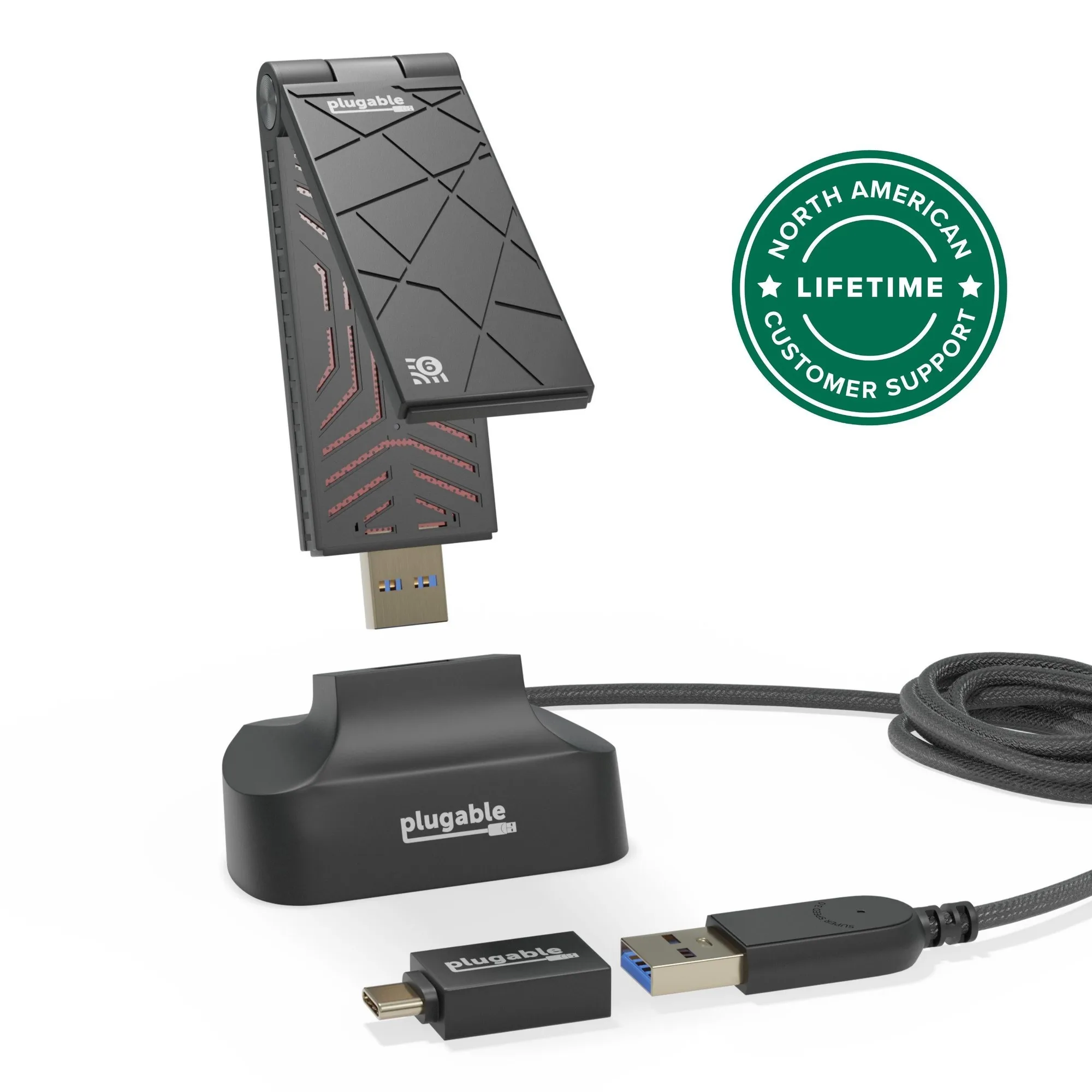
Plugable USB 3.0 Wi-Fi 6 AX1800 Wireless Adapter
-
Plugable USB 2.0 Wi-Fi 6 Wireless Adapter: Powered by the Realtek RTL8832BU chipset, it adds Wi-Fi 6 performance with OFDMA and MU-MIMO for better efficiency in crowded networks. Improves stability and reduces lag when multiple devices are connected, even on older PCs.
Plugable USB 2.0 Wi-Fi 6 Wireless Adapter
Plugable USB 2.0 Wi-Fi 6 Wireless Adapter
Which adapter fits your setup?
Best for
- Users with a Wi-Fi 6 router and a need for fast, stable connections for gaming or streaming
- Budget-conscious upgraders who want modern features without replacing their PC
Not for
- Users with internet plans under 200 Mbps who only browse or email—Wi-Fi 5 is sufficient
- Users with only USB 2.0 ports who want full Wi-Fi 6 speed—consider a USB 3.0 adapter or internal card