Quick answer
Start by charging the GamePad directly with the Wii U GamePad power adapter instead of the cradle, and watch the orange charging light for 30 minutes. If it stays dark, the fault is almost always the adapter, the charging contacts, or an aged battery. A Wii U GamePad replacement battery is the practical fix when the adapter and contacts check out but the pad still dies within minutes.
Run the 30-minute isolation test first
test
Unplug the charging cradle and connect the Wii U GamePad power adapter straight into the port on the top edge of the pad. Plug the adapter into a wall outlet you know works, then leave the GamePad alone for 30 minutes. The orange light should come on and stay on while charging. If the light never appears, you have narrowed the problem to the adapter, the port, or the battery, not the console.
If the light does come on but the GamePad only runs for a few minutes after a full charge, the adapter is fine and the battery has simply lost capacity. That is the point where a replacement battery makes more sense than more testing.
Check the adapter, port, and contacts in that order
Wiggle the barrel plug gently where it enters the GamePad. A charging light that flickers or cuts out when you move the cable points to a worn port or a damaged adapter lead. Try a second official Wii U GamePad power adapter if you have one, since third-party supplies sometimes deliver too little current and cause slow or failed charging.
Inspect the two metal contacts on the bottom of the GamePad and the matching pins in the cradle. Dust, sticky residue, or slightly bent pins are common on used pads. Clean the contacts with a dry cotton swab and isopropyl alcohol, let them dry, and reseat the GamePad in the cradle. If direct charging works but the cradle does not, the cradle is your problem, not the battery.
When to replace the battery instead of repairing
The GamePad uses a user-replaceable battery pack behind the cover on the back of the pad. If the pad charges fully but drains in under 20 minutes, or if it only works while plugged in, the pack is at the end of its life. Replacement packs are widely available, and the swap takes a few minutes with a small Phillips screwdriver. Avoid generic packs with no capacity printed on the label.
If a fresh, known-good battery still will not charge and the charging light never comes on with a verified adapter, the fault is likely the charging port or the board inside the GamePad. That is a soldering-level repair. At that stage, compare the cost of a used GamePad against the repair, and stop if the repair quote approaches the price of a working pad.
If the GamePad won't turn on at all
A GamePad that shows no light and no screen is not always dead. Hold the power button for 15 seconds, then charge it for a full hour before trying again. If the console is on but the GamePad screen stays black, the pad may be paired incorrectly rather than out of power. Resync it by pressing the SYNC button on the console and then the SYNC button on the GamePad.
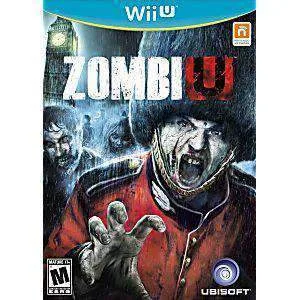
Once the pad powers on reliably, test it with a game so you know the repair held. ZombiU is a good stress test because it uses the GamePad screen constantly for inventory and scanning, so any remaining power or connection fault shows up quickly.
Symptom-to-fix diagnosis
- No orange light with the direct adapter: Try a second official Wii U GamePad power adapter and clean the charging port. If the light still never appears, the port or internal board is the likely fault. Stop here if a verified adapter and clean port still produce no light; this is a board-level repair.
- Charges but dies in minutes: The adapter and port are working, so the battery pack has lost capacity. Install a Wii U GamePad replacement battery and retest. This is the clearest case for replacement rather than repair.
- Charges in the cradle but not directly, or the reverse: One charging path works and the other does not, which points to the cradle contacts or the adapter rather than the battery. Replace the failing accessory first and retest before touching the battery.
- No power and no screen after an hour of charging: Hold power for 15 seconds, then resync the GamePad with the console using the SYNC buttons before assuming hardware failure. If resyncing fails and a known-good battery does not help, weigh a used GamePad against a repair.
A game worth testing your repaired GamePad with
- ZombiU - Wii U Game: ZombiU for Wii U is a used NTSC copy, disc only, fully cleaned and tested, and backed by a 90-day return policy. It leans on the GamePad screen for scanning and inventory, so it is a practical way to confirm your charging fix holds during a real play session.