Quick answer
To install your Wyze Cam V3 or V4 in a corner, use the Wyze Cam V3 & V4 Corner Mount Holder. It sticks to most flat surfaces with its adhesive pad and holds the camera securely via a slide-in design.
Why use a corner mount for your Wyze Cam?
A corner mount lets you place your camera in an elevated corner, giving it a wider field of view and keeping it out of reach. The adhesive bracket is ideal for renters or anyone who wants to avoid drilling holes.
What you need before starting
Make sure you have the Wyze Cam V3 & V4 Corner Mount Holder, your Wyze camera (V3 or V4), and a clean, dry surface. The mount comes with a strong adhesive pad that bonds best to smooth, non-porous surfaces like painted walls, tile, or glass.
Step-by-step installation guide
- Clean the mounting surface: Wipe the corner area with isopropyl alcohol to remove dust, grease, or moisture. Let it dry completely. A dirty surface is the most common reason the adhesive fails later.
- Peel and apply the adhesive pad: Remove the backing from the adhesive pad on the corner mount bracket. Press the bracket firmly against the corner for 30 seconds, applying even pressure across the entire pad. Don't just stick it and walk away—firm pressure helps the bond form properly.
- Wait before mounting the camera: Let the adhesive cure for at least 1 hour before attaching the camera. For best results, wait 24 hours if the surface is cold or the room is humid. Skipping the cure time can cause the mount to peel off under the camera's weight.
- Slide the camera into the bracket: Align the camera base with the slide-in slot on the mount. Push it downward until it clicks or sits flush. Tilt the camera to your desired angle. Make sure the camera is fully seated—an incomplete slide can let the camera fall.
- Route the cable neatly: Use cable clips or adhesive cable organizers along the wall to keep the power cord tidy and out of sight. A dangling cable can pull on the camera and stress the mount over time.
Product details
-
Wyze Cam V3 & V4 Corner Mount Holder - Adhesive Bracket - Easy to Install: Designed for Wyze Cam V3 & V4, lightweight wall hanger with a slide-in design for quick placement. You can mount or remove your camera in seconds without tools, making repositioning easy.
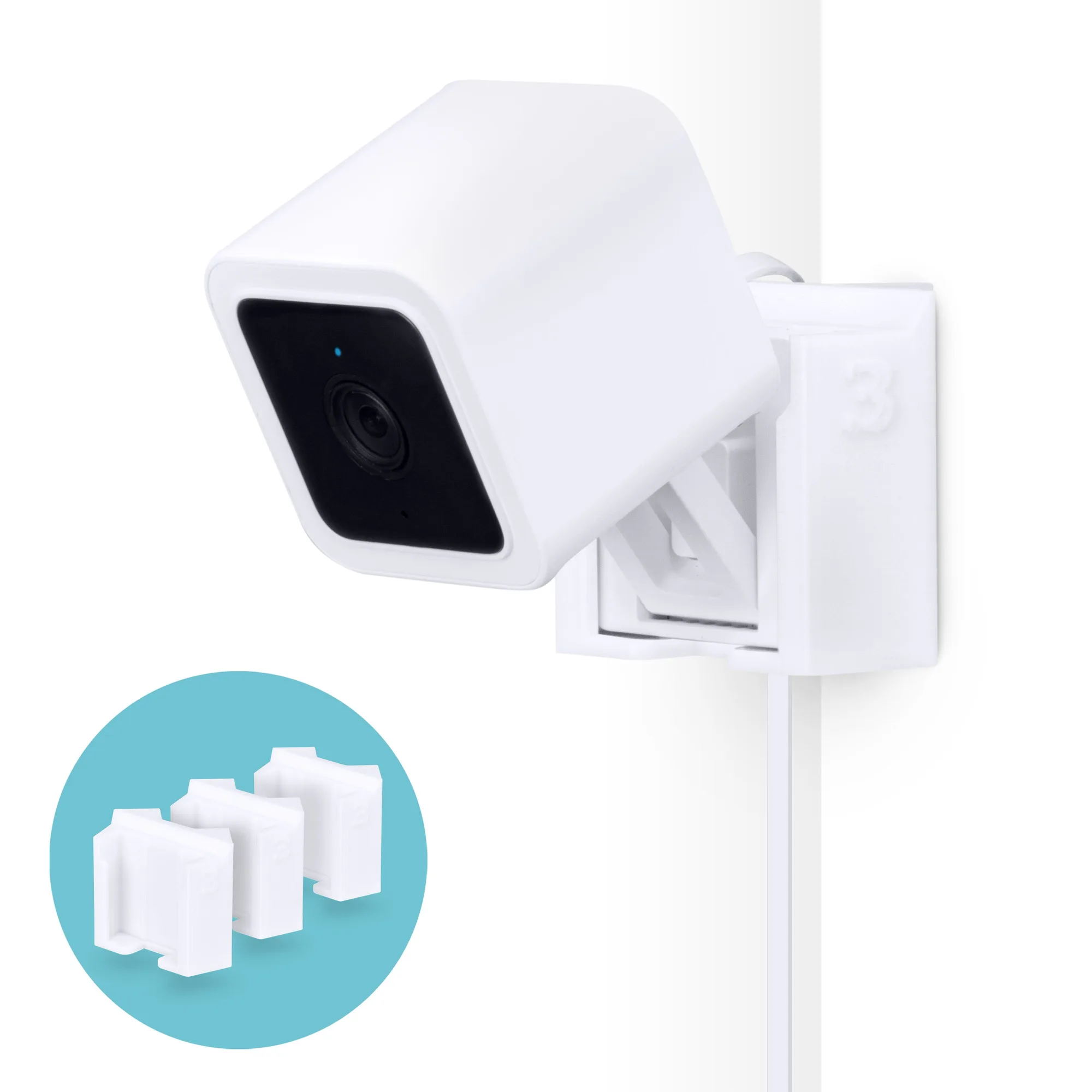
Wyze Cam V3 & V4 Corner Mount Holder - Adhesive Bracket - Easy to Install