Quick answer
Install the Yale Assure Lever Keypad with Z-Wave Plus in under 30 minutes by following our step-by-step guide. Focus on proper alignment, secure wiring, and correct Z-Wave pairing to avoid common issues.
Before you start: Tools and compatibility
You will need a Phillips screwdriver, a measuring tape, and the existing door prep (2-3/8" or 2-3/4" backset). The lock works with standard door thicknesses from 1-3/8" to 1-3/4". Confirm your door meets these specs before beginning.
The Z-Wave Plus module requires a compatible Z-Wave hub (e.g., SmartThings, Ring Alarm). If you plan to use voice control, ensure your hub supports Amazon Alexa or Apple HomeKit integration.
Step-by-step installation guide
- 1. Remove existing lever lock: Unscrew and detach your old lever lock from the door. Keep the original strike plate and screws if they are in good condition. Common mistake: Forgetting to note the door handing (left/right) before removal. Mark it on the door frame so you set the new lock correctly.
- 2. Install the mounting plate and tailpiece: Attach the mounting plate to the door using the provided screws. Insert the tailpiece through the center hole, ensuring it aligns with the latch mechanism. Checkpoint: The tailpiece must be fully seated; a misaligned tailpiece causes the lever to feel loose or not retract the latch properly.
- 3. Attach the exterior lever and keypad: Slide the exterior assembly onto the tailpiece and secure it with the mounting screws. Route the cable through the door to the interior side. Common mistake: Pinching the cable between the door and the lock body. Gently pull slack before tightening screws.
- 4. Connect the interior assembly: Plug the cable from the exterior into the interior module. Align the interior lever and secure with screws. Insert batteries (4 AA, not included). Checkpoint: Test the lever movement before fully tightening. If it binds, loosen screws and adjust alignment.
- 5. Pair with your Z-Wave hub: Put your Z-Wave hub into pairing mode, then press and hold the reset button on the lock's interior for 3 seconds. The lock will appear in your hub's device list. Common mistake: Forgetting to remove the lock from a previous hub first. Factory reset by holding the reset button for 10 seconds if needed.
- 6. Configure user codes and voice control: Use the hub's app to create up to 250 user codes. Enable Alexa or HomeKit skills to link the lock for voice commands. Checkpoint: Test each code immediately after setup. If a code does not work, re-enter it from the hub interface.
- 7. Final door test: Cycle the lock several times from both sides. Check that the latch fully extends and retracts without binding. Adjust the strike plate if the latch rubs. Common mistake: Ignoring a rubbing latch leads to premature wear. Use a file to slightly enlarge the strike plate opening if needed.
Product facts: Yale Assure Lever Keypad with Z-Wave Plus
-
Yale Assure Lever Keypad with Z-Wave Plus: Available in Black Suede, Oil Rubbed Bronze, and Satin Nickel finishes. Choose a finish that matches your existing door hardware for a cohesive look.
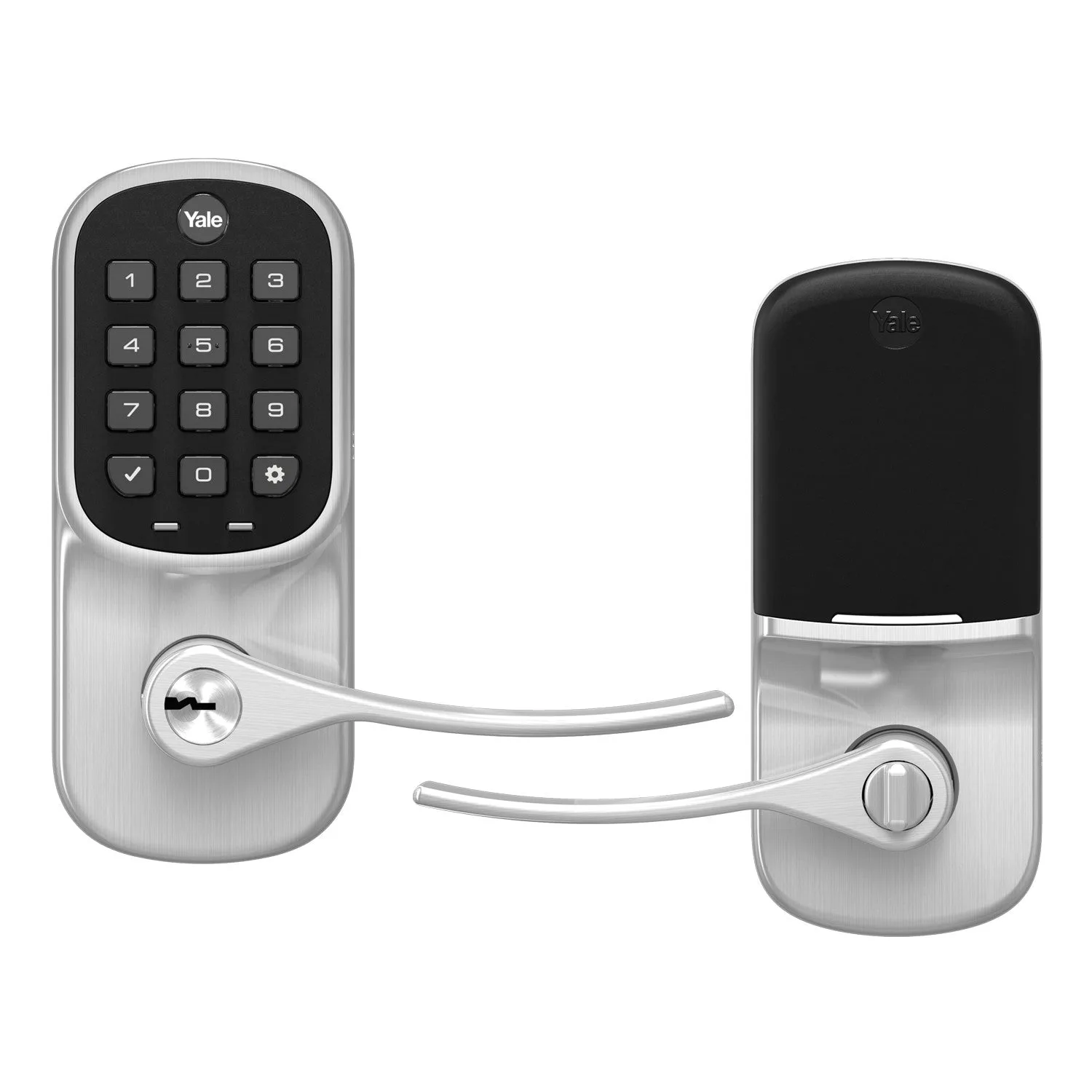
Yale Assure Lever Keypad with Z-Wave Plus
-
Yale Assure Lever Keypad with Z-Wave Plus: Works with Amazon Alexa and Apple HomeKit for voice control. You can lock/unlock or check status hands-free if you have a compatible smart speaker.