Quick answer
Choose the Yale Assure Lock 2 Plus bundle for key-free entry with Apple Home Key and Bluetooth, or the Touch bundle if you prefer a touchscreen keypad with fingerprint access. Both pair with a matching handle or lever for a complete front door set.
Key-free entry vs. fingerprint access
The biggest difference between these two front door bundles is how you unlock. The Assure Lock 2 Plus uses Apple Home Key technology and Bluetooth, so you can tap your iPhone or Apple Watch to enter—no keys, no keypad. The Assure Lock 2 Touch instead offers a touchscreen keypad with fingerprint recognition, letting you unlock with a simple touch of your finger or a code.
If you're already in the Apple ecosystem and want the fastest, most seamless entry, the Plus bundle is the clear match. If you prefer a physical fingerprint sensor and a keypad for backup, the Touch bundle gives you more traditional options without needing a phone.
Lever vs. handle: matching your door style
The Plus bundle comes with a Ridgefield handle, while the Touch bundle includes a Norwood lever. Handles are typically used on exterior doors and offer a more classic look, while levers are common on interior doors and easier to operate for people with limited hand strength. Both are available in Satin Nickel or Black Suede finishes, so you can match your existing hardware.
If you're replacing a full front door set, consider whether your door has a handle or lever style—this will affect installation and the overall look.
How to decide: trade-offs
- Apple Home Key convenience: If you use an iPhone or Apple Watch, the Plus bundle's Apple Home Key lets you unlock with a tap. You'll need to have your device with you, and there's no keypad or fingerprint option on this model. Consider if you always carry your phone or watch—if not, the Touch might be more practical.
- Fingerprint and keypad flexibility: The Touch bundle offers fingerprint recognition and a touchscreen keypad, plus a keyed entry function. This gives you multiple ways to unlock, but you'll need to remember a code or use your finger instead of a quick phone tap. If you have guests or family who don't use smart devices, the keypad and key are easier to share.
- Handle vs. lever style: The Plus bundle includes a Ridgefield handle (traditional exterior look), while the Touch bundle includes a Norwood lever (sleeker, easier to operate). Both come in Satin Nickel or Black Suede. Match the style to your door and personal preference—handles are more classic, levers are more modern and accessible.
Product facts at a glance
-
Yale Assure Lock 2 Plus with Bluetooth and Ridgefield Handle: The Yale Assure Lock 2 Plus with Bluetooth and Ridgefield Handle is a front door bundle with key-free entry deadbolt function and Apple Home Key technology. You can unlock with your Apple device, so there's no key or keypad to fiddle with—just tap to enter.
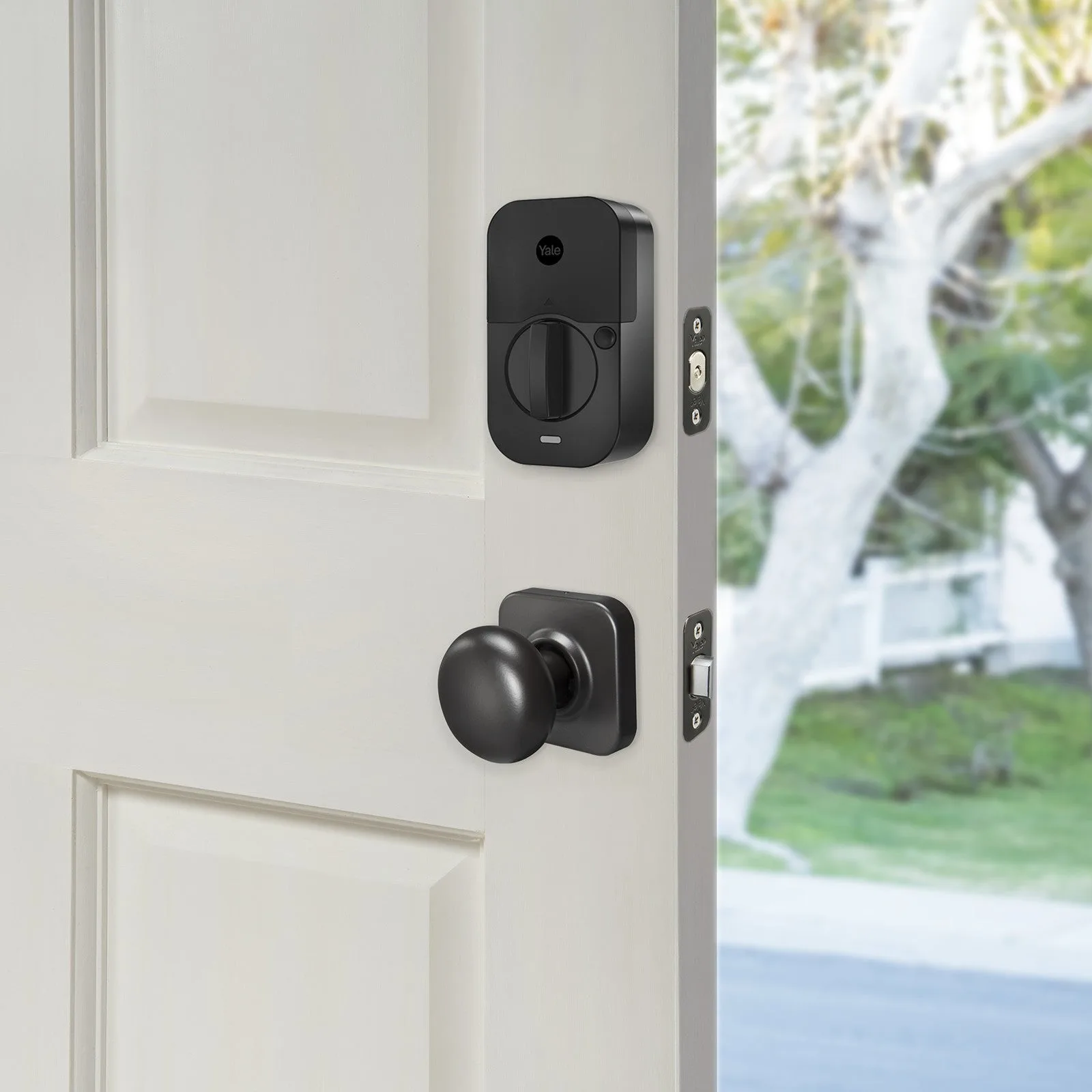
Yale Assure Lock 2 Plus with Bluetooth and Ridgefield Handle
-
Yale Assure Lock 2 Touch with Bluetooth and Norwood Lever: The Yale Assure Lock 2 Touch with Bluetooth and Norwood Lever pairs a touchscreen keypad deadbolt with fingerprint technology and a keyed entry function. You get the convenience of fingerprint or code entry, with a physical key as a backup option.
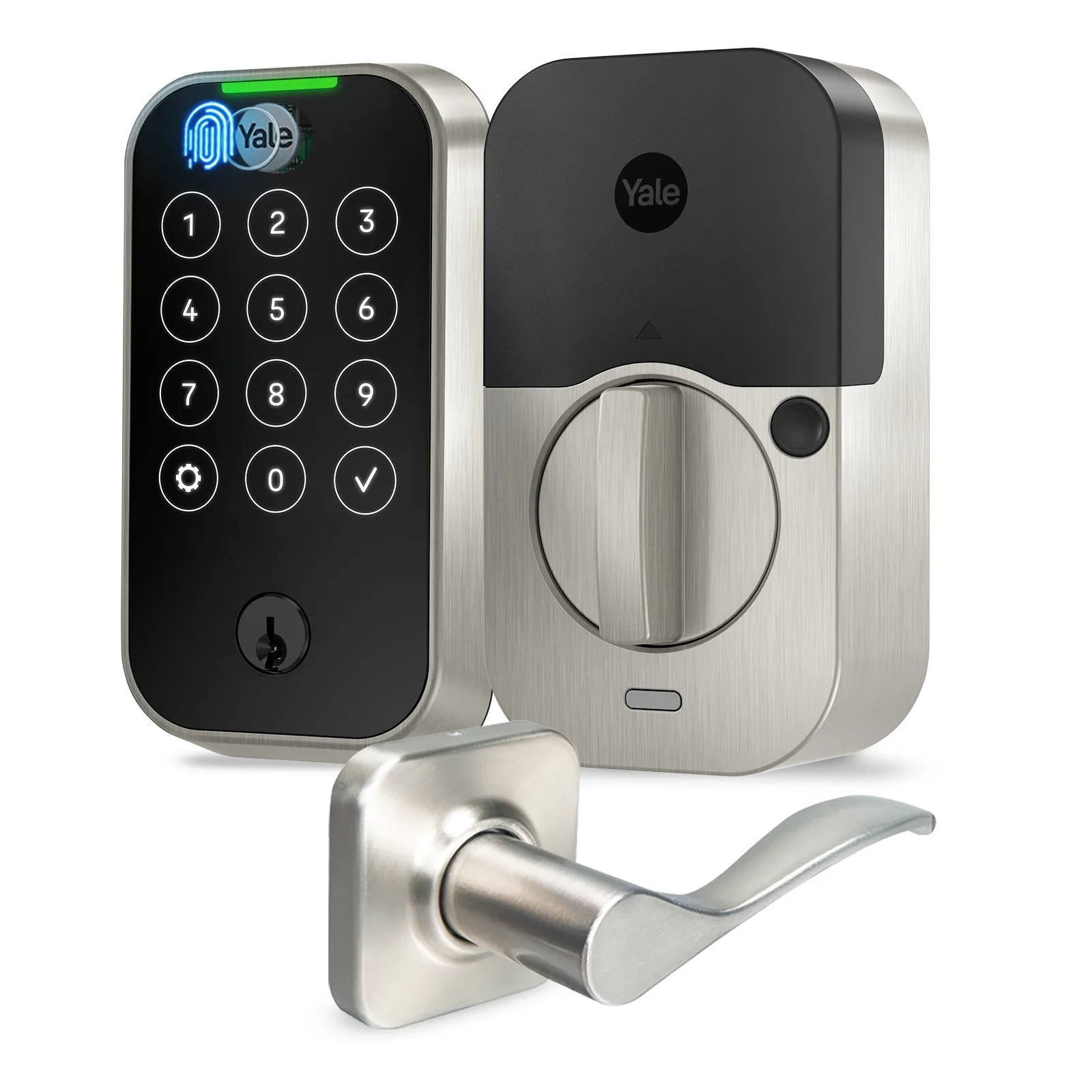
Yale Assure Lock 2 Touch with Bluetooth and Norwood Lever
Which bundle fits you?
Best for
- Apple users who want key-free entry with Apple Home Key
- Anyone who wants a traditional handle style on their front door
Not for
- People who prefer a physical keypad or fingerprint sensor over phone-based entry
- Those who need a lever style for easier operation or modern look