Quick answer
The Yale Smart Cabinet Lock with Bluetooth is a good choice if you want keyless, app-controlled access to cabinets or drawers and already use Bluetooth on your phone. It's not suited for shared access without a nearby phone or for cabinets that need a traditional key backup.
What the Yale Smart Cabinet Lock with Bluetooth does
This lock replaces a standard cabinet lock with a Bluetooth-enabled mechanism. You unlock it using the Yale app on your phone instead of a physical key. It's designed for cabinets, drawers, closets, or any storage where you want quick keyless entry.
Key trade-off: Bluetooth only, no Wi‑Fi or keypad
The lock uses Bluetooth, which means you need to be within range (typically about 30 feet) for your phone to connect. There is no keypad for entering a code, no Wi‑Fi for remote access, and no physical key backup. If your phone battery dies or you leave your phone elsewhere, you cannot open the lock until you regain Bluetooth access.
Installation and compatibility
The lock is designed for standard cabinet doors and drawers. Installation is straightforward if you have basic tools, but you'll need to confirm your cabinet's thickness and hole pattern matches the lock's specifications. Since it's a Yale product, it integrates with the Yale app, but it does not connect to a smart home hub or voice assistants.
Decision rules for the Yale Smart Cabinet Lock with Bluetooth
- You want keyless convenience for a single cabinet or drawer: If you frequently access a specific cabinet—like a medicine cabinet, liquor cabinet, or home office drawer—and always carry your phone, this lock saves you from fumbling for keys.
- You prefer not to run wires or install a smart hub: The lock runs on batteries and connects directly to your phone via Bluetooth. No wiring, no hub, no Wi‑Fi setup. Just install the lock and pair it with the Yale app.
- You need shared access for multiple people or guests: Because the lock relies on Bluetooth proximity, each user must install the app and be within range. There is no code to share. If you want to grant temporary access to a houseguest or a cleaner, this lock is not ideal. Consider a lock with a keypad or Wi‑Fi if you need to share access easily.
- You want a backup access method in case your phone is unavailable: This lock has no physical key override and no keypad. If your phone is lost, dead, or out of range, you cannot open the lock. Make sure you have a secondary plan, such as a spare phone paired in advance. If you must have a backup key, look for a cabinet lock that includes a traditional key option.
- You want to control the lock remotely: Bluetooth range is limited. You cannot lock or unlock this cabinet from another room or while away from home. For remote access, you would need a Wi‑Fi or Z‑Wave cabinet lock.
Product facts
-
Yale Smart Cabinet Lock with Bluetooth: The Yale Smart Cabinet Lock with Bluetooth is a Yale-branded cabinet lock for keyless access using Bluetooth technology. It is offered in a Bluetooth configuration only. You get app-based unlocking without needing Wi‑Fi or a hub, but you lose remote access and keypad entry.
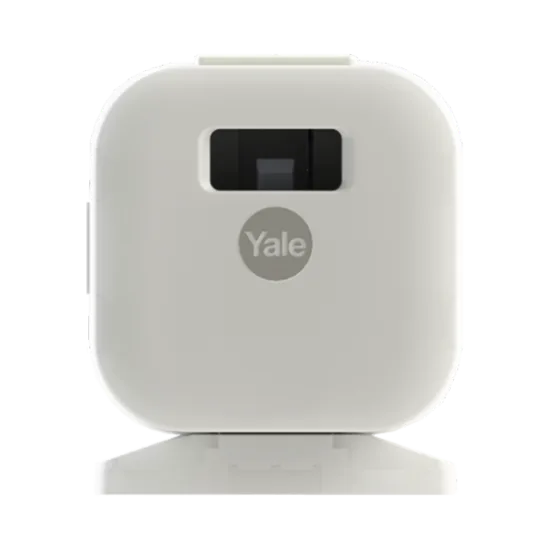
Yale Smart Cabinet Lock with Bluetooth
Who should buy—and who should skip
Best for
- Homeowners who want simple keyless access to a single cabinet or drawer and always have their phone nearby
- Tech-savvy users who prefer a no‑hub, app‑only smart lock and don't need shared or remote access
Not for
- Households with multiple users who need to share cabinet access without each person installing the app
- Anyone who requires a key backup, keypad entry, or remote unlocking capability