What to Check Before You Buy
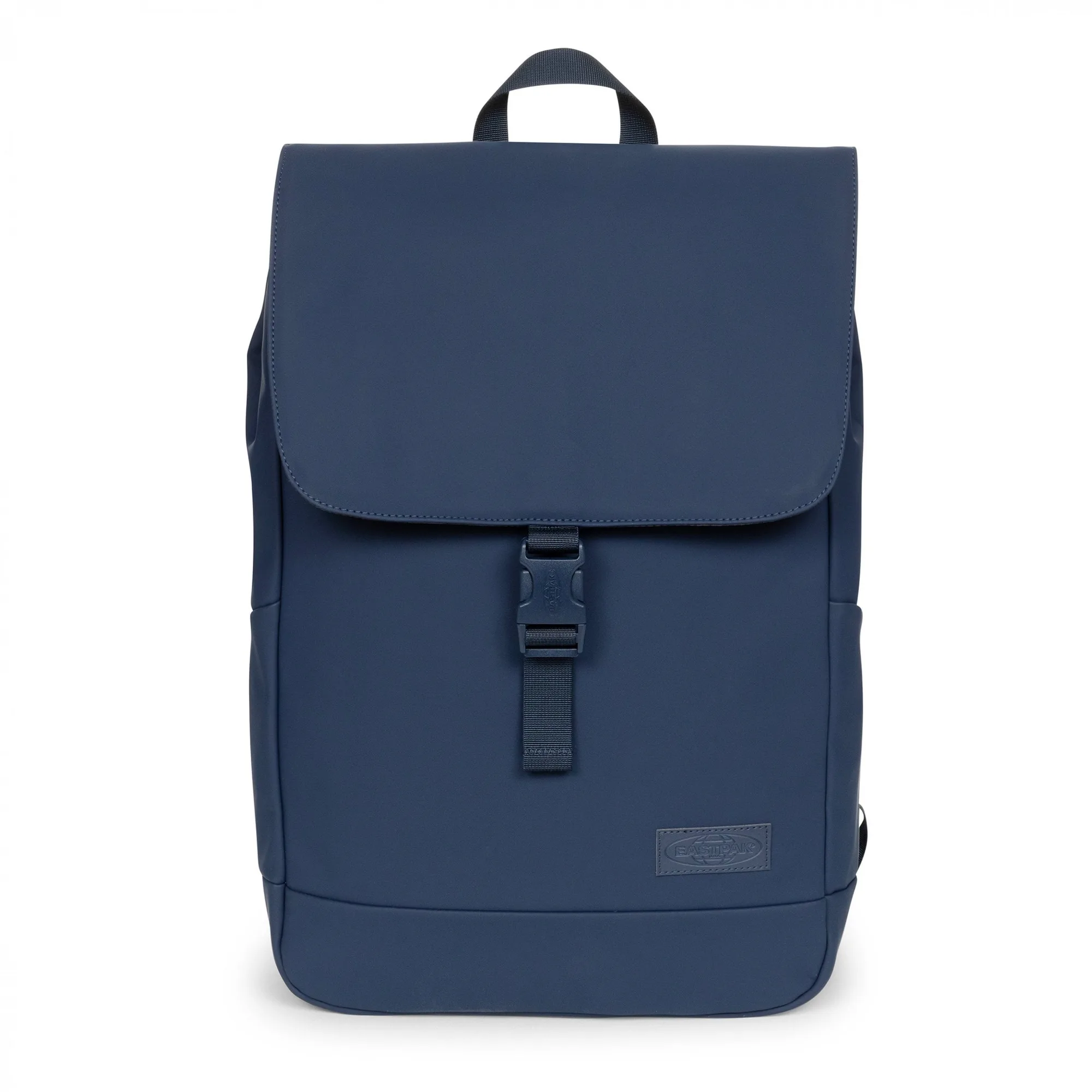
The YARIN CNNCT F Matte Admiral is a top-loading backpack from Eastpak's CNNCT collection, designed for urban commuters who want a streamlined carry. Before you commit, the two most important checks are laptop fit and overall capacity. The bag's fleece-lined laptop sleeve is built for most 16-inch devices, so if you carry a laptop of that size, it should slide in comfortably. The main compartment holds a capacity that suits a daily load of laptop, charger, documents, and a water bottle.
Because the sleeve is fleece-lined, it adds a layer of cushioning for your device, but it also means you should avoid overstuffing the main compartment, which could press on the laptop. The bag's dimensions are 17" high, 11.8" wide, and 4.3" deep, so it is a slim profile that fits under most airline seats, though you should always check with your specific carrier.
YARIN CNNCT F at a Glance
-
YARIN CNNCT F MATTE ADMIRAL: Fleece-lined laptop sleeve for most 16-inch devices Confirms your laptop will fit with room to spare, and the soft lining protects the device from scratches during commutes.
YARIN CNNCT F MATTE ADMIRAL
-
YARIN CNNCT F MATTE ADMIRAL: Height: 17", Width: 11.8", Depth: 4.3" | 18L The 18L capacity and slim dimensions tell you what you can carry and how the bag fits in tight spaces like crowded trains or overhead bins.
-
YARIN CNNCT F MATTE ADMIRAL: Trolley strap for attaching it to your luggage Lets you slide the backpack over your suitcase handle, freeing your shoulders during longer airport or station transfers.
How to Fit Your Laptop and Daily Gear
- Open the top-loading main compartment: Unbuckle the main compartment to access the built-in organizer. The top-loading design means you reach in from the top, so pack heavier items at the bottom and lighter items on top.
- Place your laptop in the fleece-lined sleeve: Slide your 16-inch (or smaller) laptop into the dedicated sleeve. The fleece lining cushions the device, but avoid forcing it if the sleeve feels tight—check that the laptop fits within the sleeve's dimensions.
- Use the organizer for small items: Store pens, chargers, and cables in the built-in organizer so they don't shift around during transit. This keeps your essentials accessible without digging through the main compartment.
- Add a water bottle to the side pocket: Use the side drink bottle holder for a reusable bottle. This keeps liquids separate from your electronics and makes hydration easy on the go.
- Attach to luggage with the trolley strap: When you're traveling with a suitcase, slide the backpack's trolley strap over the suitcase handle. This secures the bag for smooth rolling through airports or train stations.
Capacity and Carry Comfort
With its capacity, the YARIN CNNCT F is best for a daily work or school load rather than a weekend trip. You can fit a laptop, a few notebooks, a lunch bag, and a water bottle, but you will need to be selective. The padded back panel and adjustable shoulder straps add comfort, but the bag's slim depth means bulky items like a thick jacket or large camera may not fit easily. For those items, consider a larger backpack or use the trolley strap to attach this bag to your luggage.
The water-resistant fabric helps protect your gear from light rain, but it is not a fully waterproof shell, so avoid submerging the bag or leaving it in heavy downpours. The main compartment's buckle fastening keeps the top secure, but it also means you need to unbuckle each time you access your items—a minor tradeoff for the clean, minimalist look.