Quick answer
The ZOLO Nut Buster remote is wireless and designed to work with the device out of the box, so most pairing problems come down to power, distance, or a depleted remote battery rather than a complicated pairing sequence. Start by confirming both the toy and the remote are charged, then test the remote from within a few feet of the device.
Why the remote sometimes feels unresponsive
The Nut Buster remote is a wireless controller, which means it depends on a clear signal path and adequate battery power in both the toy and the remote. If the remote works intermittently or only when you press hard, the first suspect is a low remote battery, not a pairing failure. The second most common cause is distance or obstruction: a remote used across a room or through bedding may drop commands even when it is technically paired.
It also helps to understand that the Nut Buster combines several function families in one control surface: suction speed, suction mode, vibration speed, and stroking patterns. A remote that appears to 'do nothing' may actually be changing a function family you are not currently focused on. Before assuming a pairing fault, cycle through each function type to confirm the remote is sending commands at all.
When to treat it as a pairing issue rather than a battery issue
If the toy responds to its own onboard controls but ignores the remote entirely, and you have already replaced or recharged the remote battery, that pattern points toward a pairing or signal problem rather than a dead toy. Conversely, if neither the remote nor the onboard controls respond, the issue is with the toy's power, not the remote pairing.
The Nut Buster is described as hands-free and remote-controlled, which is the main reason people care about getting the remote working reliably. If you plan to use it hands-free, test the remote at the distance you actually intend to use it before you settle into a session, so a dropped command does not interrupt you mid-use.
Nut Buster remote questions, answered
How do I pair the ZOLO Nut Buster remote?
The remote is wireless and intended to work with the Nut Buster without a manual pairing code. Power on the toy, install or charge the remote battery, and press a function button while the remote is close to the device. If nothing happens, move closer and try a different function button before assuming pairing has failed. Test with more than one function button; a single unresponsive button does not prove a pairing fault.
My Nut Buster remote is not working. What should I check first?
Work through power first: confirm the toy is charged and the remote battery is fresh or fully charged. Then reduce distance and remove obstructions between remote and toy. Finally, test the toy's onboard controls; if they work but the remote does not, the problem is in the remote or its signal, not the toy. If onboard controls work and the remote does not, stop troubleshooting the toy and focus on the remote's battery and line of sight.
How are the Nut Buster controls organized?
The 20 functions are split across suction speed (5), suction mode (5), vibration speed (3), and 7 additional functions. Expect separate controls or control sequences for each family rather than one button that scrolls through all 20 in a single list. Learn each function family separately; trying to memorize all 20 as one sequence is where most confusion starts.
Can I use the Nut Buster without the remote?
Yes. The Nut Buster has onboard controls, and the remote is an convenience for hands-free adjustment rather than the only way to operate the device. If the remote is lost or out of power, the toy remains usable through its own controls. Keep the remote as a convenience layer; the onboard controls are your fallback.
How far away does the remote work?
The catalog does not state a rated wireless range, so treat range as something to test in your own space rather than a published number. Keep the remote within a few feet and avoid placing your body or bedding between remote and toy during use. Because no range is published, do a short test at your intended distance before relying on it hands-free.
Product facts
-
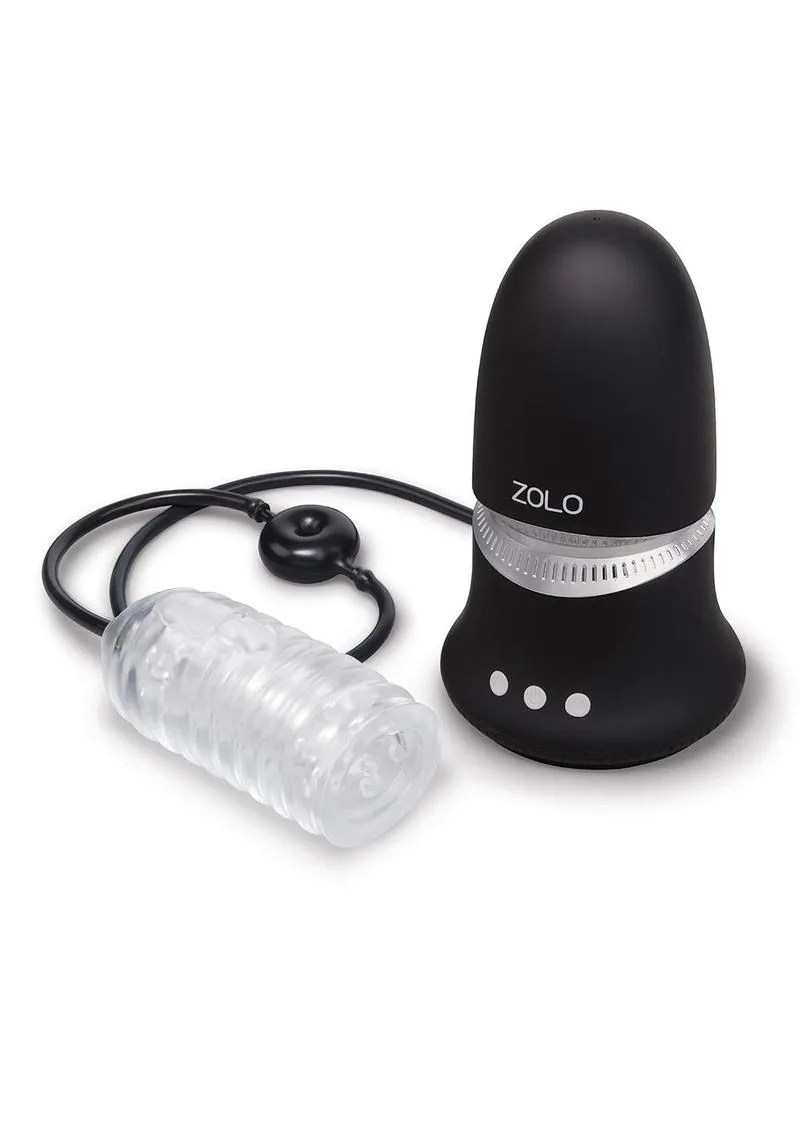
ZOLO Nut Buster W/ Rechage Remote: The Nut Buster features 20 unique pleasure functions: 5 suction speeds, 5 suction modes, 3 vibrating speeds, and 7 additional functions. Knowing the function count and groupings helps you tell a remote that is changing modes from one that is not responding at all.
ZOLO Nut Buster W/ Rechage Remote