Start With the Grip, Not the DPI
The ZywOo The Chosen Mouse Mini Gen.2 is built around a palm-grip shape, so the first setup decision is whether your hand actually lands in that position. At 4.51 in (114.5mm) long, 2.55 in (64.8mm) wide and 1.65 in (41.8mm) tall, it is a genuinely small mouse. Rest your palm on the back, let your fingers fall over the main buttons, and check that your thumb can reach the side without stretching. If your palm floats or your fingers curl to reach the front, a palm grip will feel forced no matter how you tune the sensor.
The 59g ±2 (2.08oz) weight is light enough that small hand movements translate quickly. That makes grip stability more important than raw sensitivity: a relaxed palm that stays planted will give you more consistent control than a fingertip grip fighting the shape.
Set Up the Link 8K Receiver Before You Play
Gen.2 pairs the mouse with the Link 8K Receiver, which puts the main performance controls on the hardware itself. Do the initial configuration once, then leave the software behind.
- 1. Connect and run initial setup: Use the Bibimbap Web Driver or the PC software for first-time setup. This is where you establish the baseline before switching to on-device control.
- 2. Learn the two receiver buttons: The DPI button cycles sensitivity instantly. The Function button can be remapped to manage Polling Rate, Profile, LOD, Turbo Mode, or Debounce Time.
- 3. Assign the Function button to what you change most: If you tweak polling rate between games, map that. If you mostly adjust lift-off distance, map LOD instead. The receiver gives you real-time LED feedback so you can confirm each change without opening software.
- 4. Set your profile and leave it: Once the DPI steps and Function assignment feel right, the day-to-day experience is software-free. That is the point of the dual-button interface.
Specs That Shape Your Sensitivity Choices
-
ZywOo The Chosen Mouse - Mini [Gen.2] [Black]: XS-1 Flagship Sensor with 32,000 DPI, 750 IPS and 50g acceleration, plus a 32bit ARM Processor The sensor ceiling is far above what most players use. Your DPI choice should come from comfort and consistency, not from chasing the maximum.
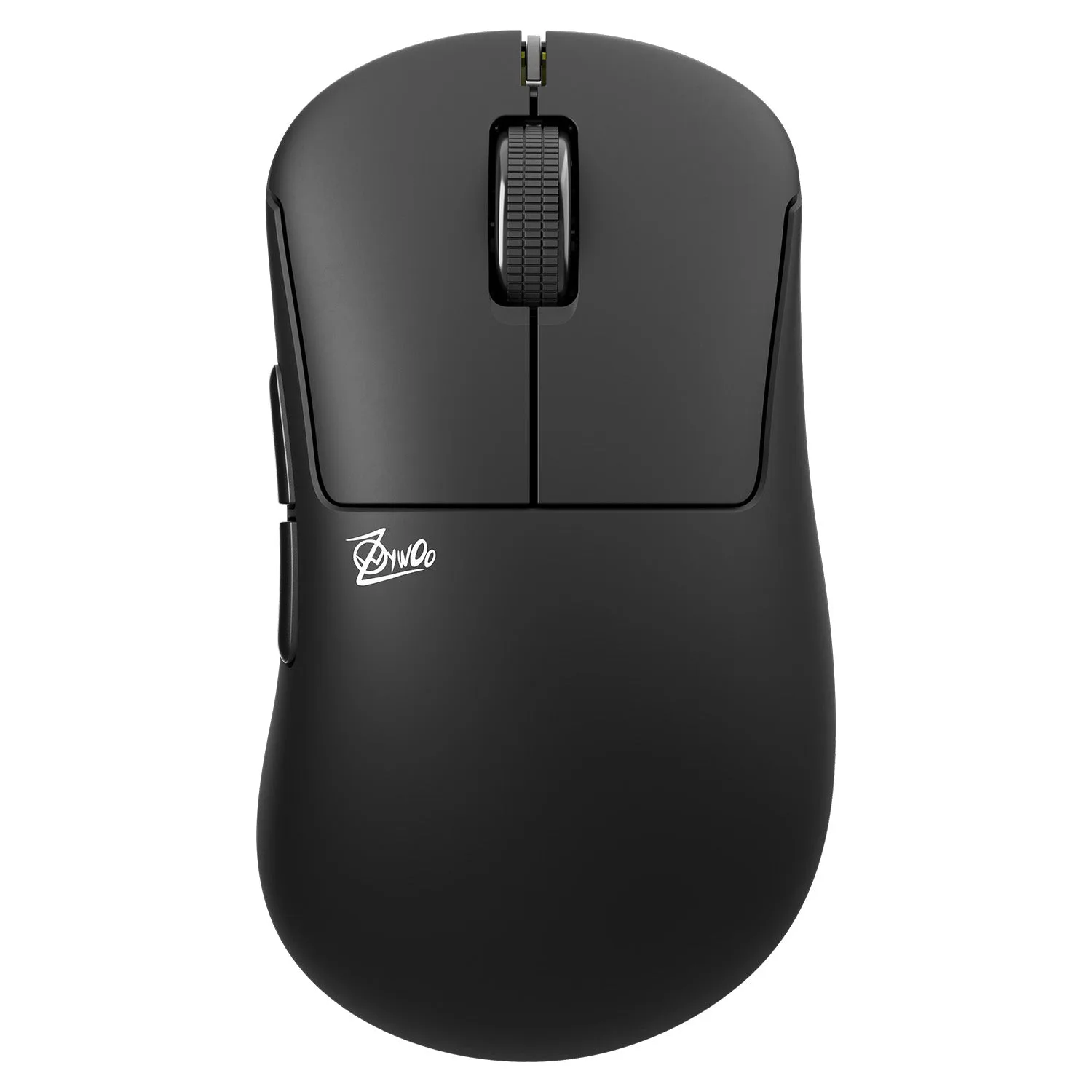
ZywOo The Chosen Mouse - Mini [Gen.2] [Black]
-
ZywOo The Chosen Mouse - Mini [Gen.2] [Black]: 8000Hz/1ms Polling Rate High polling is available, but it is a preference and a system-load tradeoff. Test it on your own machine rather than assuming you need it.
-
ZywOo The Chosen Mouse - Mini [Gen.2] [Black]: Size Mini, 4.51in (114.5mm) length, 2.55in (64.8mm) width, 1.65in (41.8mm) height, 59g ±2 (2.08oz) These dimensions define the small-hand fit. Compare them against a mouse you already palm comfortably before committing.
Building a Small-Hand Sensitivity Routine
The supplied information does not include a recommended DPI or sensitivity value, so treat the numbers below as a process rather than a prescription. The goal is a setting you can reproduce.
- Pick one DPI step and stay there: Use the DPI button to cycle through steps, choose the one where a full swipe across your pad turns roughly the same distance in-game every time, and stop changing it mid-session.
- Adjust in-game sensitivity, not hardware DPI: Once DPI is fixed, tune game sensitivity in small increments. Changing both at once makes it impossible to know what improved.
- Test polling rate separately: Try 8000Hz and a lower rate in the same practice session. If your frame pacing or aim feels worse at 8000Hz, drop down. There is no penalty for choosing stability.
- Use LOD to match your lift style: If you lift and reposition often with a palm grip, map LOD to the Function button and test a lower setting. The receiver's LED feedback lets you confirm changes without software.
What the Supplied Information Does Not Cover
The catalog details do not include care instructions, replacement parts, or a compatibility list for third-party software. If you need those specifics, check the manufacturer's documentation rather than assuming. What is confirmed is the on-device control path through the Link 8K Receiver and the initial setup via the Bibimbap Web Driver or PC software.
The mouse is listed in a single Standard variant, so there is no size or color choice to weigh within this model. The black finish shown here is the one described in the product record.