Quick Answer
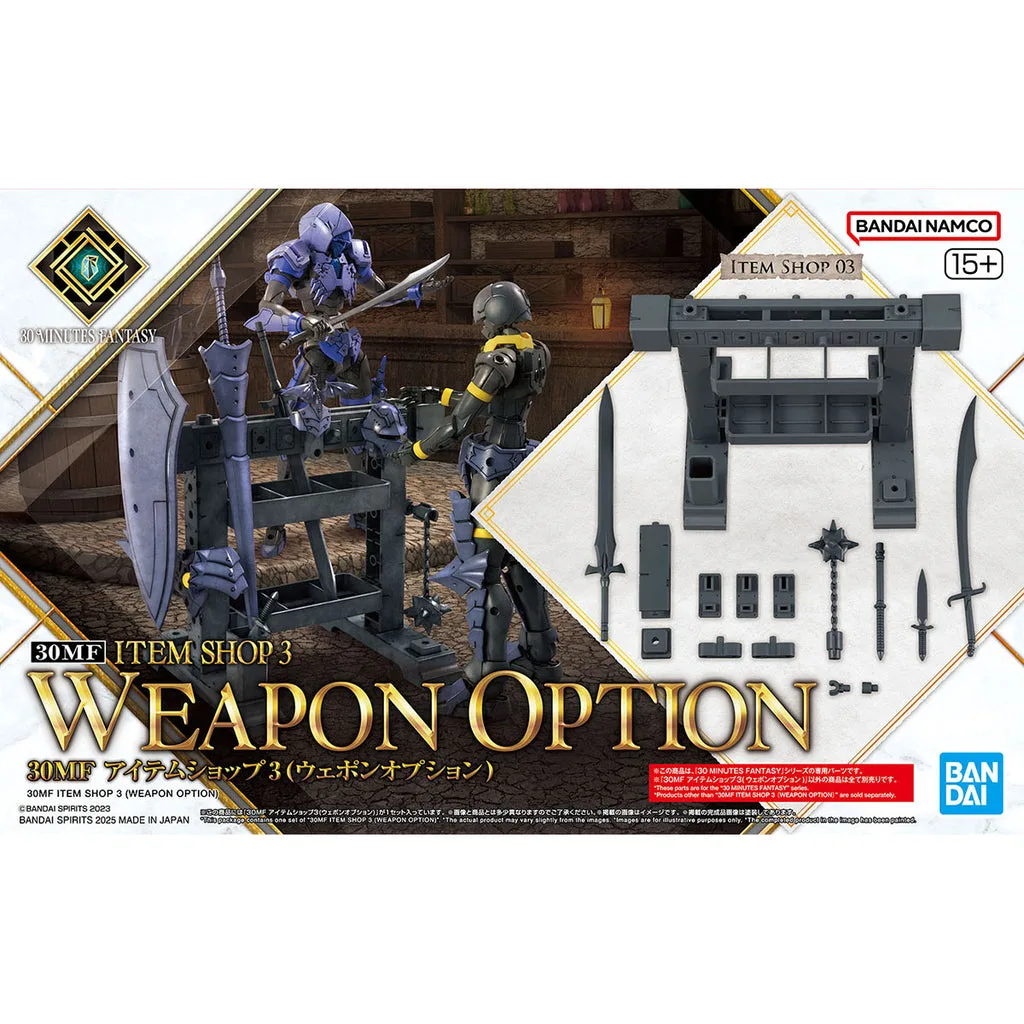
The 30MF Item Shop 3 (Weapon Option) is a versatile add-on set that lets you expand your Bandai 30 Minutes Fantasy build with new weapons and armor cross pieces, plus a display rack to show them off.
Why the Weapon Option Set Matters
The 30 Minutes Fantasy line is built around customization, and the Item Shop 3 (Weapon Option) set is a prime example. It includes a variety of weapons and items that plug into the Armor Cross system, letting you swap parts between different kits without glue or painting.
If you are new to 30MF, the Armor Cross mechanic is what makes these kits so fun. It is a standardized connection system that lets you mix and match armor and weapons across the entire line. This set gives you more pieces to play with, so your fantasy character can look unique.
What You Get in the Box
The set is packed with weapon options and a weapon rack. The rack is a display piece that can hold faces, armor, and weapons sold separately. It can be combined up and down, left and right, front and back, so you can build a full armory display.
While the exact contents are not listed in the catalog, the focus is clearly on expanding your customization options. If you already have a 30MF base kit, this set adds more variety without needing to buy a whole new figure.
How to Use the 30MF Item Shop 3 (Weapon Option)
- Step 1: Prepare Your Base Kit: Start with any 30MF base kit that uses the Armor Cross system. Remove the existing armor or weapons you want to replace. Common mistake: forcing parts – if something doesn't fit, check the connection points for leftover nubs or misalignment. Ensure all parts are clean and free of plastic nubs before connecting.
- Step 2: Attach the Weapon Option Parts: Select a weapon or item from the set and plug it into the Armor Cross connection points on your figure. The set is designed to be compatible with the standard 30MF connections, so it should click in place without glue. Common mistake: using the wrong connection point – refer to the instruction manual for the intended slots. Test multiple combinations to find the look you prefer.
- Step 3: Build and Use the Weapon Rack: Assemble the weapon rack and use it to display spare faces, armor, and weapons. The rack can be connected up/down, left/right, and front/back, so you can expand it as your collection grows. Common mistake: not aligning the connectors properly – make sure the tabs are fully inserted before moving on. Place the rack on a stable shelf to avoid accidental knocks.
- Step 4: Mix and Match for a Unique Look: Use the Armor Cross system to swap parts between different 30MF kits and this set. The goal is to create a fantasy build that stands out. Common mistake: sticking to the default configuration – experiment with different combos to get the most value. Keep spare parts organized in a small container for future builds.
Product Fact
-
30MF I-03 Item Shop 3 (Weapon Option): The 30MF Item Shop 3 (Weapon Option) is a set filled with weapons and items that expand the range of Armor Cross [Armor Replacement], and includes a weapon rack that can display various parts and be combined in multiple directions. This gives you more customization options for your 30 Minutes Fantasy build and a practical way to show off your collection.
30MF I-03 Item Shop 3 (Weapon Option)