Quick answer
Use the Popup Zoo Bundle on a compatible tablet to bring 3D flashcards to life, combining visual, auditory, and tactile learning for kids ages 2 to 6.
Why 3D flashcards work for early learning
Traditional paper flashcards are static. 3D flashcards turn a flat image into a moving, talking object that a child can rotate and explore on a screen. This multi-sensory approach helps with word association, memory, and engagement, especially for young learners who respond to movement and sound.
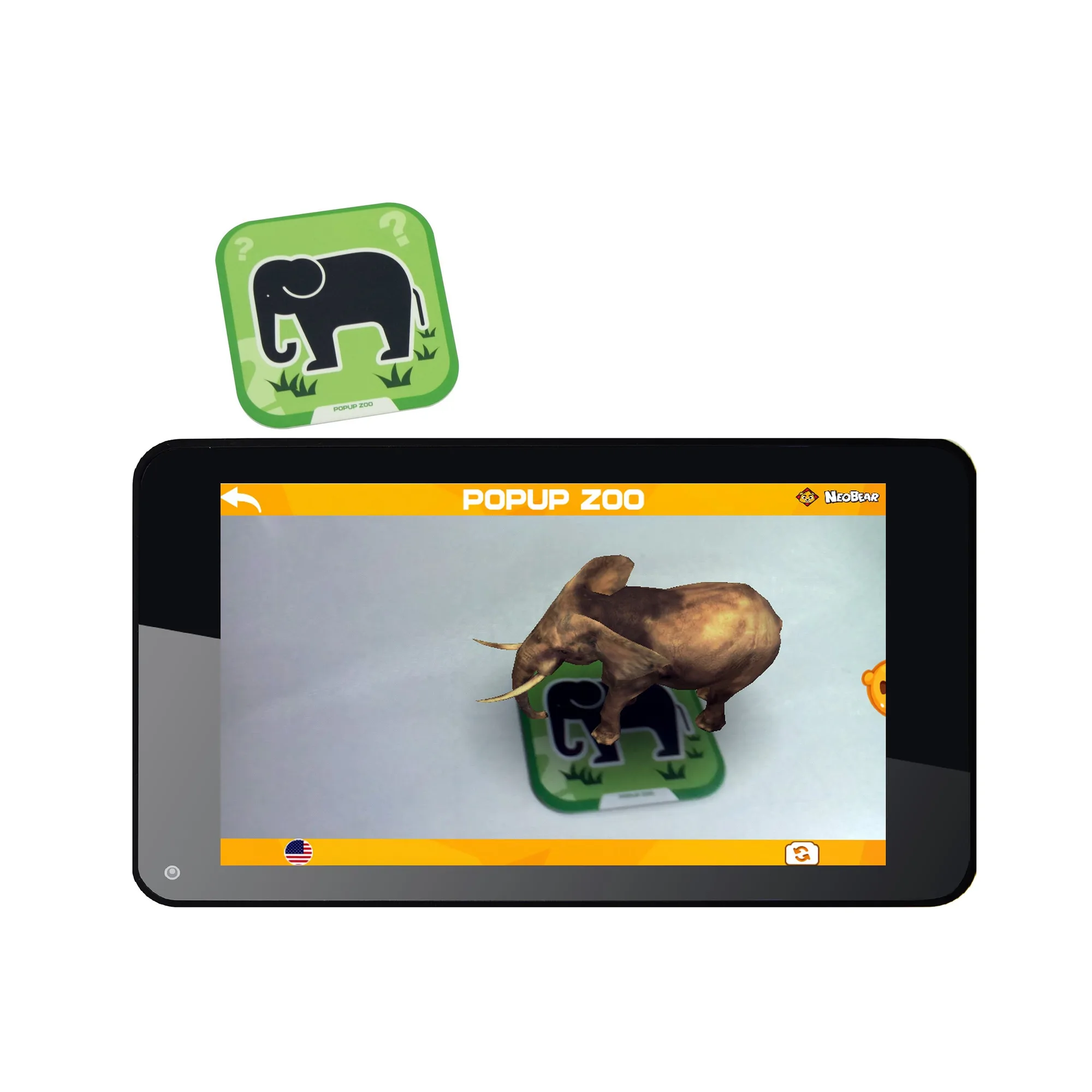
The Popup Zoo Bundle includes 96 interactive flashcards that display live 3D images, words, and sounds in both English and Spanish. Because the experience is app-based, it works on both tablets and smartphones, giving you flexibility in which device you use.
What you need to get started
You will need a tablet or smartphone that runs Android 6.0 or iOS (compatible with both platforms). The Popup Zoo Bundle comes with a tablet stand and a card bag, so you can prop up the device and keep the cards organized. The bundle's 736TPC tablet itself is a 7-inch Android tablet with a capacitive touch screen and 1280 x 800 IPS resolution, which is adequate for displaying the 3D content clearly.
How to set up and use 3D flashcards on a tablet
- Step 1: Charge and turn on the tablet: Fully charge the tablet before first use. Press and hold the power button until the screen lights up. If you are using your own tablet, make sure it has enough battery and is connected to Wi-Fi to download the app. Common mistake: starting with a low battery, which can interrupt the setup process.
- Step 2: Install the Popup Zoo app: Open the app store on your tablet (Google Play for Android, App Store for iOS). Search for 'Popup Zoo' and download the official app. The app is free to install with the bundle purchase. Checkpoint: ensure you have a stable internet connection during download to avoid a corrupted file.
- Step 3: Place a flashcard in front of the camera: Hold a flashcard from the Popup Zoo set so the front-facing camera can see the full image. The app will recognize the card and display a 3D version of the animal that moves and makes sounds. Use the included tablet stand to keep the device steady. Common mistake: poor lighting or holding the card too far away, which can prevent recognition.
- Step 4: Interact with the 3D model: Tap the screen to hear the animal's name spoken aloud. Swipe to rotate the 3D model and see it from different angles. Encourage your child to repeat the word and mimic the sound. Takeaway: this step builds vocabulary and listening skills; repeat each card several times for reinforcement.
- Step 5: Switch between English and Spanish: In the app settings, toggle the language option to switch between English and Spanish. The same card will display and pronounce the animal name in the selected language. Checkpoint: verify the language setting before starting a session to match your learning goal.
Product facts
-
Popup Zoo Bundle (736TPC Tablet + Popup Zoo 3D Flashcards): The Popup Zoo Bundle includes 96 interactive flashcards with live 3D images, words, and sounds, and supports bilingual English/Spanish. This means your child can learn animal names and sounds in two languages while interacting with a moving 3D model on the screen.
Popup Zoo Bundle (736TPC Tablet + Popup Zoo 3D Flashcards)


