Quick answer
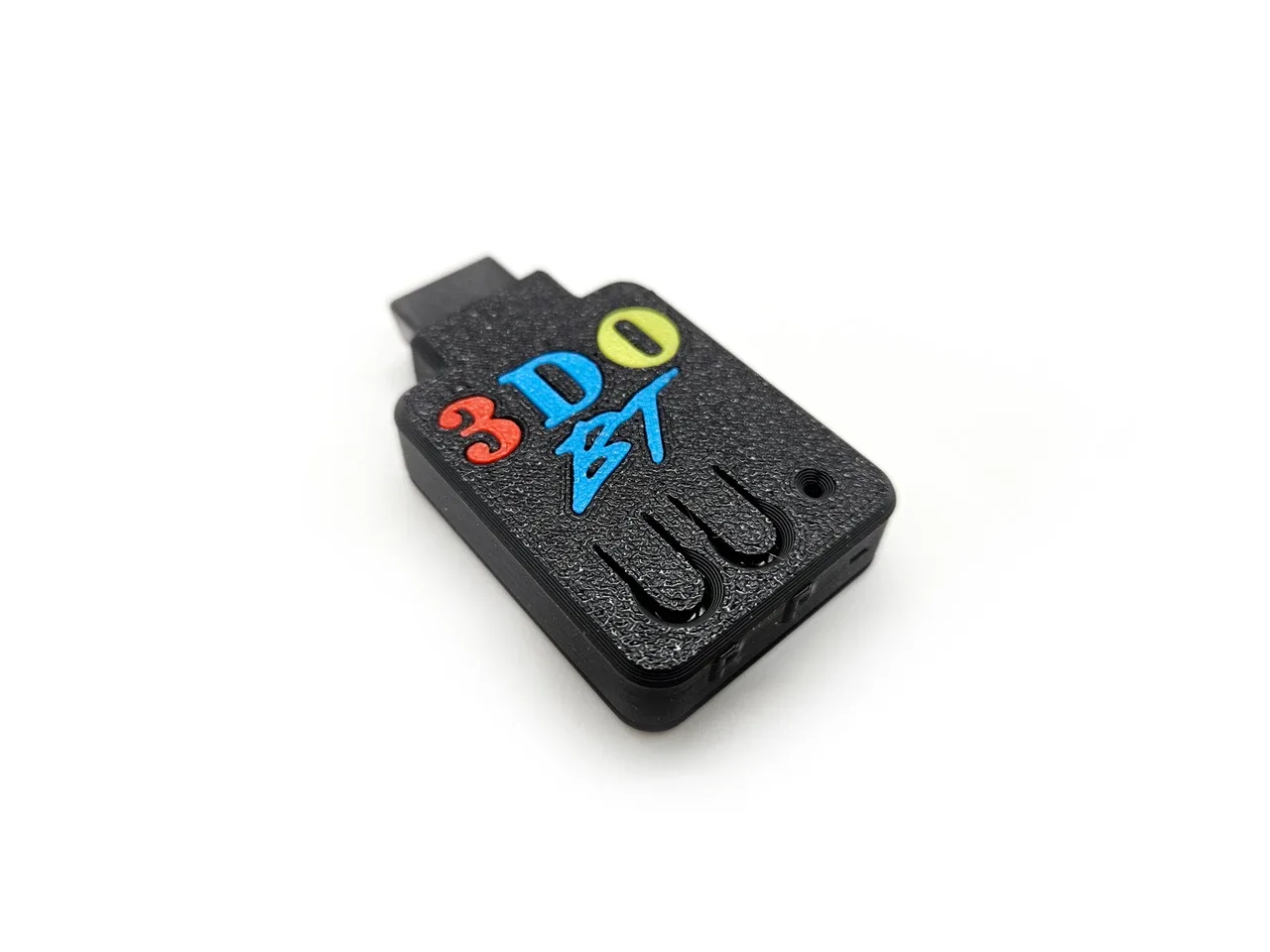
Plug the Humble Bazooka 3DO BT adapter into your 3DO controller port, power on the console, then put your Bluetooth controller into pairing mode. The adapter uses the BlueRetro platform to connect PS3, PS4, PS5, Xbox One, Xbox Series S & X, Switch Joy-Cons, and 8BitDo (Bluetooth only) controllers. Once paired, you can play wirelessly without any console modification.
What you need before you start
Before you begin, gather your 3DO console, the Humble Bazooka 3DO BT adapter, and a compatible Bluetooth controller. The adapter works with PS3, PS4, PS5, Xbox One, Xbox Series S & X, Switch Joy-Cons, 8BitDo (Bluetooth only), and other Bluetooth controllers. Make sure your controller is charged or has fresh batteries. You do not need to open your console or install any software; the adapter runs on the BlueRetro platform and is ready to use out of the box.
Setup steps
- Connect the adapter to your 3DO: Plug the 3DO BT adapter into the controller port on the front of your 3DO console. Make sure it is fully inserted. Checkpoint: The adapter should fit snugly; do not force it.
- Power on the 3DO: Turn on your 3DO console. The adapter will power up automatically from the controller port. Checkpoint: You should see a light or LED indicator on the adapter (if present) to confirm it is receiving power.
- Put your Bluetooth controller into pairing mode: The method varies by controller: for PS4, hold the Share and PS buttons until the light bar flashes rapidly; for Xbox, press the pairing button on the top; for 8BitDo, follow the controller's manual to enter pairing mode. Common mistake: Not holding the buttons long enough or using a controller that is already connected to another device.
- Wait for the adapter to pair: The adapter will automatically search for and connect to the controller in pairing mode. This may take a few seconds. Checkpoint: The controller's player LED should stop flashing and remain lit, indicating a successful connection.
- Test the controls in a game: Start a game and verify that all buttons, D-pad, and analog sticks respond correctly. If something does not work, turn the controller off and repeat the pairing step. Some controllers may need a firmware update for full compatibility.
Product facts
- 3DO BT Bluetooth Adapter for 3DO - Humble Bazooka: The 3DO BT is a Bluetooth Adapter that allows you to connect various Bluetooth controllers to your 3DO. This includes PS3, PS4, PS5, Xbox One, Xbox Series S & X, Switch Joy-Cons, 8BitDo (Bluetooth only) and other Bluetooth controllers. You can use controllers you already own instead of hunting for original 3DO pads.
- 3DO BT Bluetooth Adapter for 3DO - Humble Bazooka: The 3DO BT runs on the incredible BlueRetro platform by Jacques Gagnon. A portion of each sale is donated. BlueRetro is a well-regarded open-source project, so you are getting a proven solution with ongoing support.