Quick answer
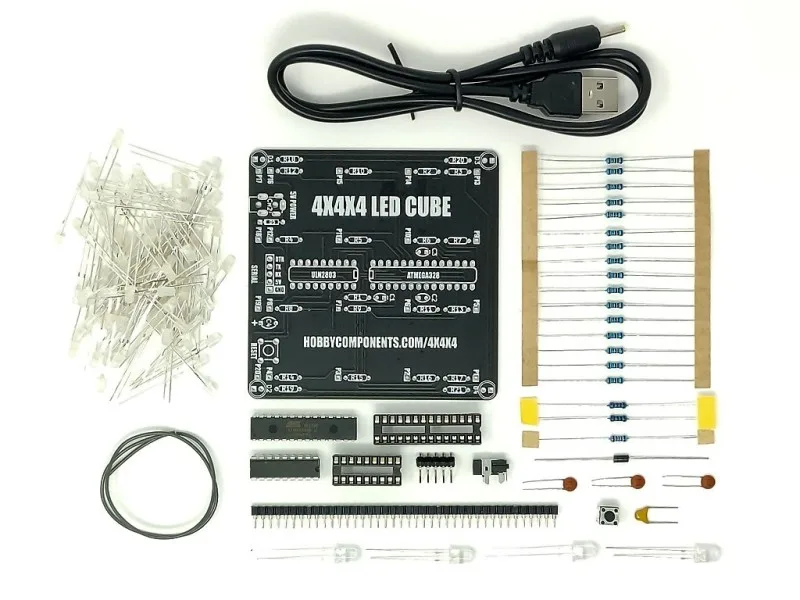
Build the 4x4x4 V2 LED Cube Kit by soldering the 64 LEDs into a 4-layer cube, then connecting the layer and column wires to the driver board. The kit uses only through-hole parts and comes pre-flashed with 13 animations, so it runs as soon as assembly is complete. Work slowly, check each solder joint, and test for shorts before powering up.
What you need before you start
The kit includes all electronic components and the PCB, but you will need a few basic tools: a soldering iron with a fine tip, solder, side cutters, a helping hands tool or small vise, and a multimeter for checking continuity. A breadboard is not required because the kit is designed for direct assembly. Work in a well-ventilated area and use a stand for your iron.
Step 1: Sort and identify the components
Lay out all parts and compare them against the kit's bill of materials. The 64 LEDs are the most important; check that none are visibly damaged. The kit uses through-hole components only, so there are no surface-mount parts to worry about. If anything is missing or damaged, contact the store before soldering.
Step 2: Solder the LED cube layers
Each layer is a 4x4 grid of LEDs. Insert the LEDs into the supplied jig or a foam block to hold them upright, then solder the anodes (or cathodes, depending on the kit's design) together in a grid. Keep the LEDs straight and at a consistent height. Use a small amount of solder on each joint and avoid bridges between adjacent pins. A common mistake is overheating the LED leads, which can damage the LED; solder quickly and let each joint cool before moving on.
Step 3: Stack and secure the layers
Once each layer is soldered, stack them vertically. The kit typically includes spacers or wires to maintain the correct spacing between layers. Solder the vertical connections according to the instructions. Check that the cube is mechanically stable and that no wires are touching where they shouldn't. This is a good time to verify that all LEDs are oriented correctly; if one is backwards, it will not light.
Step 4: Connect the cube to the driver board
Solder the layer and column wires to the driver PCB. The kit's PCB has labeled pads for each layer and column. Follow the wiring diagram carefully; swapping a layer or column will cause incorrect animations. Use a multimeter to check for shorts between adjacent pads before applying power. If you find a short, reheat the joint and remove excess solder.
Step 5: Power up and run the pre-flashed animations
The kit comes pre-flashed with 13 animations, so no programming is needed for the first test. Connect the power supply (check the kit's voltage requirement) and observe the cube. If some LEDs do not light, or if the animations look wrong, power off and check the corresponding solder joints. Common faults include cold joints, reversed LEDs, or bridged connections. The 4x4x4 V2 LED Cube Kit is designed for beginners, so most issues are easy to fix with a quick re-solder.
Optional: reprogram with your own Arduino code
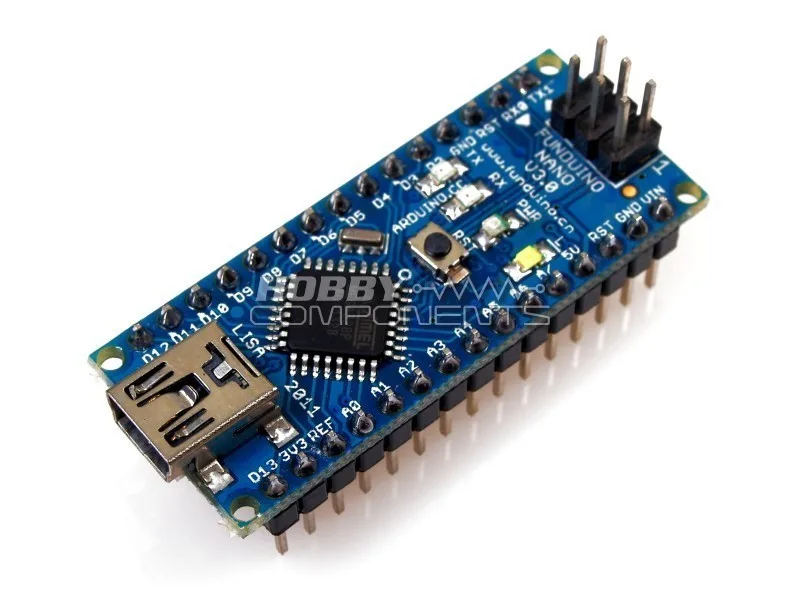
If you want to create custom animations, you can reprogram the onboard microcontroller using an Arduino-compatible board. The kit's design is open, and many users share code online. You will need a USB-to-serial adapter or an Arduino board to upload new sketches. This step is not required for the initial build but offers a fun way to learn more about LED multiplexing.
Build steps with checkpoints
- Sort components: Lay out all parts and verify against the kit's list. Check LEDs for damage. Missing or damaged parts? Contact the store before soldering.
- Solder each layer: Use a jig to keep LEDs straight. Solder quickly to avoid overheating. Check for bridges between adjacent pins with a multimeter.
- Stack layers: Stack and solder vertical connections, maintaining even spacing. Ensure all LEDs are oriented correctly; a reversed LED won't light.
- Wire to driver board: Solder layer and column wires to labeled pads on the PCB. Verify no shorts between pads before powering up.
- First power-up: Connect power and watch the 13 pre-flashed animations. If an LED fails, re-solder its joints or check orientation.
Product facts
- 4x4x4 V2 LED Cube Kit (Pink): 4x4x4 V2 LED Cube Kit (Pink) includes all parts to build a 64 LED cube and comes pre-flashed with 13 animations. You can complete the build and see it working without writing any code, which is ideal for beginners.
- Arduino Compatible Nano V3.0 with FREE USB Cable: Arduino Compatible Nano V3.0 is a small, breadboard-friendly board based on the ATmega328, with a Mini-B USB cable included. If you want to reprogram the cube or learn Arduino, this board is a low-cost starting point, but it is not required for the initial kit build.