Quick Answer
To set up the 70mai S500 rearview dash cam, mount it over your factory rearview mirror, route the power cable to a 12V socket or hardwire kit, and complete the on-screen setup for 3K HDR dual-channel recording.
Why the S500 Stands Out for Rearview Recording
The 70mai S500 replaces your factory rearview mirror with a 9.35-inch full-laminated touch screen that eliminates blind spots while providing a wide, clear view behind your vehicle. Its 3K HDR image, powered by a 5MP Sony STARVIS 2 IMX675 sensor, ensures crisp details even in challenging light, such as when exiting a tunnel or driving at night.
Because the S500 is a dual-channel dash cam, it records both the front and rear of your vehicle simultaneously. The rear camera connects to the main unit, giving you comprehensive coverage without the need for a separate display.
Key Considerations Before You Start
Before installing, check your vehicle's mirror mount type. The S500 includes straps that fit most factory mirrors, but some vehicles may require an adapter. Also, decide where to route the power cable: a 12V socket is simpler, while a hardwire kit enables 24/7 parking surveillance but requires more installation effort.
The S500 uses a super capacitor instead of a lithium battery, which improves safety in high temperatures and extends the device's lifespan. This means you should not expect a built-in battery for parking mode; if you want parking recording, you'll need a hardwire kit with low-voltage protection.
Step-by-Step Setup for the 70mai S500
- Mount the Main Unit: Clean your factory rearview mirror and the S500's mounting area. Secure the S500 over the factory mirror using the provided straps, ensuring it is centered and level. Tighten the straps firmly but avoid over-tightening to prevent damage. Check that the touch screen is not blocked by the headliner or sun visor.
- Position the Rear Camera: Place the rear camera on the rear windshield, ideally centered and at a height where it has a clear view. Clean the glass and attach the camera using the adhesive mount. Route the cable along the headliner and A-pillar to the main unit, tucking it under trim panels. Avoid mounting the rear camera where the rear wiper or defroster lines obstruct the view.
- Connect Power: Plug the included car charger into your vehicle's 12V socket and connect the USB cable to the S500. For a cleaner install, use a hardwire kit to connect to your vehicle's fuse box, enabling parking surveillance. Route the cable along the headliner and down the A-pillar, avoiding airbags. If using a hardwire kit, ensure it has low-voltage protection to prevent draining your car battery.
- Power On and Initial Setup: Start your vehicle to power the S500. Follow the on-screen prompts to set the date and time, select the language, and format the microSD card. Insert a high-endurance microSD card (Class 10 or U3) into the slot. Format the card in the camera first to ensure compatibility and optimal performance.
- Adjust Camera Angles and Settings: Use the touch screen to adjust the front and rear camera angles so they capture the road and the area behind you without obstruction. Enable HDR for both channels if it is not on by default, and set the recording resolution to 3K for the front camera. Review the live view to confirm clarity. Test the field of view while parked to ensure the cameras cover the lanes you need.
- Test Recording and Verify: Take a short drive and then stop safely. Use the touch screen to play back the recorded clips. Check that both front and rear footage is smooth, clear, and properly time-stamped. If any issue appears, revisit the camera angles or settings. Confirm that the S500 starts recording automatically when the vehicle starts.
Product Highlight
-
70mai Rearview Dash Cam S500 3K HDR with A 9-Inch Touch Screen & Super Capacitor: 9.35-inch Full-Laminated Touch Screen: Eliminating blind spots for an expansive view. This large screen replaces your rearview mirror, giving you a wider and clearer view of traffic behind you, which can improve safety and make reversing easier.
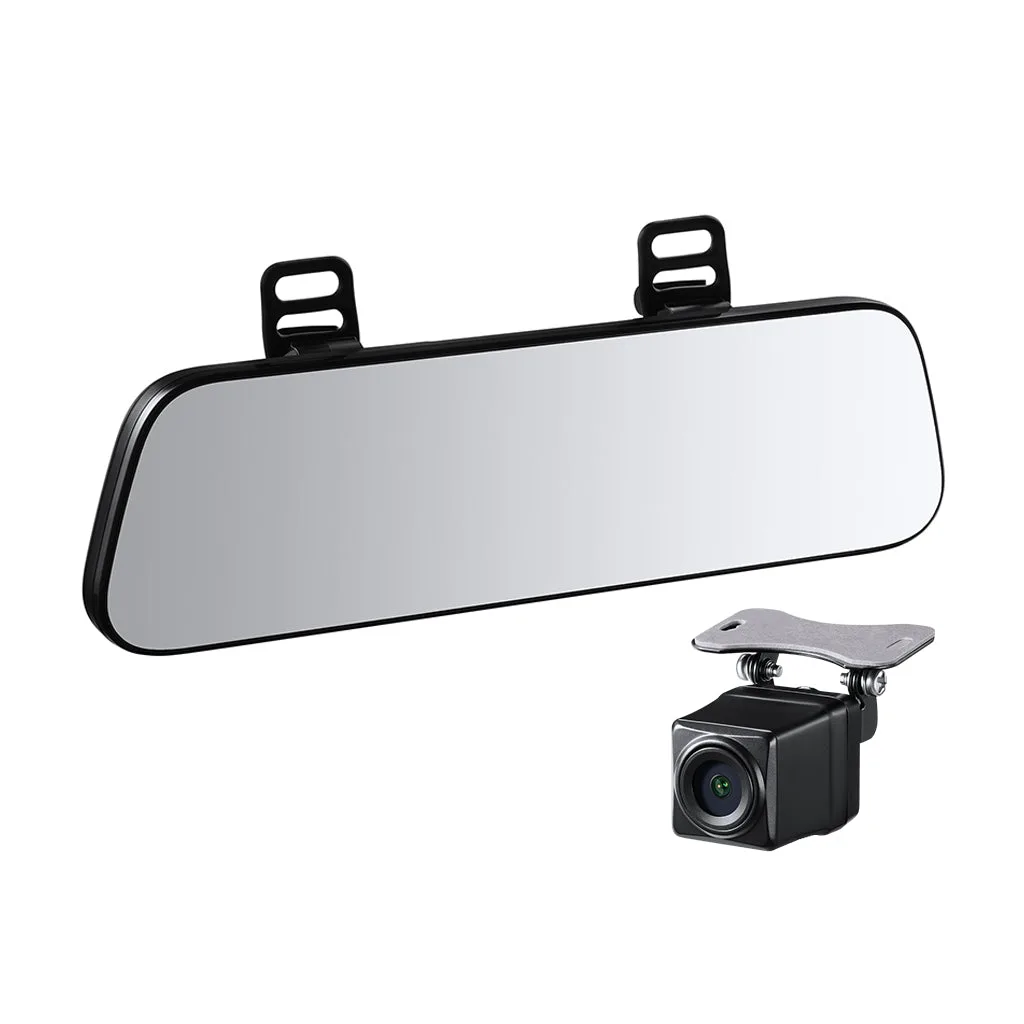
70mai Rearview Dash Cam S500 3K HDR with A 9-Inch Touch Screen & Super Capacitor
-
70mai Rearview Dash Cam S500 3K HDR with A 9-Inch Touch Screen & Super Capacitor: 3K HDR Image: Exceptional image quality with 3K resolution powered by a 5MP Sony STARVIS 2 IMX675 sensor. The high-resolution sensor captures sharp details and handles high-contrast scenes, so license plates and road signs stay readable in bright daylight or at night.


