Quick answer
Most daily carry frustrations with the A.i.4 Path to the Future Backpack come down to strap adjustment, packing order, or surface care. Start by resetting the straps and repacking by weight; if the issue persists, check the diagnosis below before changing bags.
Why the A.i.4 feels different from a basic daily backpack
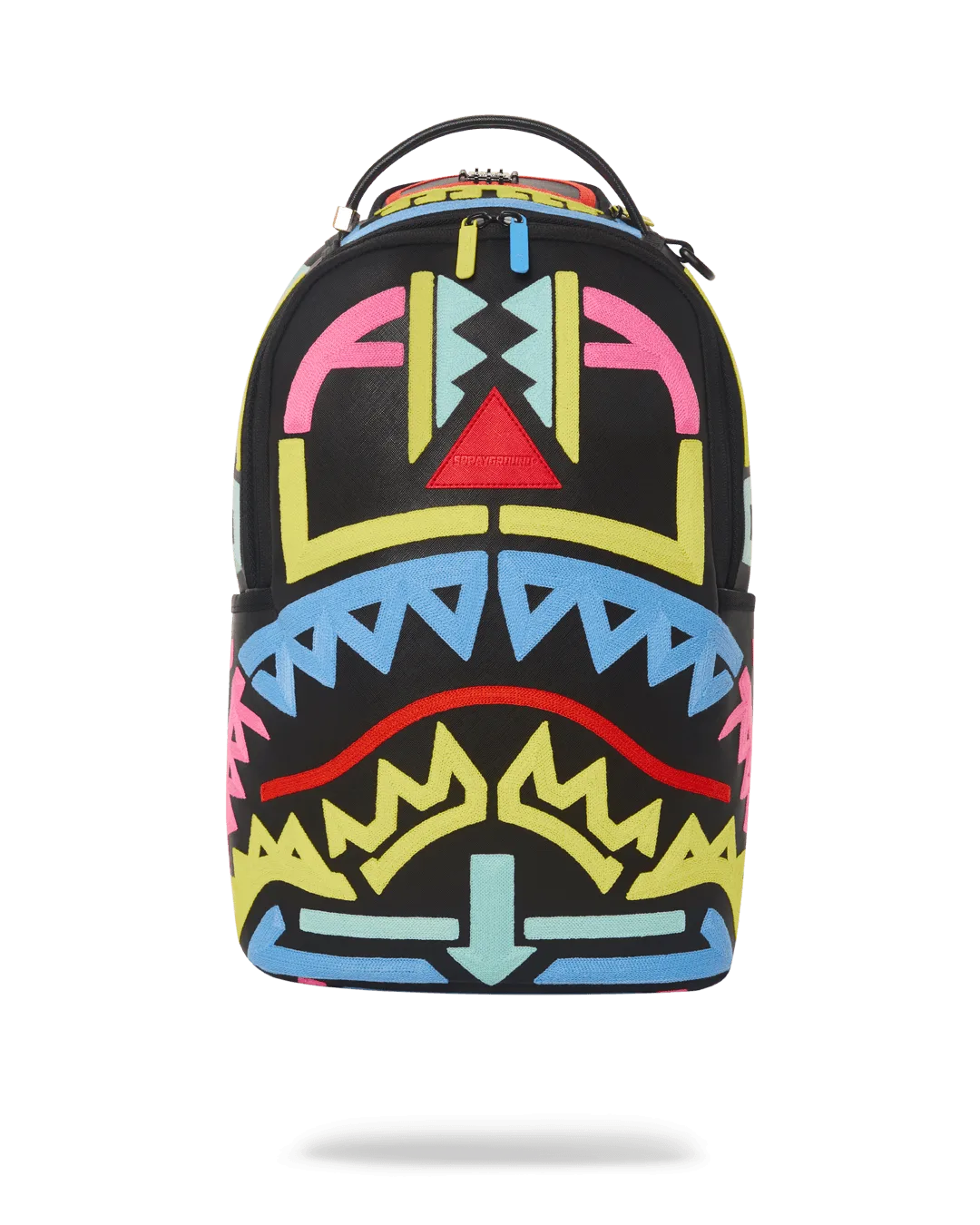
The A.i.4 Path to the Future Backpack is a statement piece with chain stitch embroidery and a cause-linked design. That embroidery adds texture and visual depth, but it also means you should avoid abrasive contact that can snag threads. Unlike a plain nylon pack, this one rewards a little extra attention to how you load and handle it.
Because the exterior dimensions are 18 inches, it sits in a mid-size range that suits daily carry but leaves less margin for overstuffing. If you routinely carry a laptop, charger, and gym clothes, you will need a packing strategy rather than just dropping items in.
Strap comfort: when it is adjustment, not a defect
Shoulder or neck strain often comes from wearing the pack too low or with uneven strap lengths. The A.i.4 has adjustable straps, but many people set them once and never revisit. A quick re-tension can shift weight off the shoulders and onto the back.
If one strap keeps loosening during the day, check that the slider is threaded correctly and that you are not overloading the bag. A pack that is too heavy for its strap system will slide no matter how tight you pull.
Tech organization: use the bag’s structure, not extra pouches
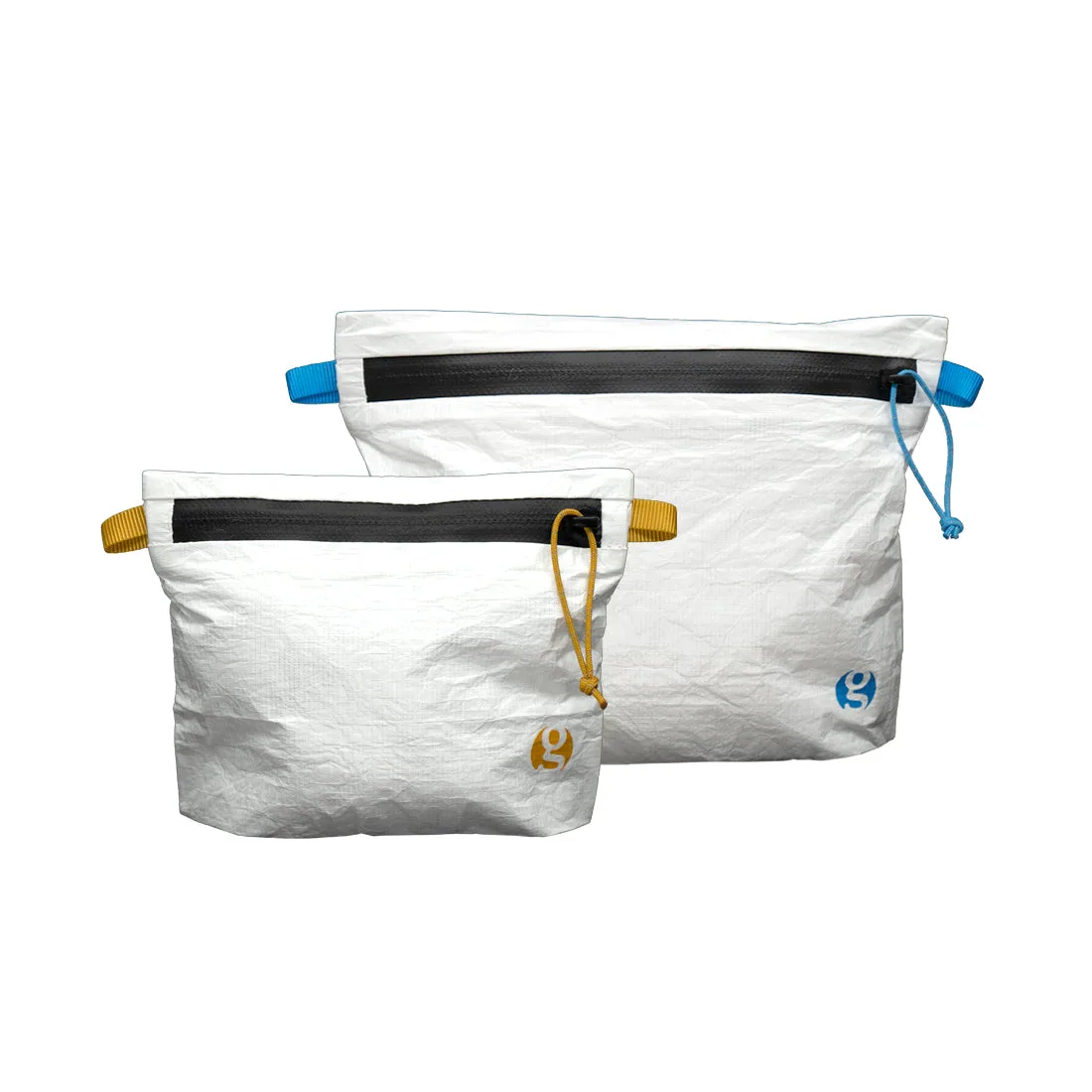
The A.i.4 is not marketed as a dedicated tech backpack, so do not assume a padded laptop sleeve or cable channels. Instead, use small zip pouches or a slim laptop case inside the main compartment to create order. This keeps chargers from scratching the embroidery and prevents small items from migrating.
Place the heaviest items closest to your back and keep frequently used gear in the front or top area. That simple rule reduces sag and makes the bag feel lighter than its actual load.
Care that protects the embroidery and color
Spot clean with a soft cloth and mild soap rather than machine washing. Chain stitch embroidery can fray with agitation, and the A.i.4’s design details are the main reason to own it. Let the bag air dry away from direct heat.
Store it stuffed with paper or a clean cloth to hold its shape, and keep it out of direct sunlight for long periods to slow color fading. These habits are simple but make a visible difference over months of daily use.
Diagnose your daily carry issue
- Shoulder pain or strap digging: Symptom: discomfort on one or both shoulders. Likely cause: straps too loose or uneven, or the bag is overloaded. Corrective action: loosen both straps fully, reload the bag with the heaviest items against your back, then tighten until the pack sits snugly against your body without riding up. Stop if pain persists after adjustment; choose a bag with a padded, wider strap system instead. If the bag still digs after a proper fit, the strap design may not suit your daily load.
- Bag feels heavier than expected: Symptom: fatigue after a short walk. Likely cause: weight distributed away from your back or unnecessary items. Corrective action: empty the bag, repack only daily essentials, and place the heaviest items in the compartment closest to your back. Use a small pouch for cables and chargers to prevent clutter. Stop if the load still feels excessive; consider a smaller bag or a rolling option for heavy days. Weigh your packed bag once—if it exceeds what you comfortably carry, remove non-essentials.
- Strap keeps loosening while walking: Symptom: strap slides down repeatedly. Likely cause: webbing not threaded correctly through the slider or the bag is too heavy for the strap tension. Corrective action: re-thread the strap according to the original path, pull the free end tight, and test with a light load. If it still slips, the slider may be worn. Stop adjusting and contact support or consider a replacement if the strap no longer holds. A strap that slips under a light load is a hardware issue, not a packing issue.
- Embroidery looks fuzzy or snagged: Symptom: loose threads or a rough texture on the design. Likely cause: abrasion from rough surfaces or washing. Corrective action: do not pull loose threads; trim carefully with small scissors. Clean only by spot-cleaning with a soft cloth and mild soap, then air dry. Stop if the damage spreads; professional repair may be needed, and further washing could worsen it. Treat the embroidered area as delicate—never machine wash or scrub it.
- Interior feels disorganized: Symptom: items shift and are hard to find. Likely cause: no built-in tech organization. Corrective action: use slim zip pouches for cables and small gear, and keep a dedicated spot for keys and phone. Place the pouch against the back panel to reduce movement. Stop if you need dedicated padded laptop storage; this bag may not be the best fit for heavy tech carry. If you carry a laptop daily, add a padded sleeve—do not rely on the bag’s interior alone.
Product facts
-
A.i.4 PATH TO THE FUTURE BACKPACK: Exterior dimensions: 18 inches. This mid-size footprint fits daily essentials but leaves little room for bulky extras, so pack deliberately.
A.i.4 PATH TO THE FUTURE BACKPACK
-
A.i.4 PATH TO THE FUTURE BACKPACK: Chain stitch embroidery technique. The raised stitching adds texture but needs gentle cleaning and protection from snags.
-
A.i.4 PATH TO THE FUTURE BACKPACK: A portion of proceeds supports Black Girls Code, SOS Africa, and The Boys & Girls Club. Your purchase supports these organizations, which may matter if you value cause-linked products.