Quick answer
To adjust backpack straps for all-day comfort, loosen the shoulder straps, tighten the hip belt first, then snug the shoulder straps until the pack sits high on your back. The sternum strap should rest across your chest, not your neck. If pain persists after these adjustments, the pack may be the wrong size or design for your body.
A backpack that digs into your shoulders or pulls you backward is not just annoying—it can ruin your posture and leave you sore by lunchtime. The good news is that most discomfort comes from a few simple strap mistakes, not from the bag itself.
This guide walks you through the exact order for adjusting backpack straps, explains why each step matters, and helps you diagnose common problems like shoulder pain, a sagging pack, or a strap that keeps slipping. You will also learn when to stop adjusting and consider a different bag.
The correct order to adjust backpack straps
Start by loosening all straps—shoulder, hip, and sternum—so the pack hangs freely. Put it on and tighten the hip belt first. The hip belt should sit on your hip bones, not your waist, and carry most of the weight. Next, tighten the shoulder straps until they hug your body without pulling your shoulders back. Finally, clip and adjust the sternum strap so it sits across your chest, about two finger-widths below your collarbone.
This order matters because the hip belt transfers weight to your hips, which are stronger than your shoulders. If you tighten the shoulder straps first, the pack will ride too low and pull you backward. Once all straps are set, walk around and make small tweaks. The pack should feel like an extension of your back, not a load you are fighting.
- Loosen everything before you start.
- Hip belt first, then shoulders, then sternum.
- The pack should sit high on your back, not sag near your tailbone.
Diagnose common strap problems
If your shoulders ache, the shoulder straps are probably too tight or the hip belt is too loose. Loosen the shoulder straps a notch and tighten the hip belt so it supports more weight. If the pack pulls you backward, the load is too far from your back—tighten the shoulder straps and consider using a pack with a padded back panel.
If the sternum strap digs into your neck, it is too high. Move it down so it crosses your chest, not your throat. If the shoulder straps slip constantly, they may be too smooth or the buckles are worn. In that case, a pack with adjustable load-lifter straps or a different strap material can help.
- Shoulder pain: loosen shoulder straps, tighten hip belt.
- Pulling backward: tighten shoulder straps, check load placement.
- Neck rubbing: lower the sternum strap.
- Slipping straps: check buckles and strap material.
When to stop adjusting and choose a different bag
If you have followed the order above and still feel pain after 20–30 minutes of walking, the backpack may not fit your torso length. Backpacks come in different sizes, and a pack that is too short or too long will never feel right. Measure your torso length (from the C7 vertebra at the base of your neck to the top of your hip bones) and compare it to the pack's size range.
Also consider the bag's design. A sling bag or crossbody bag distributes weight differently and may not offer the same support as a two-strap backpack. If you need to carry a laptop and heavy gear, a dedicated backpack with a padded back panel and load-lifter straps is usually the better choice. For light loads, a crossbody or sling bag can be more convenient.
- Measure your torso length before buying a new pack.
- If the pack is the wrong size, no strap adjustment will fix it.
- For heavy loads, choose a backpack with a hip belt and load lifters.
Strap adjustment diagnosis
- Symptom: Shoulders ache after 30 minutes: Likely cause: Shoulder straps are too tight or the hip belt is too loose, so the shoulders are carrying all the weight. Action: Loosen shoulder straps and tighten the hip belt so it rests on your hip bones. If pain continues, the pack may be too small.
- Symptom: Pack pulls you backward: Likely cause: The load is sitting too far from your back, or the shoulder straps are too loose. Action: Tighten the shoulder straps and move heavier items closer to your back. If the pack still pulls, it may lack a rigid back panel.
- Symptom: Sternum strap rubs your neck: Likely cause: The sternum strap is adjusted too high. Action: Slide it down so it crosses your chest, about two finger-widths below your collarbone. Stop adjusting if the strap still rubs—consider a different pack shape.
- Symptom: Straps keep slipping: Likely cause: Smooth strap material or worn buckles. Action: Check buckles for wear. If they are fine, try a pack with textured straps or load-lifter straps. If slipping continues, the pack may not suit your build.
Bags that support comfortable carrying
- Apex Organizer Pack | Pebbled Leather Tech Crossbody: Premium full-grain pebbled leather that is soft to the touch yet durable and scratch-resistant, with dual iPad/tablet sleeves and a smart interior tech layout. A well-organized crossbody can keep essentials close without the bulk of a backpack, but it does not replace a hip belt for heavy loads. Use it for light carry days.
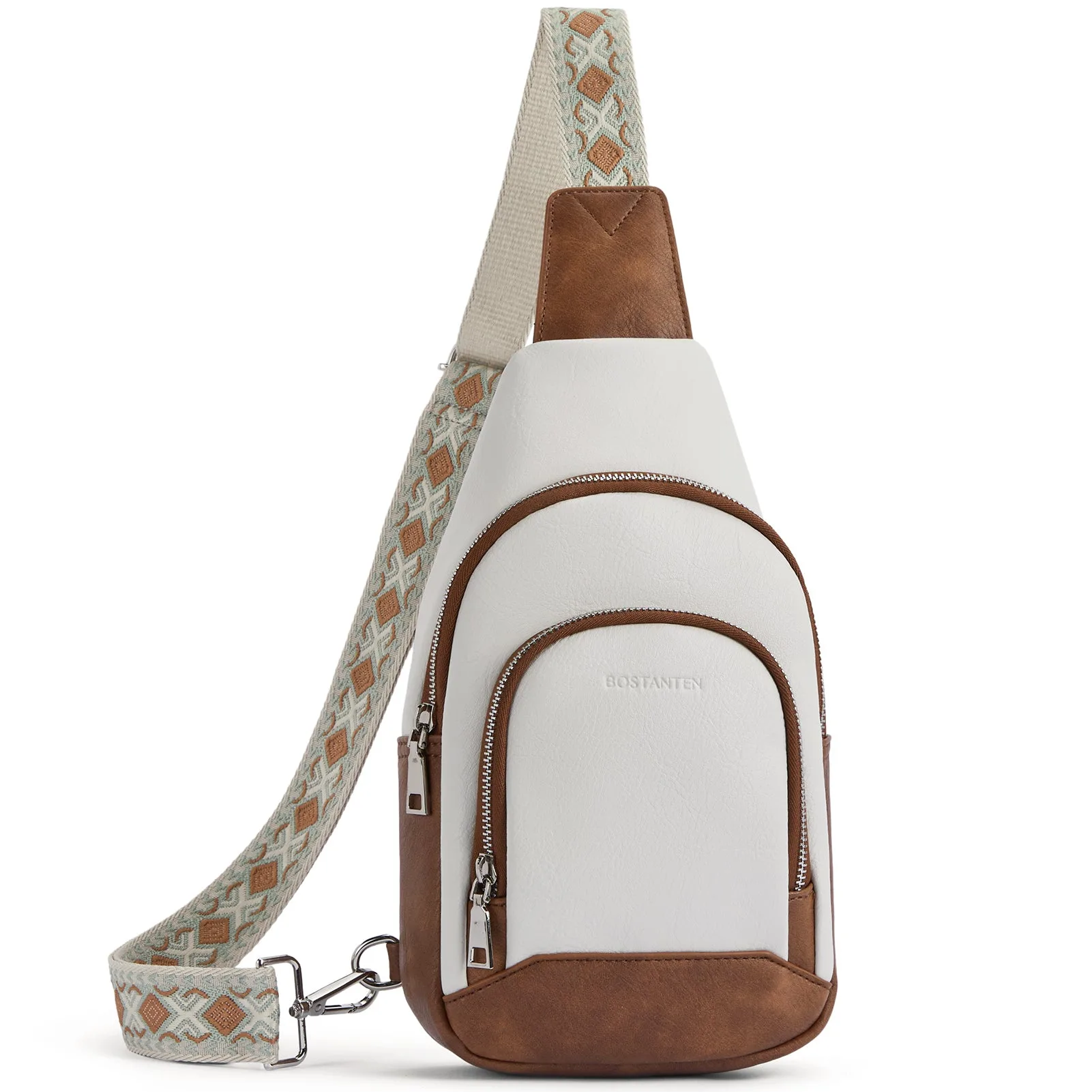
- Aurora Embroidered Diamond Print Shoulder Strap Crossbody Bag: PU leather with nylon lining, hand wash only, and four zip pockets for organization. This small sling bag is designed for light essentials and can be worn crossbody, but it lacks the load-transfer features of a backpack. It is a good option when you do not need to carry heavy weight.
Adjusting backpack straps in the right order—hip belt first, then shoulders, then sternum—solves most comfort problems. If you still feel pain after trying these steps, the issue is likely the pack's size or design, not the straps. Measure your torso length and consider a bag that matches your carry needs.