Quick answer
Choose the Acer Chromebook 315 if you want a more affordable device with a crisp FHD IPS display and simple Chrome OS for web-based tasks. Choose the ASUS L510 if you need Windows compatibility and double the local storage for offline work.
Operating system and software compatibility
The Acer Chromebook 315 runs Chrome OS, which is streamlined for web apps, Google services, and Android apps from the Play Store. It is not compatible with traditional Windows desktop software like Microsoft Office or Adobe Creative Suite. The ASUS L510 runs Windows 10 Home in S Mode, which can only install apps from the Microsoft Store but can switch out of S Mode for free to run any Windows software. This makes the ASUS a better fit if you need specific Windows programs.
Chrome OS is generally more secure and requires less maintenance, while Windows offers broader software compatibility but may need more antivirus and update management.
Storage and performance trade-offs
The Acer Chromebook 315 has 64GB of eMMC storage, which is enough for cloud-based workflows but limited for storing large files offline. The ASUS L510 comes with a 128GB SSD, offering double the capacity and faster read/write speeds. However, both laptops use Intel Celeron processors (N4500 in the Acer, N4020 in the ASUS) and 4GB of RAM, so heavy multitasking or demanding applications will feel sluggish on either machine. The Acer's Celeron N4500 is slightly newer and more power-efficient, but real-world performance differences are minimal for basic tasks like browsing, streaming, and document editing.
Trade-offs at a glance
- Display quality: Acer Chromebook 315 has an FHD IPS display; ASUS L510 has an FHD panel (type not specified). The Acer's IPS technology gives better color and viewing angles, but both are 15.6" and 1920x1080. If display quality matters, the Acer Chromebook 315 has a clear advantage.
- Storage and OS flexibility: ASUS L510 offers 128GB SSD vs Acer's 64GB eMMC, and can run full Windows software after switching out of S Mode. The Acer is limited to Chrome OS apps. Choose the ASUS if you need more local storage or Windows software; the Acer if you prefer a simpler, cloud-first OS.
- Price and value: Acer Chromebook 315 is priced at USD 54.39 (was USD 79.99); ASUS L510 is USD 140.39 (was USD 194.99). The Acer is significantly cheaper, making it a lower-risk entry point. The Acer Chromebook 315 offers the lowest cost, while the ASUS L510 provides more storage and Windows compatibility for a higher price.
Product facts at a glance
-
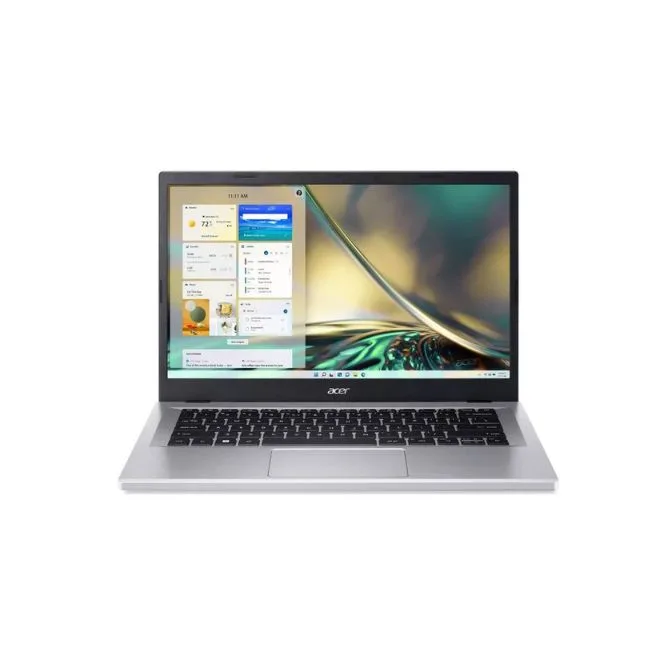
Acer Chromebook 315 15.6" FHD Laptop, Intel Celeron N4500, 4GB LPDDR4 RAM, 64 GB Storage, Intel UHD Graphics, HD Webcam, Wi-Fi 6, Chrome OS, Silver: 15.6" FHD IPS display with Intel Celeron N4500, 4GB RAM, 64GB storage, Chrome OS. The IPS panel offers wider viewing angles and better colors than typical TN screens, making it easier to share the screen or watch videos from the side.

Acer Chromebook 315 15.6" FHD Laptop, Intel Celeron N4500, 4GB LPDDR4 RAM, 64 GB Storage, Intel UHD Graphics, HD Webcam, Wi-Fi 6, Chrome OS, Silver
-
ASUS Laptop L510, 15.6" Full HD, Intel Celeron N4020, 4GB RAM, 128GB SSD, Star Black, Windows 10 Home in S Mode, L510MA-WB04 (factory renewed): 15.6" Full HD display with Intel Celeron N4020, 4GB RAM, 128GB SSD, Windows 10 Home in S Mode. The 128GB SSD provides faster boot times and more room for offline files compared to the Acer's 64GB eMMC storage, which is important if you work without constant internet access.
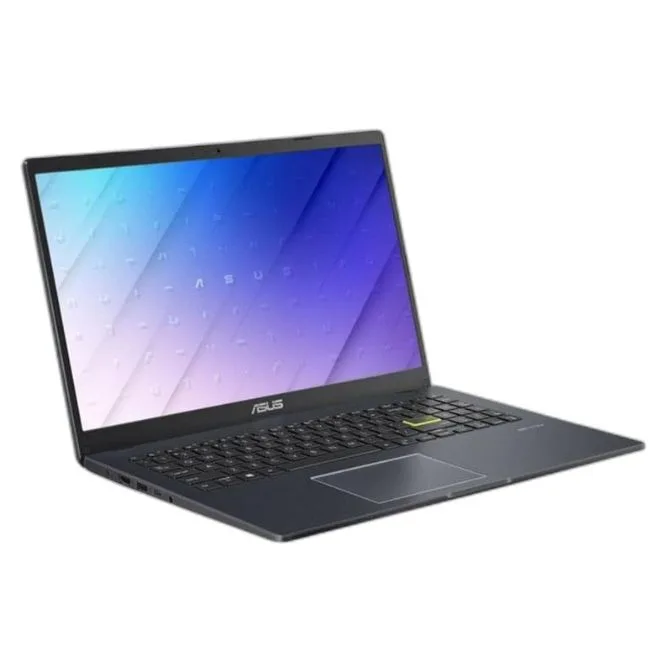
ASUS Laptop L510, 15.6" Full HD, Intel Celeron N4020, 4GB RAM, 128GB SSD, Star Black, Windows 10 Home in S Mode, L510MA-WB04 (factory renewed)
Which one should you choose?
Best for
- Students or casual users who mainly browse, stream, and use Google apps on a tight budget
- Users who want a simple, low-maintenance laptop with a good display for media consumption
Not for
- Users who need to run Windows-only software like Microsoft Office desktop or legacy programs
- Anyone who needs more than 64GB of local storage or plans to multitask with many heavy applications