Quick answer
Add 3D ocean hex tiles to your game table by placing them on the board during setup, painting them for a custom look, and storing them carefully to avoid damage.
Why 3D tiles change your game
Flat hex tiles on the board can feel one-dimensional, especially when the game already uses a lot of tokens and cards. The 3D Ocean Hex Tiles from The Broken Token give the ocean areas a raised, sculpted look that makes the board pop. They also help you quickly identify ocean spaces during play without squinting at the board.
What you get and what you don't
The set of 9 tiles is 3D printed in blue ABS plastic and comes unpainted. That means you get a consistent, sturdy shape right out of the package, but the color is a single matte blue. If you want depth or shading, you'll need to paint them yourself. The tiles are also designed with ocean on three sides and land on the other three, so you can rotate them to fit different board layouts.
How to add 3D ocean hex tiles to your game
- Check your game box for tile compatibility: Open the 3D Ocean Hex Tiles and compare them to the ocean spaces on your Terraforming Mars board. The set includes 9 tiles, which matches the standard number of ocean tiles in the base game. Place one tile on each ocean hex to confirm they fit without overlapping other components. Common mistake: Trying to force a tile into a space that already has a city or greenery tile. Place ocean tiles before other terrain pieces.
- Decide whether to paint the tiles before first use: The tiles come unpainted. If you want a glossy water effect or deeper blue tones, prime them with a gray or white primer, then apply acrylic paint in layers. Dry-brushing a lighter blue on the raised edges gives a wave-like highlight. Let the paint cure for 24 hours before handling. Common mistake: Skipping primer. Paint may chip off the smooth ABS plastic during play.
- Place tiles during game setup: When setting up Terraforming Mars, place the 3D tiles on the ocean hexes on the main board. Rotate each tile so the land sides align with adjacent land hexes and the ocean sides face water. This creates a seamless visual transition. Common mistake: Aligning all tiles the same way. Rotate each tile individually to match the surrounding terrain.
- Store tiles to prevent scratches: After the game, stack the tiles with a soft cloth or foam layer between them. Store them in a dedicated compartment or small box to keep the 3D-printed edges from rubbing against each other. Avoid tossing them loose into a bag with metal tokens. Common mistake: Stacking tiles without protection. The unpainted ABS plastic can scuff easily.
Product details
-
3D Ocean Hex Tiles (9): These 3D-printed ocean tiles are perfect for bringing a little more life to your game of Terraforming Mars. They replace the flat cardboard ocean tiles with a raised, textured surface that makes the board more immersive and easier to read at a glance.
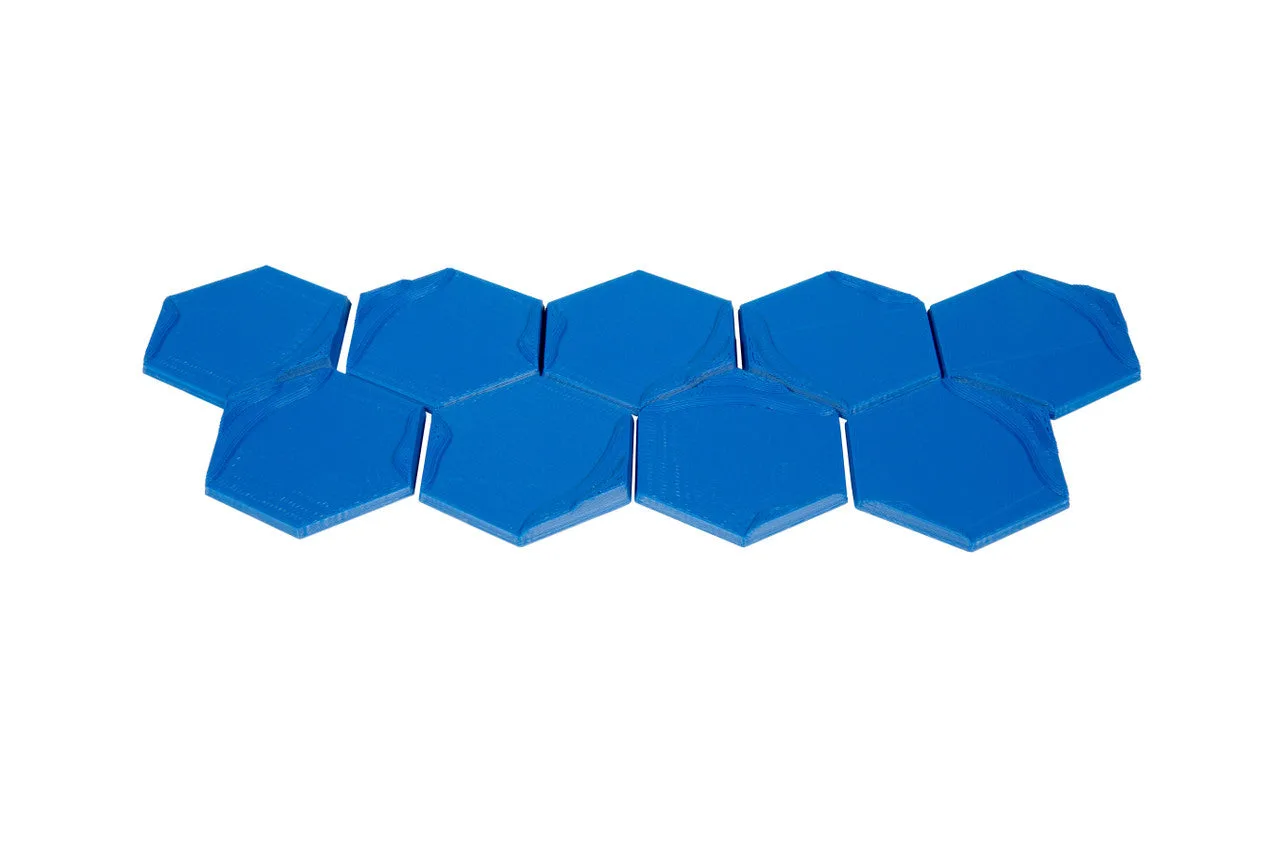
3D Ocean Hex Tiles (9)
-
3D Ocean Hex Tiles (9): Each tile features ocean on three sides of the hex and 'land' on the other three sides. This design lets you rotate the tile to match the terrain on your board, so you can place them without gaps or mismatched edges.
-
3D Ocean Hex Tiles (9): This product is 3D printed and is sold unpainted. You can customize the color and finish to match your table or other terrain pieces, but you'll need to invest time in painting if you want anything beyond the stock blue.