Quick Answer
Use an adhesive mount like the Adhesive Blink Outdoor Indoor Camera (3rd Gen) Mount to attach your camera without drilling. For a secure hold, clean the surface, press firmly, and wait at least 6 hours before sliding in the camera.
Why Choose an Adhesive Mount?
Adhesive mounts are perfect for renters, temporary setups, or anyone who wants to avoid drilling holes in walls. They rely on strong adhesive tape, like 3M VHB, to hold the bracket in place. This means no screws, no mess, and no damage to your walls.
However, adhesive mounts have limitations. They work best on smooth, clean surfaces like painted drywall, glass, or metal. Textured surfaces, such as brick or stucco, may not provide enough contact area for a reliable hold.
What You Need Before Starting
Gather the adhesive mount, your Blink Outdoor or Indoor (3rd Gen) camera, and a clean cloth with rubbing alcohol. Ensure the mounting surface is dry and free of dust, grease, or old adhesive residue.
Check that the area you choose has a strong Wi-Fi signal and is within range of your Blink Sync Module. Also, consider the camera's field of view to avoid obstructions.
Step-by-Step Installation Guide
- Choose the Right Location: Pick a smooth, clean surface that is within your camera's Wi-Fi range and provides the desired viewing angle. Avoid textured surfaces like brick or stucco. Check that the surface is flat and free of moisture.
- Clean the Surface: Wipe the mounting area with rubbing alcohol and a lint-free cloth. Let it dry completely. This removes oils and dust that could weaken the adhesive bond. Wait until the surface is fully dry before applying the mount.
- Apply the Adhesive Mount: Remove the safety tape from the back of the holder and firmly press it onto the surface. Apply even pressure for about 30 seconds to ensure full contact. Press firmly—air bubbles or gaps can reduce adhesion.
- Let the Adhesive Cure: Leave the mount in place for at least 6 hours before attaching the camera. This allows the adhesive to reach maximum strength. Do not skip the cure time—it's essential for a secure hold.
- Attach the Blink Camera: Slide your Blink Indoor or Outdoor (3rd Gen) camera into the holder until it clicks or sits snugly. Adjust the angle if the mount allows. Make sure the camera is secure and not wobbling.
Product Facts
-
Adhesive Blink Outdoor Indoor Camera (3rd Gen) Mount, 2 Pack Holder, No Hassle Installation, No Screws, No Mess Bracket Stand: Installed within a few minutes: remove the safety tape, place the holder, let it sit for at least 6 hours, then slide in your Blink Indoor or Outdoor (3rd Gen) camera. This adhesive mount saves time and avoids drilling, but you must wait the full cure time to ensure the bracket stays firmly attached.
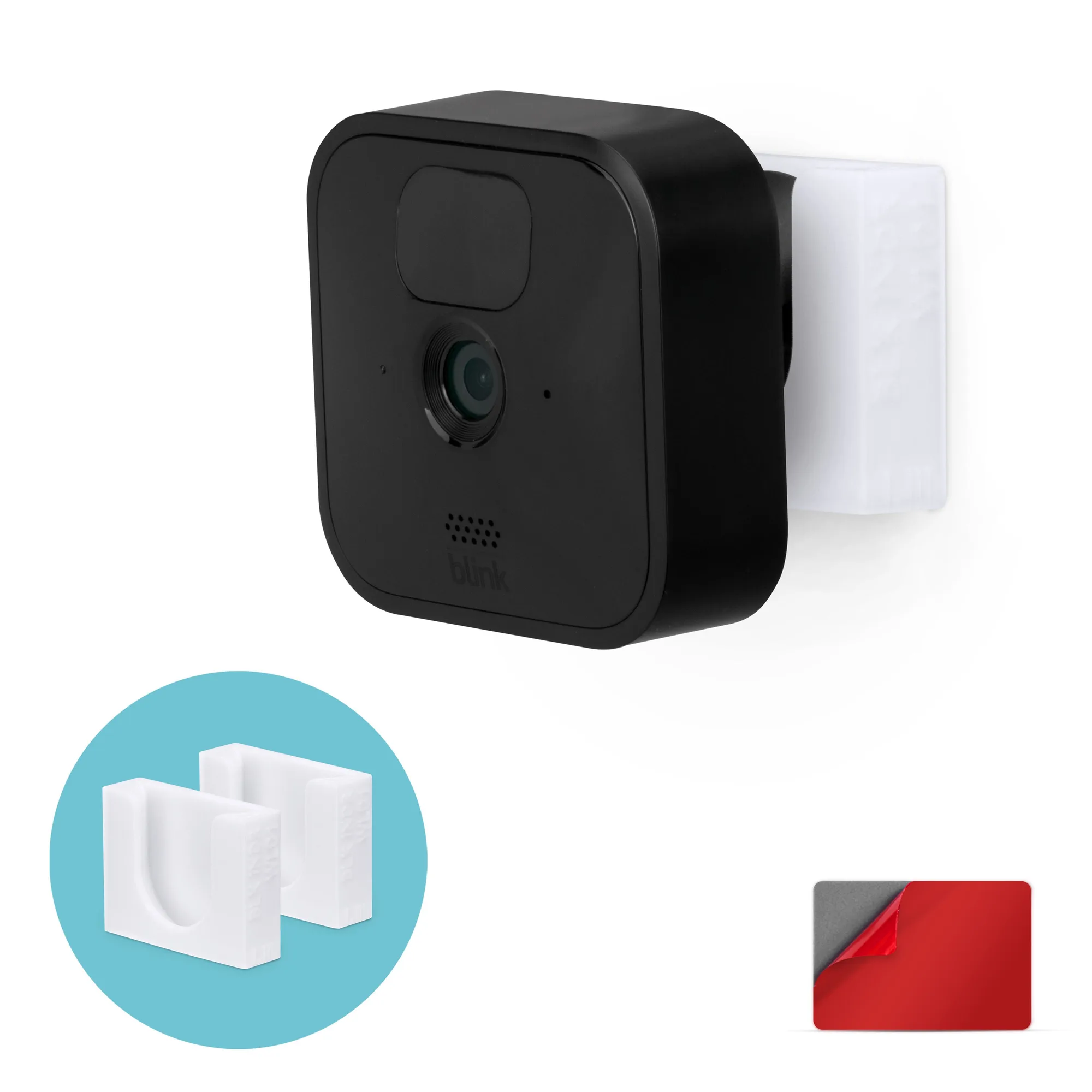
Adhesive Blink Outdoor Indoor Camera (3rd Gen) Mount, 2 Pack Holder, No Hassle Installation, No Screws, No Mess Bracket Stand