Quick answer
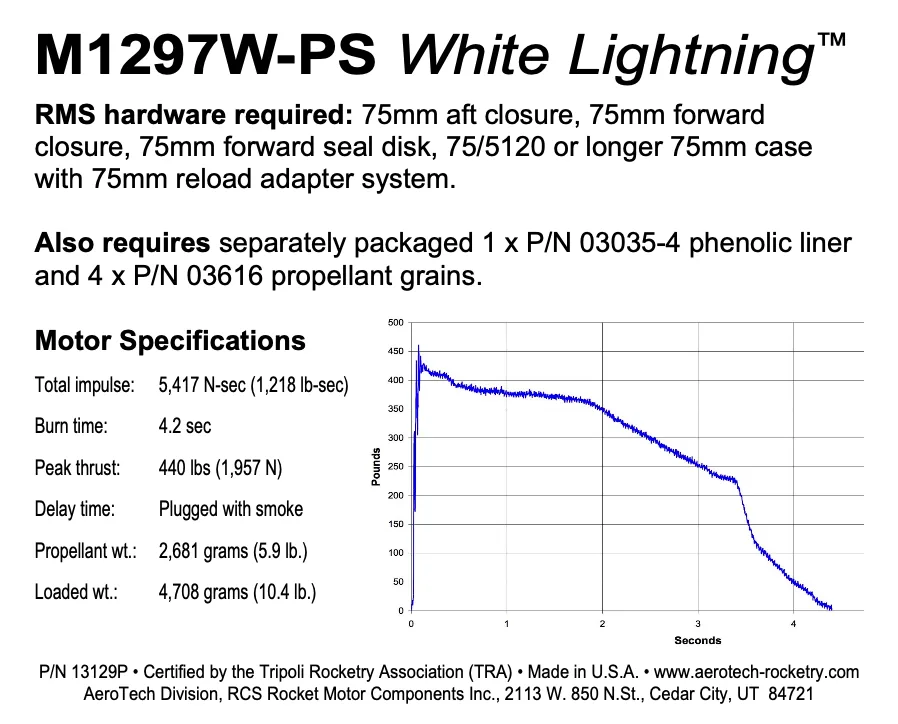
To prep the AeroTech M1297W-PS reload kit, first confirm you have the RMS-75/5120 motor hardware and a 75FSD forward seal disc, then assemble the reload in a clean, organized workspace. Work slowly, double-check the forward seal disc and nozzle alignment, and do a full dry-fit before adding any grease. This kit is for experienced high power flyers; if you are new to RMS-75, practice with a smaller reload first.
Confirm your hardware and reload compatibility
The M1297W-PS is a reload kit, not a complete motor. You need AeroTech RMS-75/5120 motor hardware to build and fly it. That hardware is available as a complete set or as individual parts, so check what you already own before ordering. The reload kit also requires a 75FSD forward seal disc during assembly; if you do not have one, the motor cannot be completed correctly.
High Power RMS reload kits are not compatible with Mid Power RMS products. Do not try to mix parts across those systems. If you are moving up from a 54mm RMS motor, treat the 75mm hardware as a separate system with its own assembly habits.
Set up a clean, controlled assembly area
Work on a stable table with good lighting. Lay out the reload kit, the RMS-75/5120 hardware, the 75FSD forward seal disc, and your assembly tools before you open any sealed packages. Keep the area free of grit, sand, and loose hardware. A dropped O-ring or a stray shaving can cause a seal failure later.
Read the instructions that come with the reload kit from start to finish before you touch the parts. The M1297W-PS has specific steps that differ from smaller RMS reloads, and the order matters. If any instruction is unclear, stop and check with a knowledgeable flyer or the manufacturer before proceeding.
Inspect every component before assembly
Check the reload grains, liner, O-rings, and nozzle for cracks, cuts, or deformation. Inspect the aluminum motor case and closures for burrs, corrosion, or damaged threads. A damaged case or closure should not be used, even if it looks minor. The M1297W-PS generates serious pressure and heat, so any questionable part is a stop-work item.
Verify that the 75FSD forward seal disc is present and in good condition. This disc is required for the M1297W-PS and is not optional. If it is missing or worn, replace it before continuing.
Assemble the reload in the correct order
Follow the manufacturer's sequence exactly. Install the forward seal disc (75FSD) as specified, then build up the liner, grains, and O-rings in the order shown. Lightly lubricate O-rings with the recommended grease, but do not over-grease; excess grease can trap grit or create a false seal. Seat the nozzle and aft closure fully, and check that everything is aligned before you tighten.
Do not force any part. If a component does not seat smoothly, stop and find out why. Forcing a grain or closure can damage the liner or the case and lead to a failure. Once assembled, confirm that the reload is fully seated in the RMS-75/5120 case and that the closures are snug, not cross-threaded.
Final checks before you head to the pad
Re-check the assembly against the instructions one more time. Confirm the forward seal disc is installed, the nozzle is properly seated, and the closures are tight. Make sure the reload is the correct one for your RMS-75/5120 hardware and that you have the right motor designation for your rocket's weight and expected altitude.
At the pad, verify the igniter is fully inserted and the motor is secure in the mount. Do a continuity check and follow your club's launch procedures. After the flight, disassemble and clean the hardware promptly, and inspect the case and closures before the next reload.
M1297W-PS prep steps
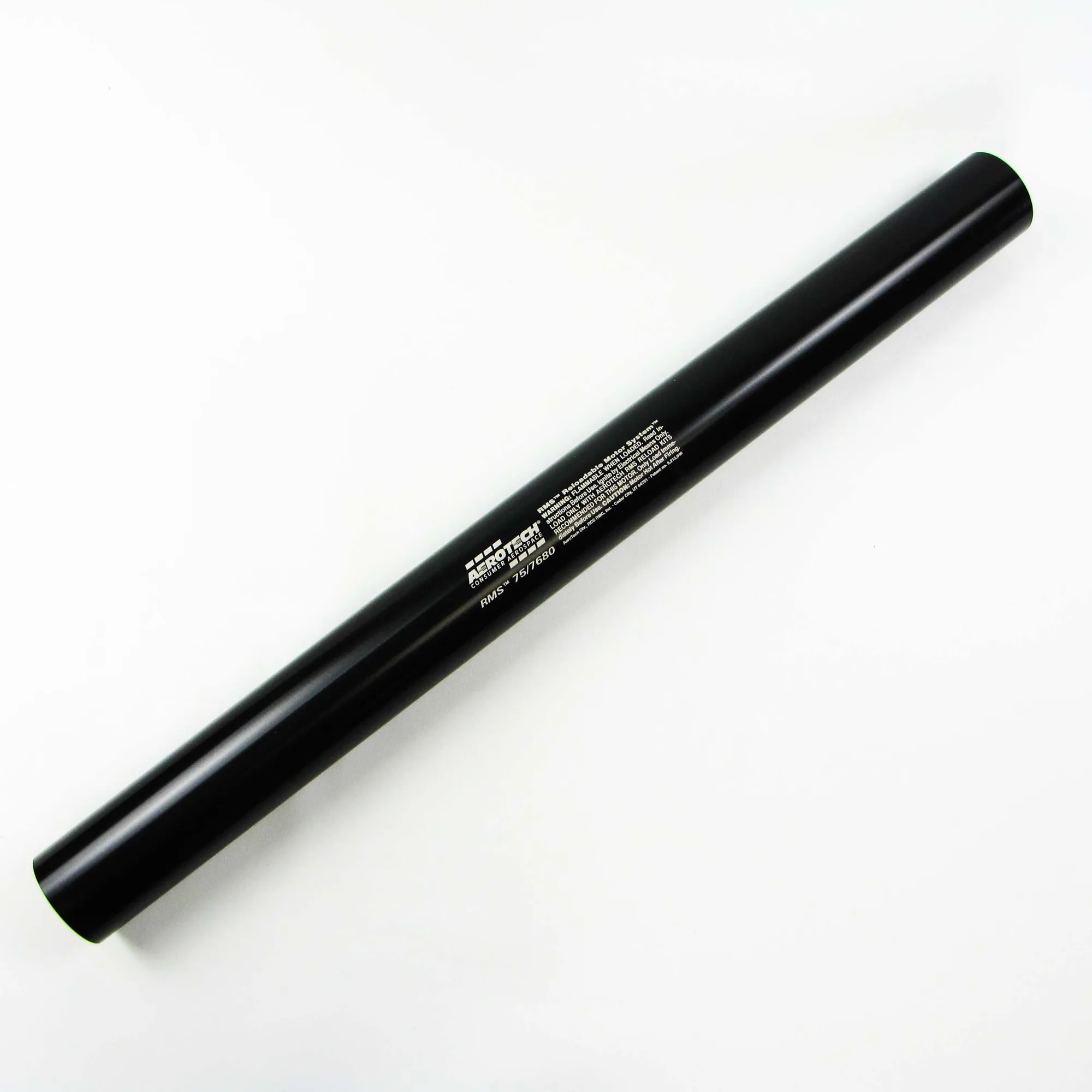
- Verify hardware and reload match: Confirm you have RMS-75/5120 motor hardware and the 75FSD forward seal disc. Check that the reload kit is the M1297W-PS and that no Mid Power RMS parts are mixed in. Common mistake: assuming a 75mm case fits all 75mm reloads. The RMS-75/5120 and RMS-75/7680 are different volumes.
- Inspect all components: Look over grains, liner, O-rings, nozzle, case, and closures for damage or wear. Set aside anything questionable. Checkpoint: if the forward seal disc is missing or damaged, stop and replace it before assembly.
- Assemble in the specified order: Install the forward seal disc first, then the liner, grains, and O-rings per the instructions. Lubricate O-rings lightly and seat the nozzle and aft closure without forcing. Common mistake: over-greasing O-rings or skipping the forward seal disc. Both can cause a seal failure.
- Do a final fit and function check: Re-check that the reload is fully seated, closures are snug, and the nozzle is aligned. Confirm the motor fits your rocket's mount. Checkpoint: if anything feels loose or misaligned, disassemble and redo the step rather than flying it.
- Prep for flight day: Install the igniter at the pad, verify continuity, and follow your club's launch rules. After flight, clean and inspect the hardware before the next reload. Next step: log the flight and note any wear so you can replace parts before they cause a problem.
Products mentioned in this guide
- AeroTech M1297W-PS RMS-75/5120 Reload Kit (1 Pack) - 13129P: The AeroTech M1297W-PS RMS-75/5120 Reload Kit requires AeroTech RMS-75/5120 motor hardware and a 75FSD forward seal disc for assembly. Without the correct hardware and forward seal disc, you cannot complete the motor or fly it safely.
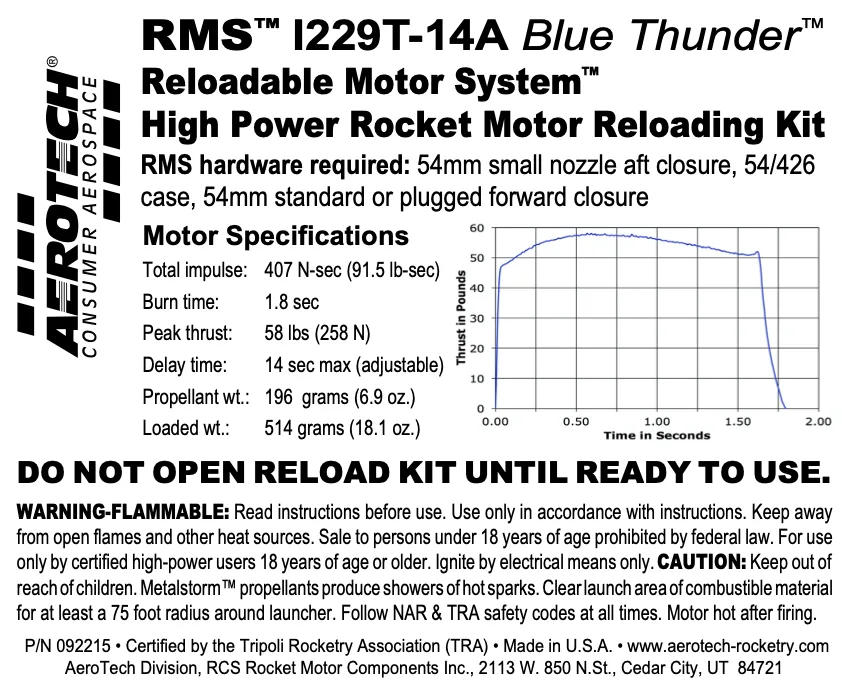
- AeroTech I229T-14A RMS-54/426 Reload Kit (1 Pack) - 092215: The AeroTech I229T-14A RMS-54/426 Reload Kit requires RMS-54/426 hardware and a 54mm small nozzle aft closure (54ACCSN). If you are stepping up from 54mm, this shows how each RMS size has its own hardware and closure requirements.
- AeroTech RMS-75 75mm 7680 N-Sec Aluminum Motor Case - 7576C: The AeroTech RMS-75 75mm 7680 N-Sec Aluminum Motor Case is for use with RMS-75/7680 reload kits; reloads are sold separately. This case is a different volume than the RMS-75/5120 hardware, so confirm your reload and case match before buying or assembling.