Quick Answer
The GSI AH100 hub fits any wheel base with a 70mm PCD bolt pattern, which includes most popular direct drive bases. Always verify your base's bolt pattern and thread type before mounting.
Why 70mm PCD is the Standard
Most modern direct drive wheel bases from brands like Simucube, Fanatec, and Moza use a 70mm PCD (Pitch Circle Diameter) bolt pattern for the wheel side. The AH100 hub is designed around this standard, so it should mount directly to these bases without an adapter.
However, some older or entry-level bases may use a different pattern, such as 50mm or 75mm. In those cases, you'll need a separate adapter or a different hub. Always check your base's manual before ordering.
Thread Type and Bolt Length Matter
Even if the PCD matches, the thread type and bolt length must be correct. The AH100 hub uses threaded holes on one side, and you'll need bolts that match your base's thread pitch (usually M5 or M6). Using the wrong bolts can strip threads or cause the hub to loosen during use.
If you're unsure about the thread type, consult your base's documentation or contact the manufacturer. A quick check now can save you from a frustrating installation later.
Step-by-Step Mounting Guide
- Verify your base's bolt pattern: Check your wheel base manual or manufacturer's website to confirm it uses a 70mm PCD bolt pattern. If it doesn't, you'll need an adapter. Common mistake: assuming all direct drive bases use 70mm PCD. Always verify.
- Gather the correct bolts: Determine the thread type and length required for your base (usually M5 or M6). Use high-quality bolts that match the thread pitch and are long enough to engage fully but not bottom out. Checkpoint: test fit a bolt in the hub's threaded holes before mounting.
- Align the hub with the base shaft: Slide the AH100 hub onto the base shaft, ensuring the 70mm PCD holes align with the base's mounting holes. Do not force it; if it doesn't align, adjust the rotation slightly. Common mistake: cross-threading bolts due to misalignment. Take your time.
- Tighten bolts in a star pattern: Hand-tighten all bolts first, then use a torque wrench to tighten them gradually in a star pattern to the manufacturer's recommended torque. This ensures even pressure and prevents warping. Checkpoint: re-check torque after the first few hours of use, as bolts can settle.
- Attach your steering wheel: Once the hub is secured, mount your steering wheel to the other side of the hub using the same 70mm PCD pattern. Tighten bolts evenly and verify the wheel is centered. Common mistake: overtightening wheel bolts, which can strip threads. Use a torque wrench.
Product Facts
-
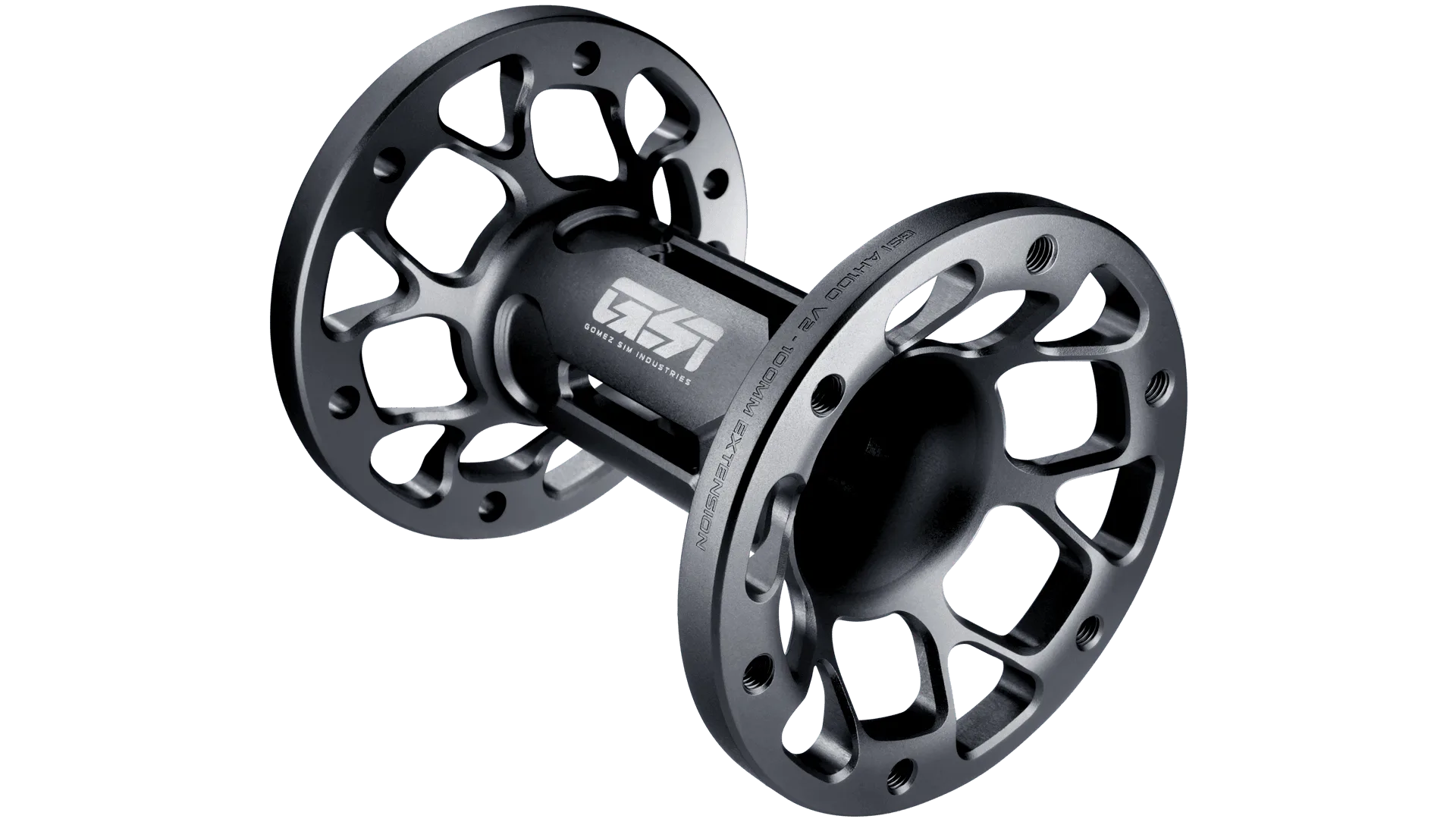
AH100 Hub: The AH100 hub extends the shaft by 100mm and is constructed from billet 6061 aluminum for maximum strength and reliability. The 100mm extension provides extra clearance between the wheel and base, which is useful for larger rims or custom rigs, while the aluminum construction ensures it won't flex under heavy use.
AH100 Hub