Quick answer
Mount the Aputure Spotlight Mini Kit on the STORM 80c, attach the 19° lens, then focus the beam before adding a gobo or gel. Use the included gobo holder and gel holder only after the beam is shaped, and check alignment at the working distance rather than at the fixture.
What the kit gives you to work with
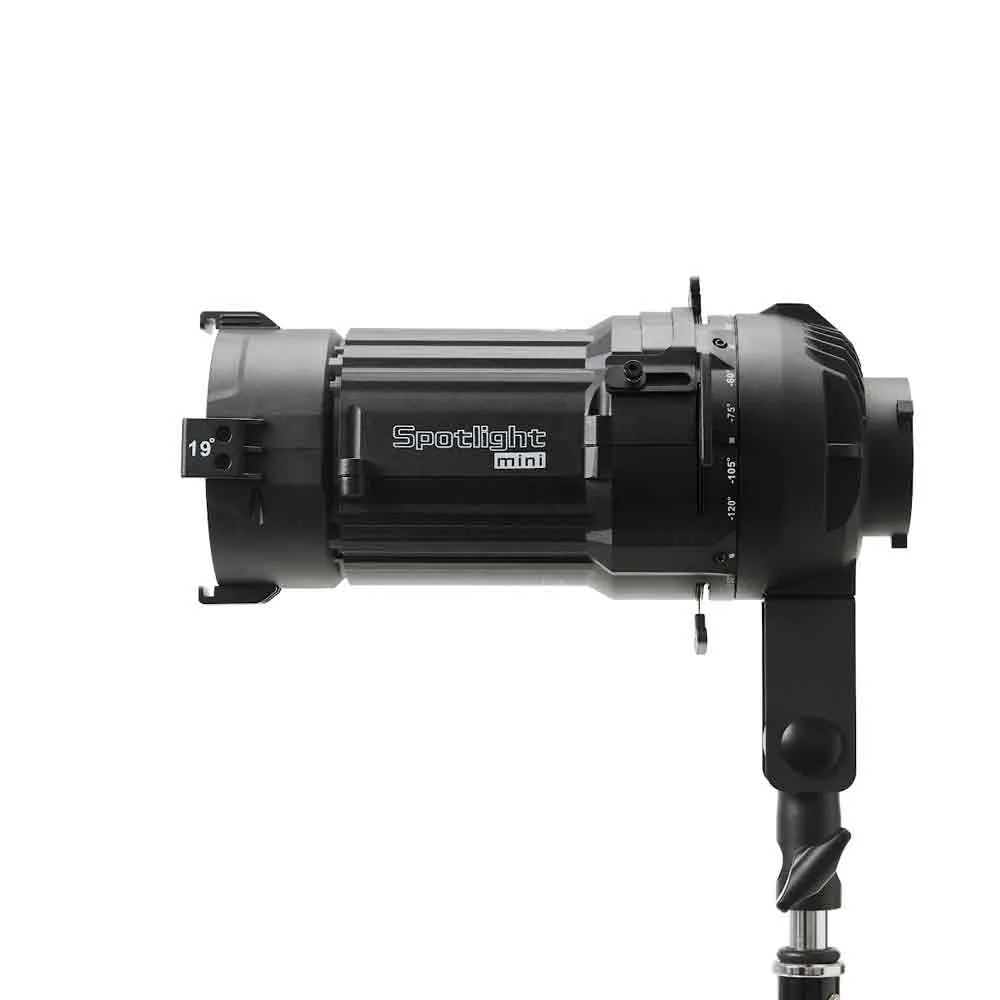
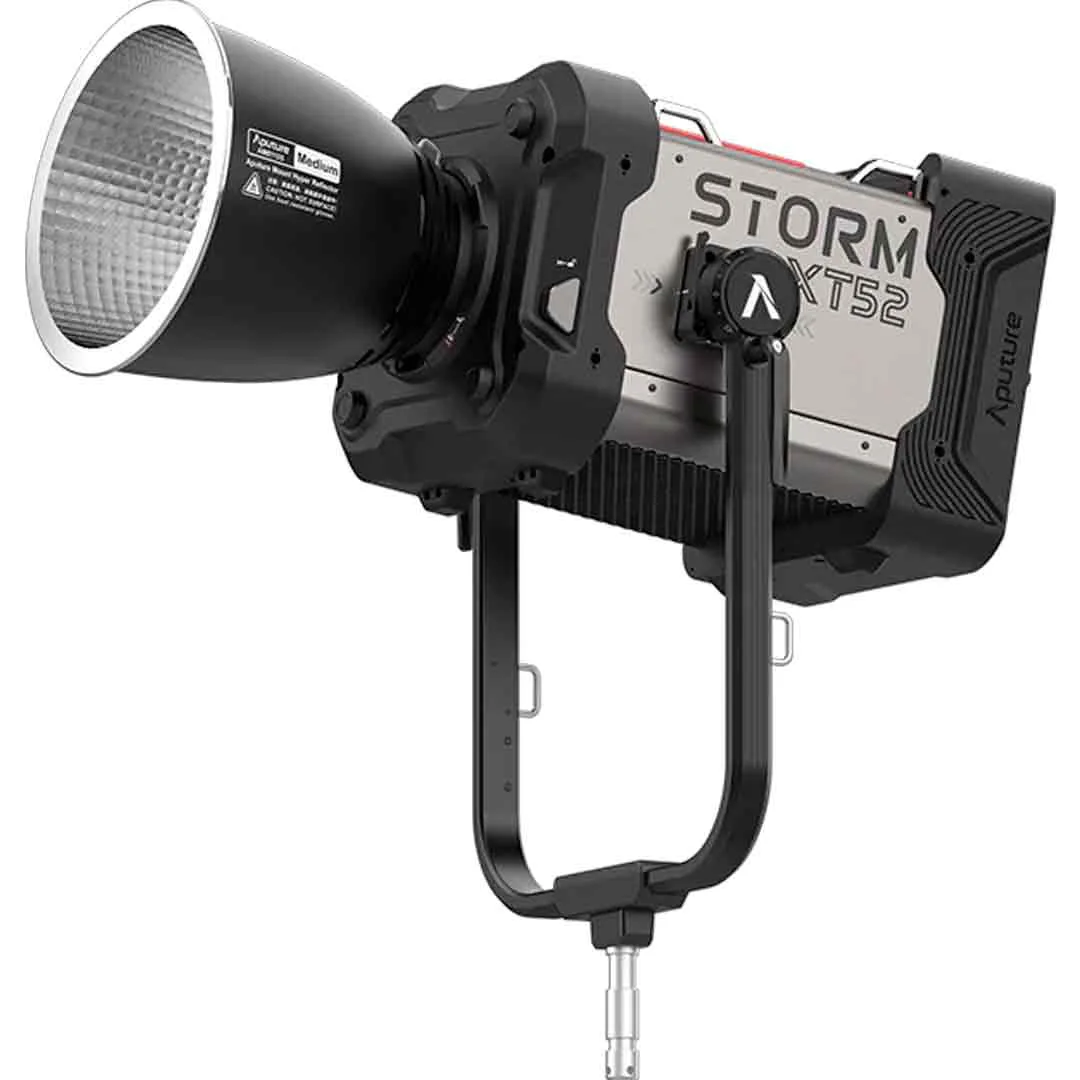
The Aputure Spotlight Mini Kit (19°, Mini-Bowens) is built around the STORM 80c. It includes the Spotlight Mini modifier with a 19° lens, a gobo holder, 10 M-Size gobos, a gel holder, and a case. That combination covers the whole chain from hard beam to patterned or colored output, so you can set up in stages instead of swapping separate accessories.
The 19° lens is the defining part: it produces a narrow, precise projection with high sharpness and even brightness. That makes it useful when you need a controlled pool of light rather than a broad wash, but it also means small alignment errors show up quickly. Treat the lens as the first decision and the gobos and gels as later refinements.
Plan the beam before you mount anything
Decide the throw distance and the size of the pool you need before attaching the modifier. A 19° beam stays tight over distance, so moving the fixture a little changes the coverage more than you might expect. Mark or note your intended subject position first, then position the light to hit it.
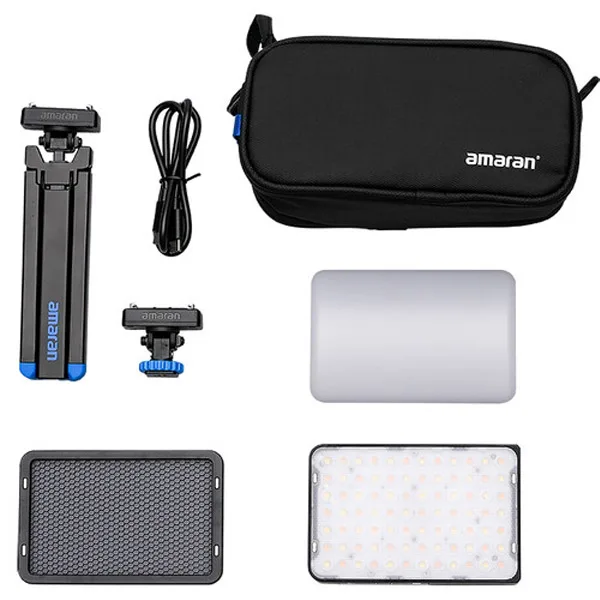
If you also use the Amaran Ace 25x Kit (Anthracite) as a fill or background light, set that up after the spotlight is aimed. Its 30° grid and mini tripod make it a quick contrast to the hard spotlight beam, but it should not distract you from getting the key projection right.
Focus and gobo checks that save time on set
Focus is easiest to judge with the fixture at its final distance and the room lights low. Adjust until the edge of the pool is as clean as your setup allows, then lock the modifier down. If the edge looks soft, check that the lens is seated fully before you assume the unit is out of adjustment.
When you add a gobo, rotate it slowly and watch the projected shape, not the holder. The gobo holder is designed to accept M-Size gobos, so keep the pattern flat and fully seated. If the pattern looks skewed, the holder is usually not square in the slot rather than the gobo being wrong.
Step-by-step: setting up and shaping the beam
- 1. Mount the Spotlight Mini on the STORM 80c: Attach the modifier to the fixture and confirm it is fully seated before tightening. Check that the yoke and stand can hold the added front weight without drooping. Common mistake: leaving the modifier slightly loose, which lets the beam drift when you adjust the stand.
- 2. Attach the 19° lens and aim the fixture: Fit the 19° lens, point the light at your subject position, and set the stand height and angle. Aim with the room lights on first, then refine in low light. Checkpoint: the center of the pool should land where the subject will be, not where the stand is easiest to place.
- 3. Focus the beam at working distance: With the fixture at its final distance, adjust focus until the pool edge is as clean as possible. Judge sharpness on the subject, not on the lens or a nearby wall. Common mistake: focusing at the fixture and then moving the stand, which changes the beam size and edge quality.
- 4. Load a gobo if you need a pattern: Slide an M-Size gobo into the gobo holder, seat it flat, and insert the holder fully. Rotate the pattern slowly and watch the projected shape to set orientation. Checkpoint: if the pattern looks skewed, reseat the holder before adjusting the fixture.
- 5. Add a gel for color or correction: Place the gel in the gel holder and fit it to the front of the modifier. Keep the gel flat and clear of the lens surface so it does not create uneven color or a hot spot. Common mistake: stacking gels or leaving them wrinkled, which softens the beam edge and shifts color unevenly.
- 6. Lock everything and do a final pass: Tighten the modifier, lens, gobo holder, and gel holder, then walk the beam across the subject position. Confirm the pool size, edge, and pattern at the actual shooting distance. Next step: if you need fill, set up the Amaran Ace 25x Kit after the spotlight is locked so it does not pull the key light off target.
Kit facts that affect your setup
- Aputure Spotlight Mini Kit (19°, Mini-Bowens): The kit includes the Spotlight Mini modifier with a 19° lens, a gobo holder, 10 M-Size gobos, a gel holder, and a case, and is designed for the STORM 80c. You can shape, pattern, and color the beam without buying separate holders, and the case keeps the lens and gobos protected between shoots.
- Amaran Ace 25x Kit (Anthracite) – Minettes LED: The Amaran Ace 25x Kit (Charcoal) includes the Ace 25x LED panel, a 30° light control grid, a mini tripod, a lock-to-cold shoe adapter, and a carry bag. It works as a compact fill or background light when the spotlight is your hard key, and the grid helps keep spill off the background.
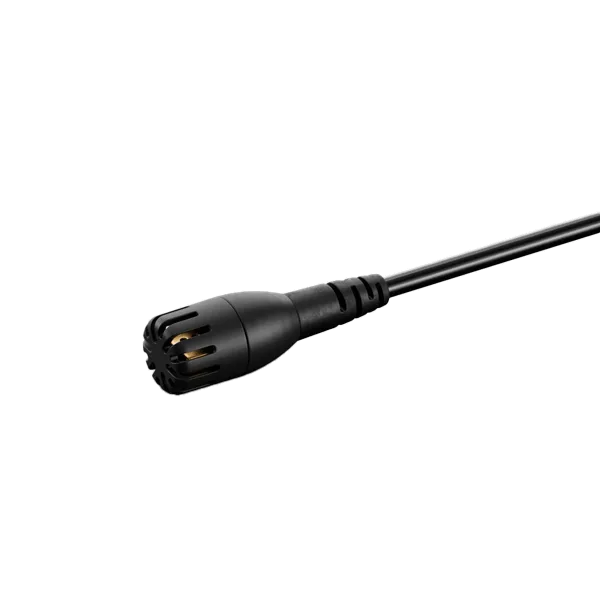
- DPA Microphones 2061 Loud SPL Omni (Mini-Jack, Noir) – Micro Cravate: The DPA Microphones 2061 Loud SPL Omni (Mini-Jack, Black) is a miniature omnidirectional lavalier with a clip and windscreen, and uses a Mini-Jack connector. If you record dialogue while lighting with the spotlight, this mic captures voice clearly and the Mini-Jack connection keeps setup simple on compatible devices.