Quick Answer
Use baby milestone blocks as a consistent prop in monthly photos to track your baby's growth and create a cherished first-year album. Place the block near your baby each month, using the same background and lighting for a cohesive series.
Why Milestone Blocks Work Better Than Digital Stickers
Physical milestone blocks add a tangible, heirloom-quality element to your photos that digital overlays can't match. They become part of the scene, not an afterthought, and they force you to be intentional about composition. Plus, the wooden texture and natural look complement any nursery or home decor, making the photos feel warm and timeless.
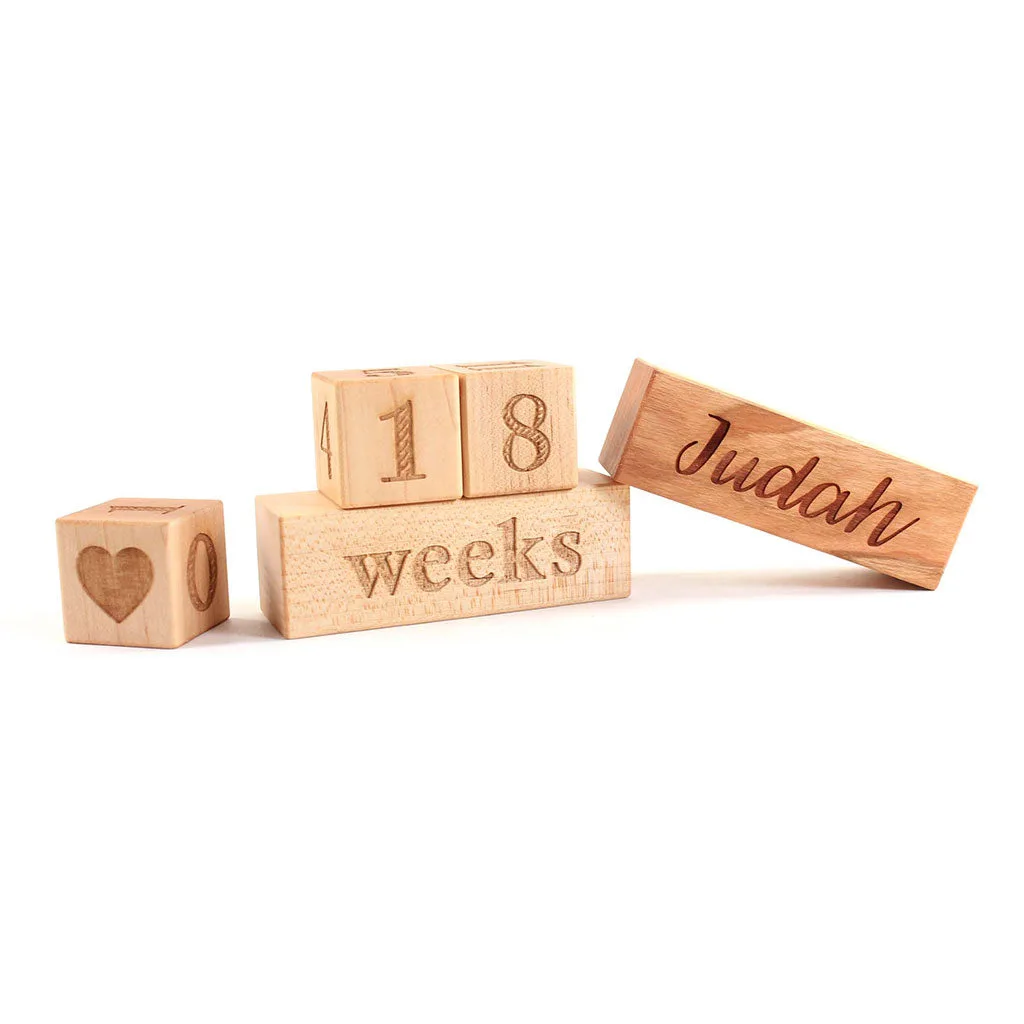
A common concern is that the block might be too small or hard to read in a photo. To avoid this, place the block close to your baby—on their tummy, beside their head, or propped on a cushion—and ensure it's well-lit. The 1.4-inch blocks in the Baby Milestone Blocks set are compact but legible when positioned correctly.
Step-by-Step: Monthly Milestone Photos with Blocks
- 1. Choose a Consistent Setup: Select a plain background (like a white wall, blanket, or rug) and a spot with even, natural light. Use the same setup each month so the only thing that changes is your baby's size and expression. Take a test shot before placing your baby to check lighting and composition.
- 2. Position the Milestone Block: For newborns, place the block on a soft surface near their head or feet. For older babies who can sit or lie on their tummy, set the block directly in front of them or to one side. Make sure the number faces the camera clearly. Common mistake: placing the block too far away. Keep it within 6–12 inches of your baby so the number is readable.
- 3. Use the Same Camera Angle Each Month: Shoot from the same height and distance every time. If you use a phone, try a tripod or a simple mark on the floor to maintain consistency. This creates a seamless monthly series when viewed together. Checkpoint: review last month's photo before shooting to match the angle and framing.
- 4. Capture Multiple Shots, Then Pick the Best: Take several photos—your baby may blink, move, or make a funny face. Snap at least 5–10 frames, then choose the one where the block is clearest and your baby's expression is most natural. Avoid over-editing. Keep the photo true to the moment; the milestone block already adds structure.
- 5. Add a Personalized Touch for Special Months: For month 1, 6, 12, or other milestones, consider adding a personalized name block (available as an optional add-on for the Baby Milestone Blocks set) to make the photo uniquely yours. This works great for first birthday or holiday shots. Common mistake: using too many props. Let the milestone block be the star; one or two additional items (like a favorite toy) are plenty.
Product Spotlight
-
Baby Milestone Blocks: The Baby Milestone Blocks set includes three square 1.4" blocks that can display numbers 0-54 plus a heart graphic, and one rectangular block. This means you can use the same set for every monthly photo from birth through month 54, plus special occasions like a first birthday, without needing additional props.
Baby Milestone Blocks