Quick Answer
If your barcode scanner won't scan, start with the basics: clean the reading window, check the cable and connection, and verify the scanner is set to the correct symbology. In most cases, these steps resolve the issue without needing a replacement.
Why Cleanliness Matters More Than You Think
A dirty or scratched reading window is the most common reason a scanner suddenly stops reading. Dust, smudges, and liquid residue can block the imager's view, especially in busy retail or warehouse environments.
The Adesso NuScan 5200TU is built with waterproof and antimicrobial materials specifically so you can clean it frequently without damaging the device. That design makes it a practical choice if your work area is dusty or requires regular sanitizing.
Connection and Power Issues Are Often Overlooked
Before you assume the scanner is broken, check the cable and the port. A loose USB connection, a damaged cable, or a dead battery in wireless models can all stop the scanner from working even though the device appears fine on the outside.
If you're using a wired scanner, try plugging it into a different port or computer to isolate the problem. For wireless units, verify the battery is charged and the scanner is paired with the correct receiver.
Symbology Settings: The Hidden Culprit
Modern 2D scanners like the Adesso NuScan 5200TU read a wide range of 1D and 2D barcodes, including QR codes, Data Matrix, and PDF417. But if the scanner's configuration has been changed—or if it was never set up to read a specific symbology—it may ignore certain barcodes entirely.
Check the user manual for the correct programming barcode to enable or disable symbologies. Resetting the scanner to factory defaults often clears any accidental misconfiguration.
Diagnosis: Step-by-Step Fixes
- Symptom: No scan at all: Check the cable connection, try a different USB port, and verify the scanner is powered on. If using a wireless model, confirm the battery and pairing. If the scanner still shows no power, it may be a hardware failure—consider replacement.
- Symptom: Scans some barcodes but not others: Check the symbology settings. Ensure the scanner is configured to read the barcode type you're using (e.g., QR, Data Matrix). Reset to factory defaults if needed. If resetting doesn't help, the barcode itself may be damaged or poorly printed.
- Symptom: Intermittent scanning: Clean the reading window with a soft, damp cloth (safe on waterproof models like the Adesso NuScan 5200TU). Also check for scratches or debris that might block the imager. If cleaning and re-testing doesn't fix it, the imager may be failing—time to consider a new scanner.
Product Facts
-
Adesso NuScan 5200TU Antimicrobial & Waterproof 2D Barcode Scanner: The Adesso NuScan 5200TU is compatible with a wide range of 1D and 2D barcode symbologies, including PDF417, QR Codes, Data Matrix, and micro QR Code. If you need to scan 2D barcodes, this model handles them out of the box—but you still need to verify the correct symbology is enabled in the settings.
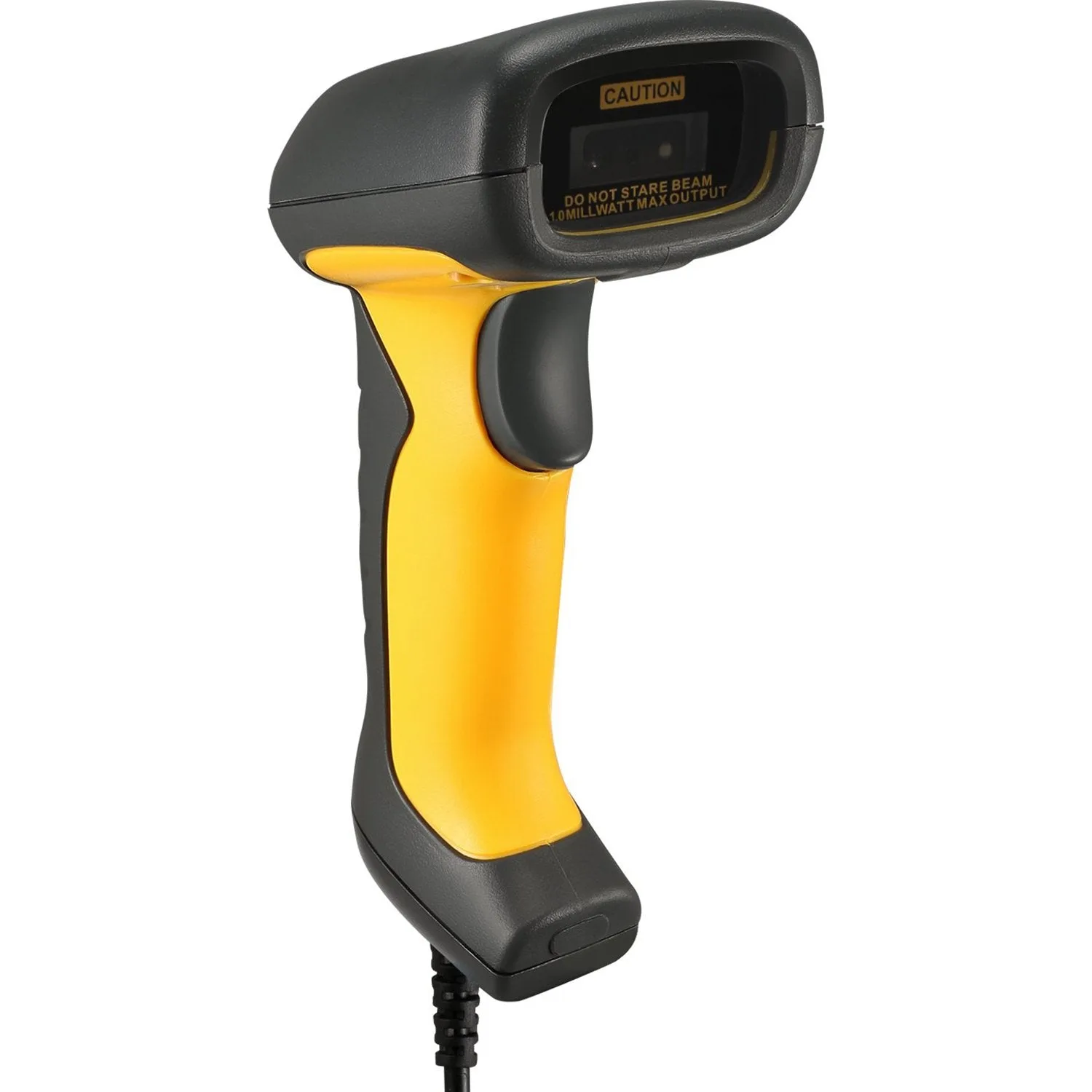
Adesso NuScan 5200TU Antimicrobial & Waterproof 2D Barcode Scanner
-
Adesso NuScan 5200TU Antimicrobial & Waterproof 2D Barcode Scanner: Built with waterproof and antimicrobial substances, the NuScan 5200TU can be cleaned frequently without damage. Regular cleaning is safe and actually prevents the most common cause of scan failures: a dirty window.