Quick answer
Yes, adding Lume Cube Studio Panel Barn Doors to your Studio Panel is the simplest way to control light spill and shape your beam with precision—no extra tools or complicated setups.
Why light spill matters
When you're shooting video or photos, uncontrolled light can wash out backgrounds, create unwanted glare, or make your subject look flat. Barn doors give you the ability to flag off light exactly where you don't want it, so you can sculpt your scene like a pro.
Trade-offs to consider
Barn doors add a bit of bulk to your panel, and they're designed specifically for the Studio Panel—so they won't fit other lights. If you're using multiple panels, you'll need a set for each one. But the control they offer usually outweighs these minor downsides.
Barn doors FAQ
How do I attach barn doors to my Studio Panel?
Simply snap the barn doors onto the front of the Lume Cube Studio Panel. They click into place without any screws or tools, and pop off just as easily when you need to change setups.
How do I control light spill with barn doors?
Adjust each door independently to block light from hitting specific areas—like a background or a wall. This lets you direct light exactly where you need it and keep it off everything else. Practice with a single door at a time to see how each adjustment affects your scene.
Can I use barn doors with other Lume Cube lights?
These barn doors are designed specifically for the Lume Cube Studio Panel. They may not fit other lights, so check compatibility before purchasing. If you own multiple Studio Panels, consider getting a set for each to maximize your control.
Product spotlight
-
Lume Cube Studio Panel Barn Doors Light Shaping Accessory - Open Box: Snaps directly onto the Lume Cube Studio Panel for quick attachment and removal. You can switch between bare panel and shaped light in seconds, keeping your workflow fast and flexible.
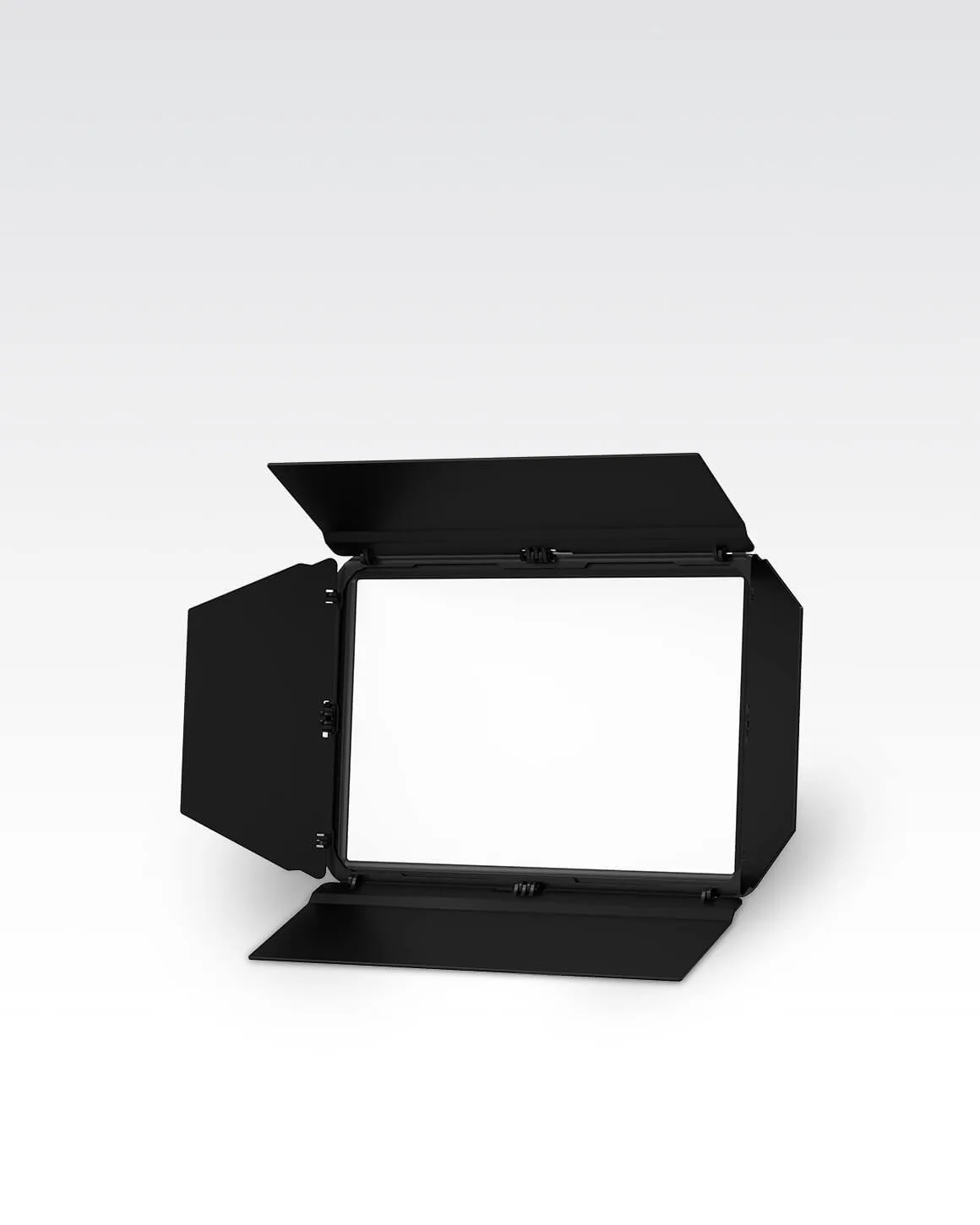
Lume Cube Studio Panel Barn Doors Light Shaping Accessory - Open Box