Quick answer
The Blackmagic URSA Cine B4 adapter cable lets you use broadcast B4 lenses on your URSA Cine camera by handling simultaneous power and data transmission. This guide explains when this setup works, common issues, and how to fix them.
Why Use a B4 Lens on a Cinema Camera?
Broadcast B4 lenses are designed for live production and offer smooth servo zoom, robust build, and consistent image quality. Mounting one on a cinema camera like the URSA Cine gives you the flexibility of a broadcast workflow with the dynamic range and resolution of a cinema sensor. The adapter cable is essential because B4 lenses use a different electronic interface than standard cinema lenses.
Diagnosis: Common Issues with the B4 Adapter Cable
- Symptom: The camera does not recognize the B4 lens, or the lens does not power on.
- Likely cause: The adapter cable is not fully seated at either the lens or the camera mount. B4 connectors require a firm push and twist to lock. Check that both ends are securely locked before powering the camera.
- Corrective action: Remove the cable, inspect the contacts for debris, reinsert firmly, and twist to lock. Power cycle the camera. If the issue persists, test with a different B4 lens to isolate the problem.
- Stop or choose another option: If the lens still does not communicate after trying two different lenses, the adapter cable may be faulty. Contact TRM support or consider a different lens mount adapter (e.g., PL to B4) that does not rely on electronic communication. For manual iris and focus lenses, a passive mechanical adapter may be simpler and more reliable.
Product facts
-
Blackmagic URSA Cine Câble Adaptateur B4 – Câble Adaptateur: The Blackmagic URSA Cine B4 adapter cable transmits both power and data simultaneously, enabling seamless integration of broadcast or box-style lenses. This means you don't need separate power or data lines—one cable handles everything, simplifying your rig and reducing connection points.
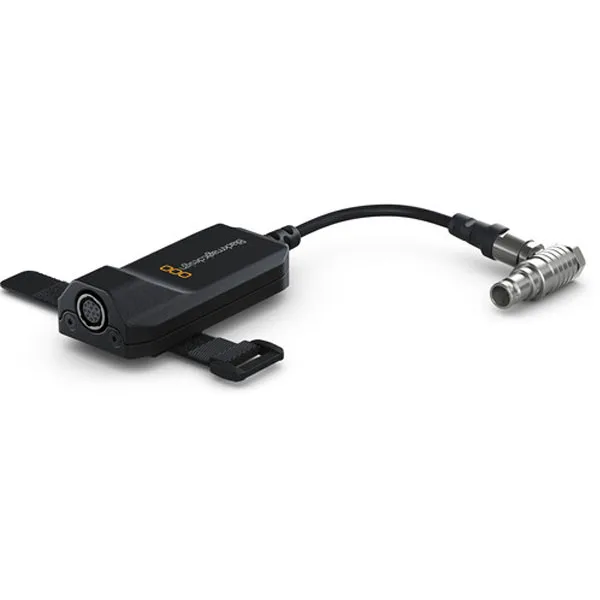
Blackmagic URSA Cine Câble Adaptateur B4 – Câble Adaptateur


