Quick Answer
For most book nook kits, the simplest reliable lighting setup is the one the kit already includes: install the supplied LED module or touch-activated light, route the wire through the pre-cut channel, and power it with the required batteries. If your kit does not include lighting, add a small battery-powered LED strip or a pre-wired touch light rather than soldering your own circuit. Always test the light before sealing the scene.
What You Need Before You Start
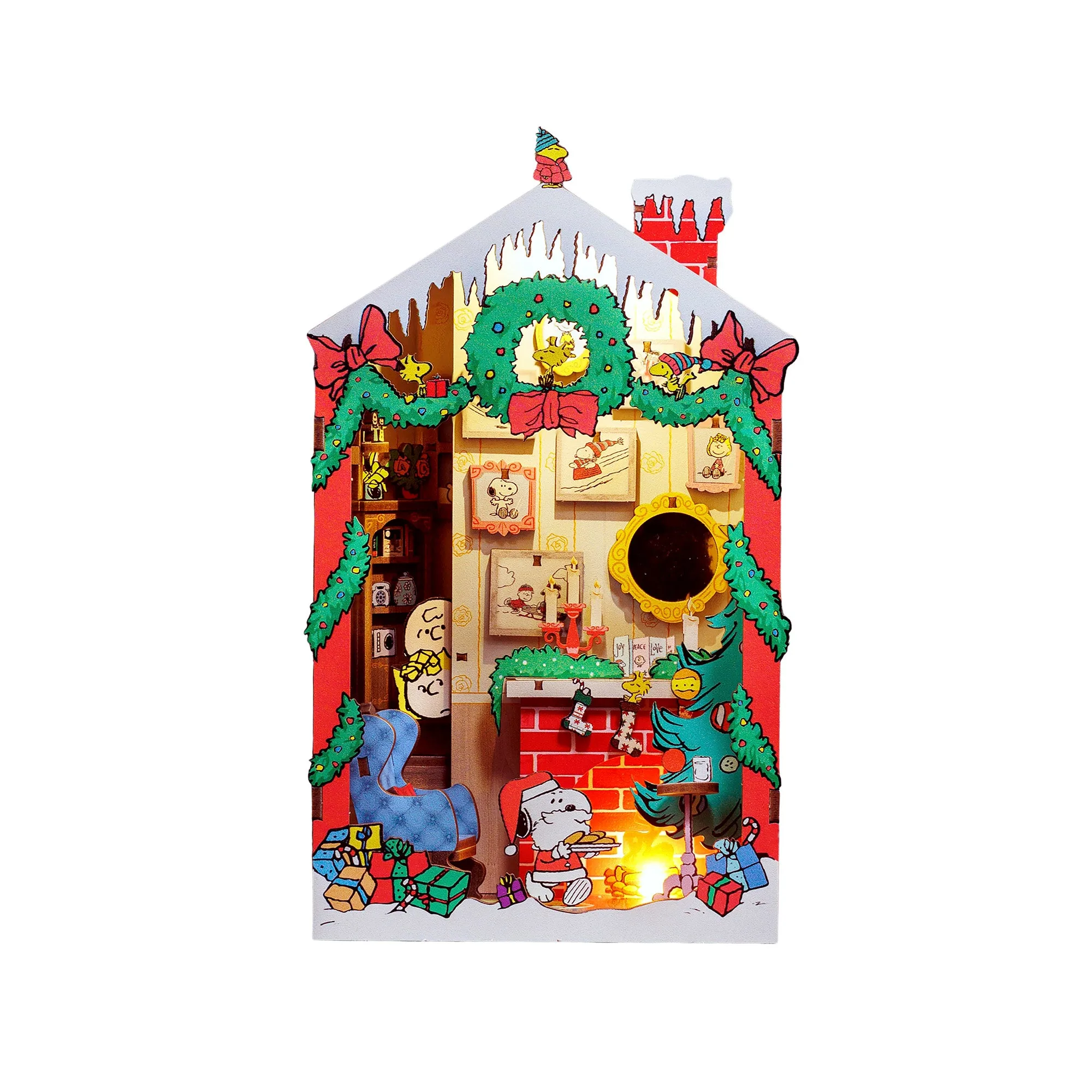
Before you touch the wiring, gather the lighting components and tools your specific kit requires. Most Hands Craft book nook kits either include a lighting module or specify the batteries needed. For example, the Ocean Journey kit includes a touch-activated LED light and requires 2 AAA batteries, which are not included. The Peanuts Christmas kit also requires 2 AAA batteries. Check your kit's manual or product page first so you do not buy the wrong power source.
You will also want a small Phillips screwdriver, tweezers for routing thin wires, and a pair of flush cutters if you need to trim zip ties or excess wire. A multimeter is optional but useful if you are troubleshooting a light that will not turn on. Do not use a soldering iron unless the kit explicitly calls for it; most beginner book nook kits are designed for solder-free assembly.
Plan the Light Path Before Assembly
The biggest mistake beginners make is assembling the entire scene and then trying to hide the wire. Instead, dry-fit the major walls and floors first, then decide where the light will sit and how the wire will travel to the battery compartment. On most kits, the wire runs along a back panel or under the base. Keep the wire away from areas where you will glue or press pieces together, because glue and tight joints can pinch or damage the insulation.
If your kit has a touch-activated light like the Ocean Journey, plan for the touch sensor to be accessible after assembly. That usually means placing it near an outer wall or under a removable roof panel. If the sensor ends up buried behind glued scenery, you will not be able to turn the light on without damaging the kit.
Install the LED Module or Light
Mount the light source before you add delicate details. For a ceiling or wall light, apply a small dot of craft glue or use the included adhesive pad, then hold it in place for a minute. For a strip light, peel the backing and press it firmly along the underside of a shelf or ceiling. Avoid stretching the wire; leave a small service loop so you can adjust the light angle later.
If the kit includes a dust cover sheet, as the Peanuts Christmas kit does, install the light so it does not press against the cover. A light that touches the cover can cause glare or, worse, heat buildup in a closed space. LED lights run cool, but it is still good practice to leave a small air gap.
Route and Secure the Wiring
Run the wire along the path you planned. Use the pre-cut channels in the kit's base or back panel whenever possible. If there are no channels, secure the wire with small pieces of tape or tiny dabs of hot glue at intervals. Do not pull the wire tight; a gentle curve is less likely to break the internal conductor.
Keep the wire away from moving parts, such as a door or a sliding panel. If the wire crosses a joint where two pieces meet, file a small notch in the hidden side of the wood so the wire is not crushed when you press the pieces together. Crushed wire is the most common cause of a light that works during testing but fails after final assembly.
Connect the Power Source
Follow the kit's instructions for battery orientation. Most kits use AAA batteries, and reversing the polarity can prevent the light from working or damage the module. Insert batteries before you close up the battery compartment, and test the light immediately. If the light does not turn on, check the battery orientation, the wire connection at the module, and the touch sensor if your kit has one.
If your kit uses a touch-activated light, touch the sensor with a dry finger. Some sensors are sensitive to moisture or pressure. If the light flickers, the battery may be low; replace both batteries at the same time rather than mixing old and new.
Test, Then Finish the Scene
Once the light is working, turn it off and complete the remaining assembly. After the kit is fully assembled, turn the light on again and check for shadows, glare, or hot spots. You can diffuse a harsh light by placing a small piece of parchment paper or a thin layer of cotton batting in front of the LED, but do not block the light entirely or trap heat.
If you need to adjust the light after assembly, use tweezers to gently reposition the module rather than pulling on the wire. If the light stops working after final assembly, the most likely culprits are a crushed wire, a disconnected battery, or a sensor that is blocked by scenery.
Step-by-Step Lighting Setup
- Check your kit's lighting requirements: Read the manual or product page to see whether lighting is included and which batteries are required. For example, the Ocean Journey kit includes a touch-activated LED and needs 2 AAA batteries, not included. Checkpoint: You have the correct batteries and know whether you need to supply your own light.
- Dry-fit the scene and plan the wire path: Assemble the major walls and floors without glue. Decide where the light will sit and how the wire will reach the battery compartment without crossing joints or moving parts. Common mistake: Gluing everything first and then trying to hide the wire, which leads to crushed wires.
- Install the light before delicate details: Mount the LED module or strip using the included adhesive or a small dot of craft glue. Leave a service loop in the wire and keep the light away from any dust cover. Checkpoint: The light is secure and does not touch the dust cover or any moving part.
- Route and secure the wiring: Run the wire along pre-cut channels or secure it with tape or hot glue. Avoid tight pulls and notch any joints that could pinch the wire. Common mistake: Pulling the wire tight, which can break the internal conductor.
- Insert batteries and test the light: Follow the kit's polarity instructions, insert fresh batteries, and turn the light on. If it does not work, check battery orientation, wire connections, and the touch sensor. Checkpoint: The light turns on reliably before you close up the scene.
- Finish assembly and re-test: Complete the remaining assembly, then turn the light on again. Look for shadows or glare and adjust the light angle with tweezers if needed. Next step: If the light fails after assembly, check for a crushed wire or a blocked sensor.
Lighting Details in Hands Craft Book Nook Kits
- Hands Craft | Ocean Journey: Includes Touch-activated LED light; 2 AAA batteries required, not included. You will need to buy batteries separately, and the touch sensor must remain accessible after assembly.
- Hands Craft | Peanuts® Christmas: Requires 2 AAA batteries and includes a dust cover sheet. Plan the light placement so it does not press against the dust cover, and buy batteries before you start.