Quick Answer
Set up your BRAUN Scouting Cam Black400 Dual WiFi by first choosing a mounting spot with a clear view, then connecting to the 2.4 GHz or 5 GHz WiFi for image transfer, and adjusting the trigger settings for your target animals.
Why WiFi Frequency Choice Matters
The Black400 Dual WiFi offers both 2.4 GHz and 5 GHz bands. The 2.4 GHz band travels farther and penetrates obstacles better, making it ideal for cameras placed deep in wooded areas. The 5 GHz band offers faster data transfer but shorter range, better suited for cameras near your home or a field edge with clear line-of-sight.
If your camera is far from your WiFi source, stick with 2.4 GHz to avoid connection drops. For quick image previews near the house, switch to 5 GHz.
Placement Trade-Offs: Angle vs. Distance
The camera has a 90° angle of coverage and a trigger distance up to 20 meters. A 90° lens captures a narrower field than wide-angle models, so you need to aim it precisely at game trails, feeding areas, or water sources.
If you place it too far from the target zone, you may miss animals at the edges. Mount it 3–5 meters away from the expected path for the best balance of coverage and trigger reliability.
Setup Steps for the BRAUN Scouting Cam Black400 Dual WiFi
- 1. Insert SD Card and Batteries: Open the camera housing and insert a Class 10 or higher SD card (up to 32 GB recommended) and fresh batteries. The camera uses standard AA batteries; lithium batteries perform better in cold weather. A common mistake is using a slow SD card, which can cause recording failures. Always format the card in the camera first.
- 2. Mount the Camera Securely: Use the included strap or mounting bracket to attach the camera to a tree or post at about chest height (1.5–2 meters). Angle it slightly downward to cover the area where animals are likely to pass. Avoid pointing it at direct sun or thick branches that can trigger false events. If you mount it too high or too low, the trigger zone may miss animals entirely. Test the angle by walking in front of the camera after setup.
- 3. Connect to WiFi: Turn on the camera and enable WiFi from the menu. On your smartphone, find the camera's network in WiFi settings (it appears as a new network). Open the BRAUN app or browser interface to enter your home WiFi credentials for the 2.4 GHz or 5 GHz band. The camera will then transfer images to your device. If the connection fails, check that you are within range of your router and that the camera is set to the correct WiFi band. The camera cannot connect to 5 GHz networks that are far away.
- 4. Adjust Trigger Settings: Set the trigger interval (the pause between captures) to 10–30 seconds for busy trails to avoid filling the card with redundant images. For slower-moving animals like deer, a 1-minute interval works well. Enable burst mode (2–3 photos per trigger) to capture multiple angles of a passing animal. A too-short interval can drain batteries quickly and fill the SD card. A too-long interval may miss animals that pass quickly.
- 5. Test and Finalize: After setup, walk in front of the camera at the expected animal distance to verify it triggers and records. Check the first few images on your app or by removing the SD card. Adjust the angle or sensitivity if needed. Skipping this test is the most common mistake. You may find the camera is pointing at a bush or the sun, causing false triggers or missed captures.
Product Facts
-
BRAUN Scouting Cam Black400 Dual WiFi: The Black400 Dual WiFi features a 4MP CMOS sensor for day and night shots, video resolution up to 1440P, and photo resolution up to 48 MP. This means you get sharp images for identifying animals even in low light, and the high photo resolution allows you to zoom in on details like ear tags or markings.
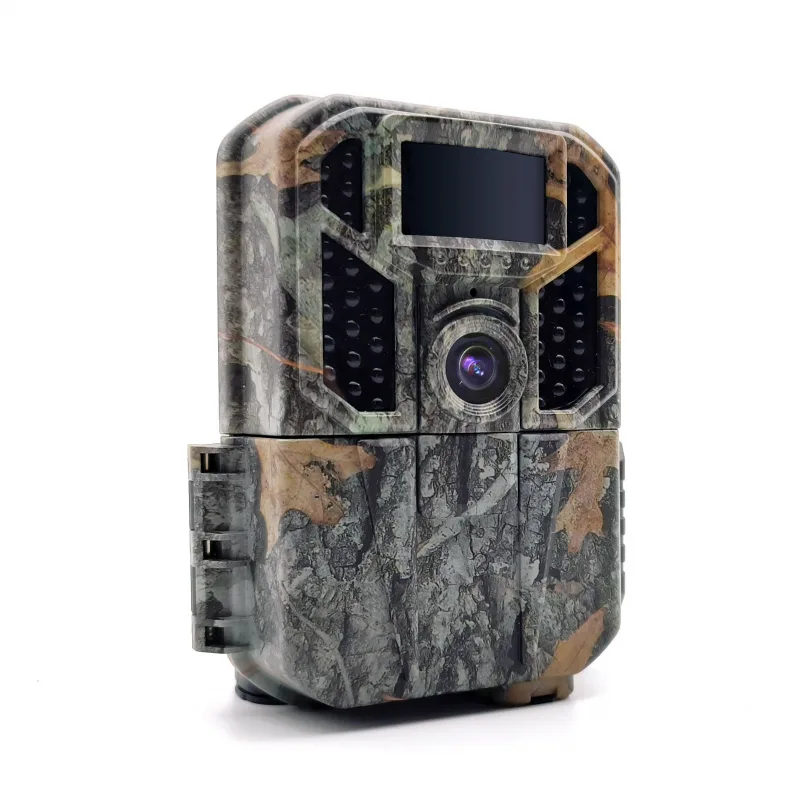
BRAUN Scouting Cam Black400 Dual WiFi
-
BRAUN Scouting Cam Black400 Dual WiFi: It has a trigger time of 0.6 seconds and a triggering distance up to 20 meters. The fast trigger time reduces the chance of blurry or empty frames, especially for quick-moving animals, while the 20-meter range gives you flexibility in placement.


