Quick answer
To clean a camera sensor or lens safely, first use a rocket blower to remove loose dust, then apply a dedicated sensor swab or lens tissue with a small amount of cleaning solution only if needed. Never reuse a swab or tissue, and avoid pressing hard. Work in a clean, well-lit space and stop if you feel resistance.
Gather the right tools before you start
You need a rocket blower, a sensor swab sized for your sensor (APS-C, full-frame, etc.), a lens cleaning solution, microfiber cloths, and a bright light or headlamp. For lenses, add a lens pen or soft brush. Avoid canned air because it can spit propellant. Also avoid cotton swabs and household tissues, which can leave fibers or scratch coatings.
Clean the lens first, then the sensor
Always clean the lens before the sensor. If you clean the sensor first, dust from the lens can fall back into the open chamber. Use the rocket blower to remove loose particles from the lens front and rear elements. If needed, breathe gently on the lens and wipe with a microfiber cloth in a circular motion from center to edge. For stubborn spots, apply one drop of lens cleaning solution to the cloth, not directly on the lens.
Sensor cleaning: blower first, swab only if necessary
Lock the mirror up (DSLR) or turn off the camera and remove the lens (mirrorless). Use the rocket blower to blow air across the sensor at an angle, not directly at it. If dust remains, use a sensor swab with one or two drops of sensor cleaning solution. Swipe once in one direction, then use the other side of the swab for a second pass if needed. Never reuse a swab. For mirrorless cameras, the sensor is exposed when the camera is off, so be extra careful not to touch it.
Step-by-step cleaning process
- 1. Blow off loose dust: Use a rocket blower to remove loose particles from the lens and sensor. Hold the blower a few inches away and squeeze in short bursts. Mistake to avoid: using canned air, which can spray propellant and damage the sensor.
- 2. Clean the lens with a microfiber cloth: If dust remains on the lens, wipe gently with a clean microfiber cloth. For smudges, add one drop of lens cleaning solution to the cloth, not the lens. Checkpoint: the lens should be free of visible dust and smudges before you move to the sensor.
- 3. Swab the sensor only if needed: Use a sensor swab with one or two drops of sensor cleaning solution. Swipe once in one direction, then use the other side for a second pass if needed. Mistake to avoid: reusing a swab or pressing too hard. If you feel resistance, stop.
- 4. Reassemble and test: Replace the lens, turn on the camera, and take a test shot of a plain white wall at f/16. Check for dust spots. If spots remain, repeat the blower and swab process. If they persist, consider professional cleaning.
Products that help with safe cleaning
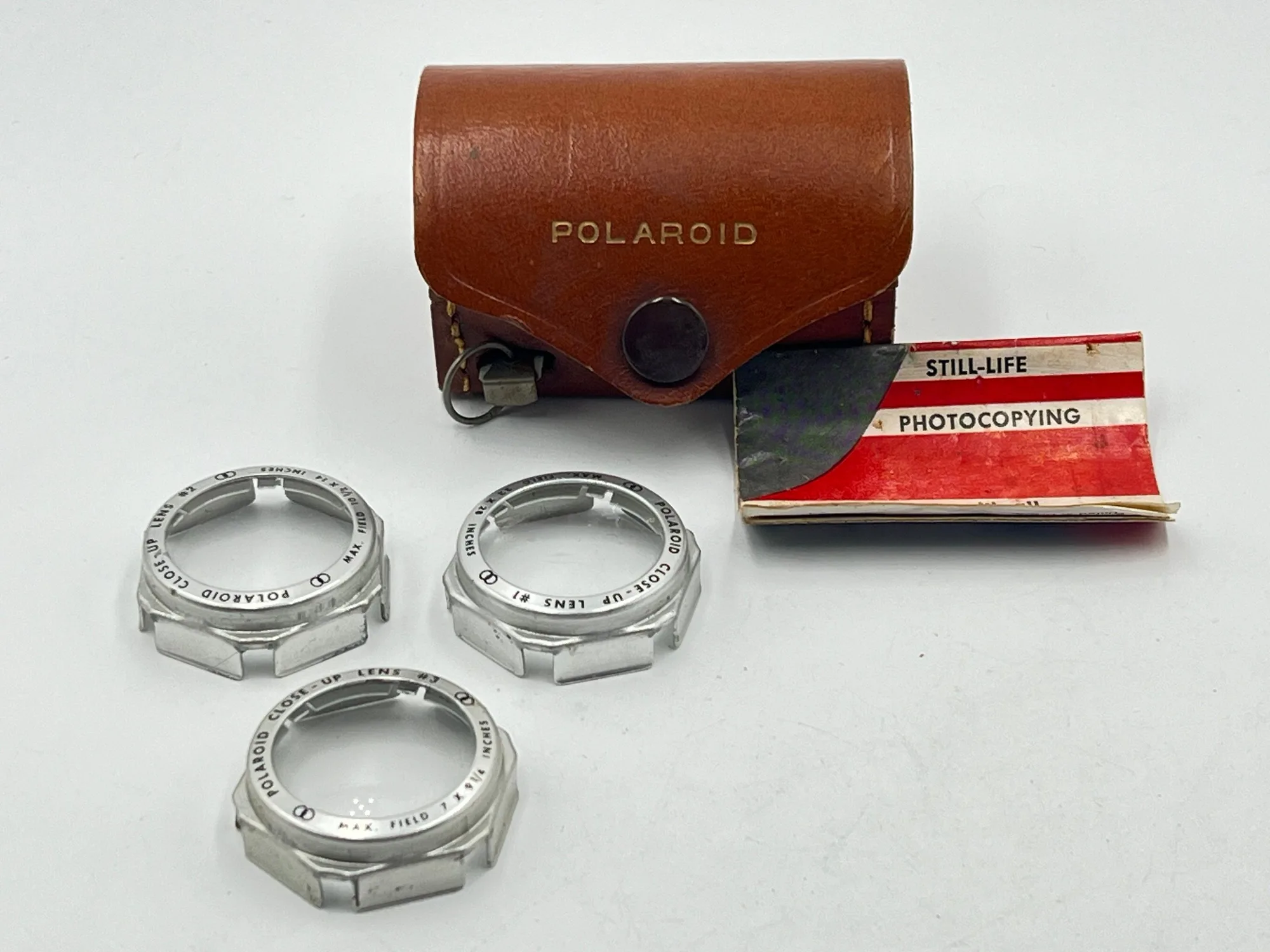
- Polaroid Land Camera Close-Up Lens Kit #540: Polaroid Land Camera Close-Up Lens Kit #540 is in Excellent condition and includes case and a 100 day warranty. Includes 3 converters and built-in tape measure. This kit is a low-cost way to add close-up capability to a Polaroid Land Camera, but it is not a cleaning tool. It shows that even vintage accessories can be found in excellent condition with a warranty, which is useful if you shoot instant film.
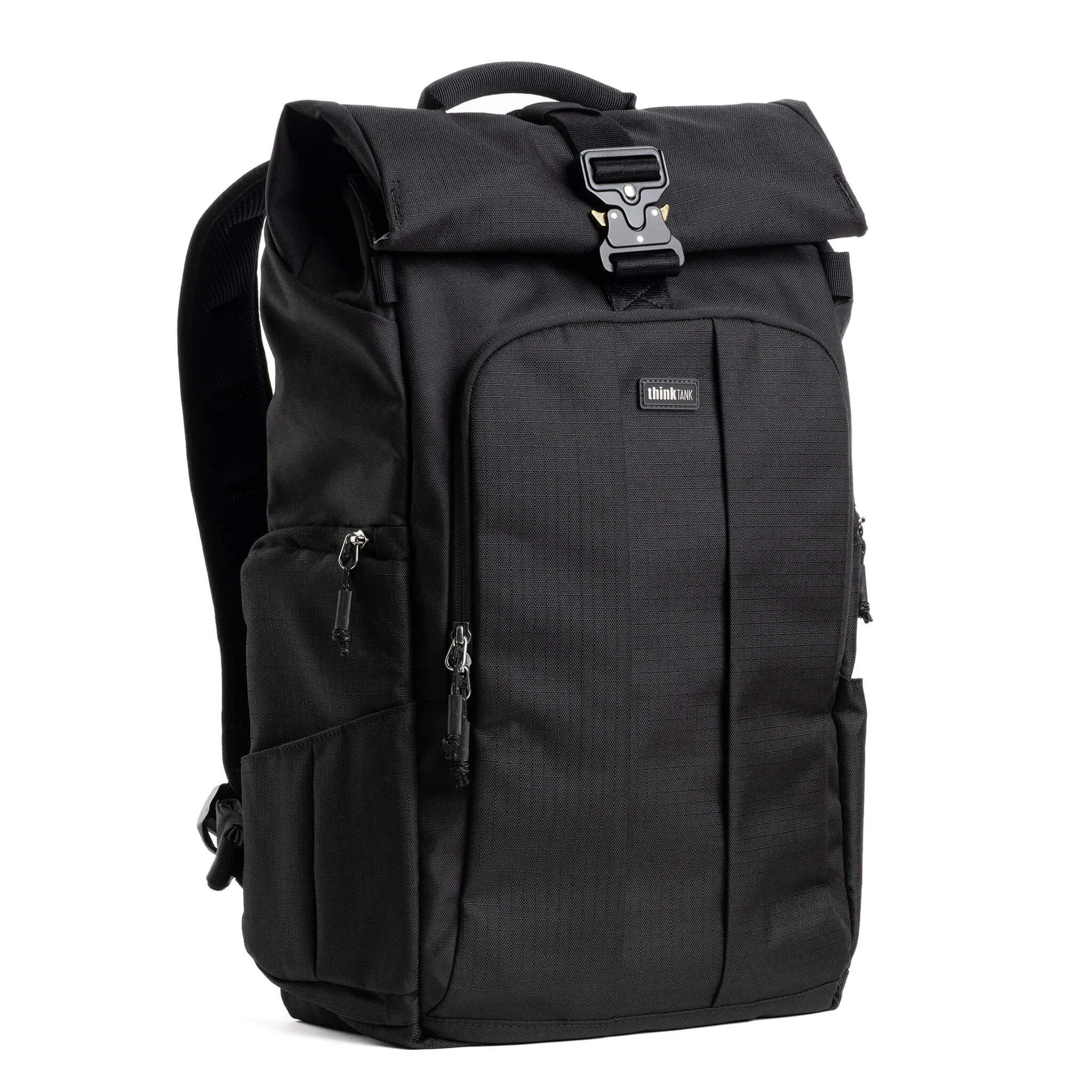
- Think Thank FocusPoint™ 22L RollTop Asphalt Black: Think Thank FocusPoint 22L RollTop Asphalt Black features rear panel and side access, a fully removable camera insert, a padded laptop sleeve, and 10 pockets. A bag with a removable insert and multiple pockets helps you organize cleaning tools and keep them clean. The rolltop design also keeps dust out during transport.