Quick answer
To clean camera sensor dust safely, start with a blower and in-camera shake, then use a dry swab only if spots persist. For mirrorless sensor cleaning, never use canned air or touch the sensor with a bare finger. If wet cleaning feels risky, stop and send the camera to a professional.
Match the tool to the symptom
Dust shows up differently depending on its size and where it sits. Loose particles often move between shots; stuck debris stays in one spot. Before buying anything, use a blower and your camera's sensor shake to see if the spot shifts. If it does not, a dry swab may be needed. For wet cleaning, use only sensor-safe swabs and solution. Never use a lens cloth or household cloth on the sensor.
- Rocket blower: removes loose dust without contact.
- Dry sensor swab: lifts light, dry debris.
- Wet sensor swab with solution: removes oil and sticky spots.
- Magnifier or loupe: helps you see the sensor surface clearly.
Step-by-step safe sensor cleaning
Work in a clean, low-traffic room. Charge your battery fully before you start. Use the camera menu to lock the mirror up or expose the sensor. Hold the camera face-down and use the blower to puff air across the sensor, not directly into the chamber. If dust remains, use a dry swab with one gentle pass. For wet cleaning, apply one or two drops of solution to the swab, not the sensor, and swipe once in one direction. Use a new swab for each pass. After cleaning, turn the camera off, remove the swab, and check with a test shot at f/16 against a plain wall.
When to stop and choose another option
Stop immediately if you see scratches, smears, or if the sensor surface looks wet after a dry pass. Do not try to scrub or use more pressure. If three wet swabs do not remove the spot, the issue may be under the sensor glass or a manufacturing defect. In that case, contact the manufacturer or a professional service. Also stop if you are not comfortable with the process; the risk of damage is not worth the savings. For cameras like the Nikon Z6 III, the sensor is exposed when the shutter is open, so a steady hand and the right tools are critical.
Diagnosis: symptom, cause, action, stop
- Symptom: Dust spots move between shots: Loose dust on the sensor surface. Use a blower and in-camera shake. If spots persist, use a dry swab.
- Symptom: Spots stay in one place after blowing: Sticky or oily debris on the sensor. Use a wet swab with sensor solution. One pass per swab.
- Symptom: Smear or streak after wet cleaning: Too much solution or a dirty swab. Stop. Do not re-swab. Let it dry and try a fresh swab, or send to a professional.
- Symptom: Spot remains after three wet swabs: Debris may be under the sensor glass or a defect. Stop. Contact manufacturer or professional service.
Products that help
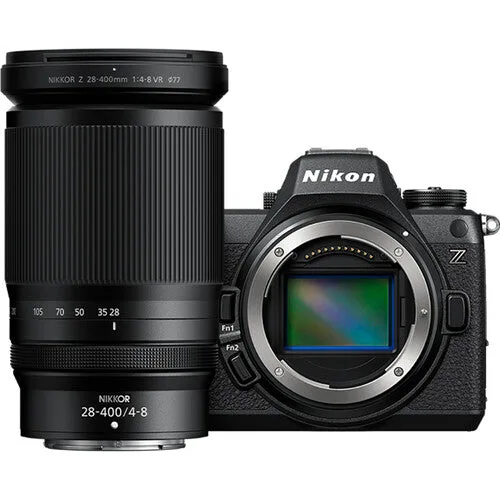
- Nikon Z6 III Mirrorless Camera with 28-400mm f/4-8 Lens: Nikon Z6 III Mirrorless Camera with 28-400mm f/4-8 Lens features a partially-stacked CMOS sensor and high-performance electronic shutter. The electronic shutter reduces vibration during cleaning and the sensor is exposed only when needed, lowering risk.
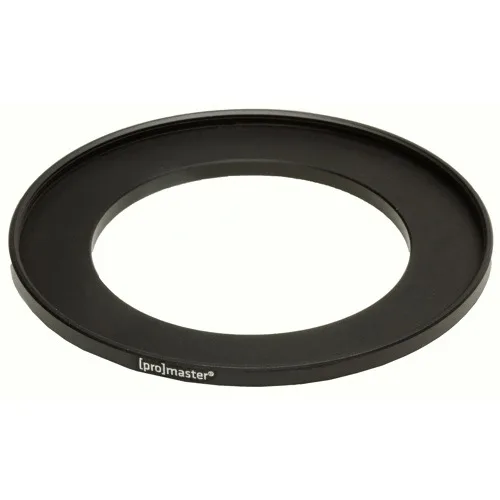
- Promaster Stepping Ring - 62mm-58mm: Promaster Stepping Ring - 62mm-58mm converts 62mm threads to 58mm for filters or lenses. If you use a lens with a different filter thread, a stepping ring lets you attach protective filters that keep dust off the front element.
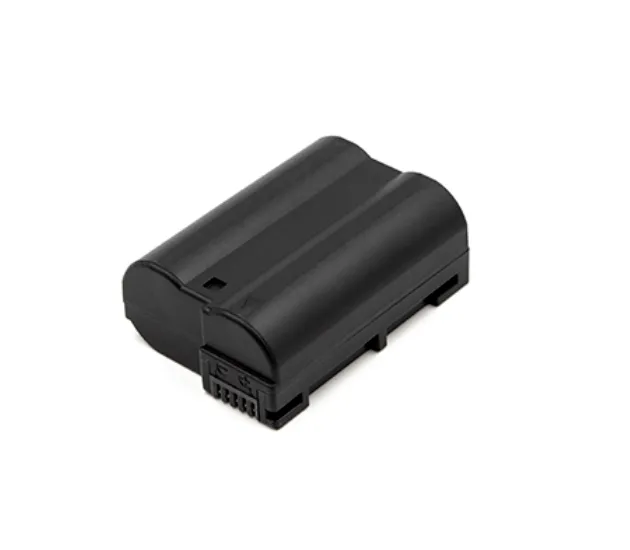
- Promaster Li-ion Battery for Nikon EN-EL15c: Promaster Li-ion Battery for Nikon EN-EL15c is a rechargeable replacement battery for cameras using the Nikon EN-EL15c type. A spare battery ensures your camera has enough power to complete sensor cleaning without shutting down mid-process.