Quick answer
Replace your Canon CLI-42 ink cartridges when print quality noticeably declines, the printer displays a low ink warning, or the cartridge has been installed for more than six months. Using genuine Canon ink helps maintain consistent results and extends the life of your print head.
How to Spot a Dying Cartridge
The most obvious sign is a change in print quality. If your photos show banding, color shifts, or missing lines, one or more CLI-42 cartridges may be running low or clogged. Running a nozzle check from your printer's utility menu can confirm which color is the problem.
Your printer's software will also alert you when ink levels are low. Don't ignore these warnings — printing with an empty cartridge can damage the print head and force an early replacement. Always keep a spare set of genuine Canon CLI-42 cartridges on hand so you can swap them immediately.
Can You Extend Cartridge Life?
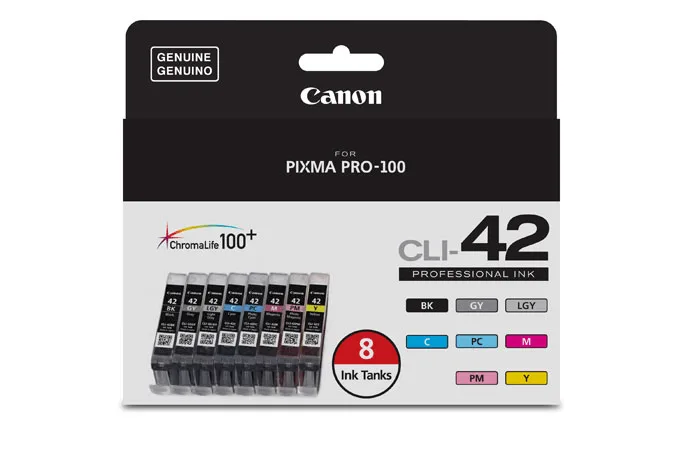
Yes, with a few simple habits. Store cartridges in a cool, dry place away from direct sunlight. If you don't print often, run a small print every week or two to keep the ink flowing and prevent clogs. The Canon CLI-42's ChromaLife100+ formulation is designed for longevity, but even the best ink can dry out if left unused for months.
Also, avoid removing a cartridge until you're ready to replace it. Exposing the print head to air accelerates drying. If you see a low ink warning but the print quality is still acceptable, you can often squeeze out a few more prints — just keep an eye on the output.
Frequently asked questions
How do I know which color is low?
Run a nozzle check pattern from your printer's maintenance menu. The pattern shows each color individually, so you can see exactly which cartridge is causing issues. A nozzle check takes less than a minute and saves you from guessing.
Can I mix new and old cartridges?
Yes, the Canon individual ink system lets you replace only the empty color. You don't need to swap all cartridges at once, which saves money and reduces waste. Replace only the color that's low — no need to change the whole set.
How long do CLI-42 cartridges last unopened?
Unopened cartridges have a shelf life of about two years when stored in a cool, dark place. Once installed, plan to use them within six months for best results. Check the expiration date on the package before buying in bulk.
Product facts
- Canon CLI-42 Professional Ink - 8 Cartridges: The Canon CLI-42 Professional Ink set includes 8 cartridges with ChromaLife100+ ink for professional-quality photo prints and superior longevity. Using genuine Canon ink ensures consistent color accuracy and print longevity, which is especially important for displayed artwork or client work.