Quick answer
Installing the DREO Ceiling Fan 325 is straightforward with its preassembled design. Follow these steps to mount it securely, wire it correctly, and avoid the most common DIY mistakes.
Before you start: safety and tools
Turn off power at the circuit breaker, not just the wall switch. Use a voltage tester to confirm no live wires. You will need a screwdriver, wire strippers, a ladder, and an outlet box rated for fan support (50 lbs minimum). The Ceiling Fan 325 is lightweight and includes most hardware, but a second person helps with the canopy alignment.
Wiring note for the Ceiling Fan 325
The fan uses standard household wiring: black (live), white (neutral), and green or bare (ground). The included remote receiver connects inline between the house wires and the fan motor. If your outlet box has only a red and black wire (separate switch for light), cap the unused wire safely. The Ceiling Fan 325’s stepless light control works through the remote, so you do not need a separate wall dimmer.
Step-by-step installation
- 1. Mount the bracket: Secure the ceiling bracket to the outlet box using the provided screws. Make sure it is tight and level. The bracket must be rated for fan weight. A loose bracket causes wobble later. Double-check the screws are fully seated.
- 2. Hang the fan body: Lift the preassembled fan and hook the ball end of the downrod into the bracket slot. Rotate until it locks. Let the fan hang while you connect wires. Ensure the downrod ball is fully seated in the bracket groove; otherwise the fan can fall during wiring.
- 3. Connect the wiring: Match house wires to fan wires: black to black, white to white, ground to ground. Connect the remote receiver in line as per the manual. Use wire nuts and tape them securely. A common mistake is reversing neutral and ground. If the fan does not power on, recheck wire colors with a voltage tester.
- 4. Attach the canopy: Push the canopy up against the ceiling and secure it with the screws provided. Make sure no wires are pinched between the canopy and bracket. If the canopy does not sit flush, you may have too much wire bundled inside. Trim excess wire length carefully.
- 5. Install the light kit and blades: Screw the light kit into the bottom of the fan. Attach each blade using the included screws. Tighten evenly but do not overtighten. Overtightening blade screws can strip the plastic or cause blade warping, leading to wobble.
- 6. Test and balance: Restore power. Use the remote to test fan speeds and light dimming. If you notice wobble, use the included balancing kit or swap blade positions. Run the fan at high speed for a minute to let the blades settle before balancing.
About the DREO Ceiling Fan 325
-
Ceiling Fan 325: Features TurboWind tech and a DC motor delivering 3171 CFM as low as 31dB. This means you get powerful airflow with whisper-quiet operation, ideal for bedrooms or living spaces where noise matters.
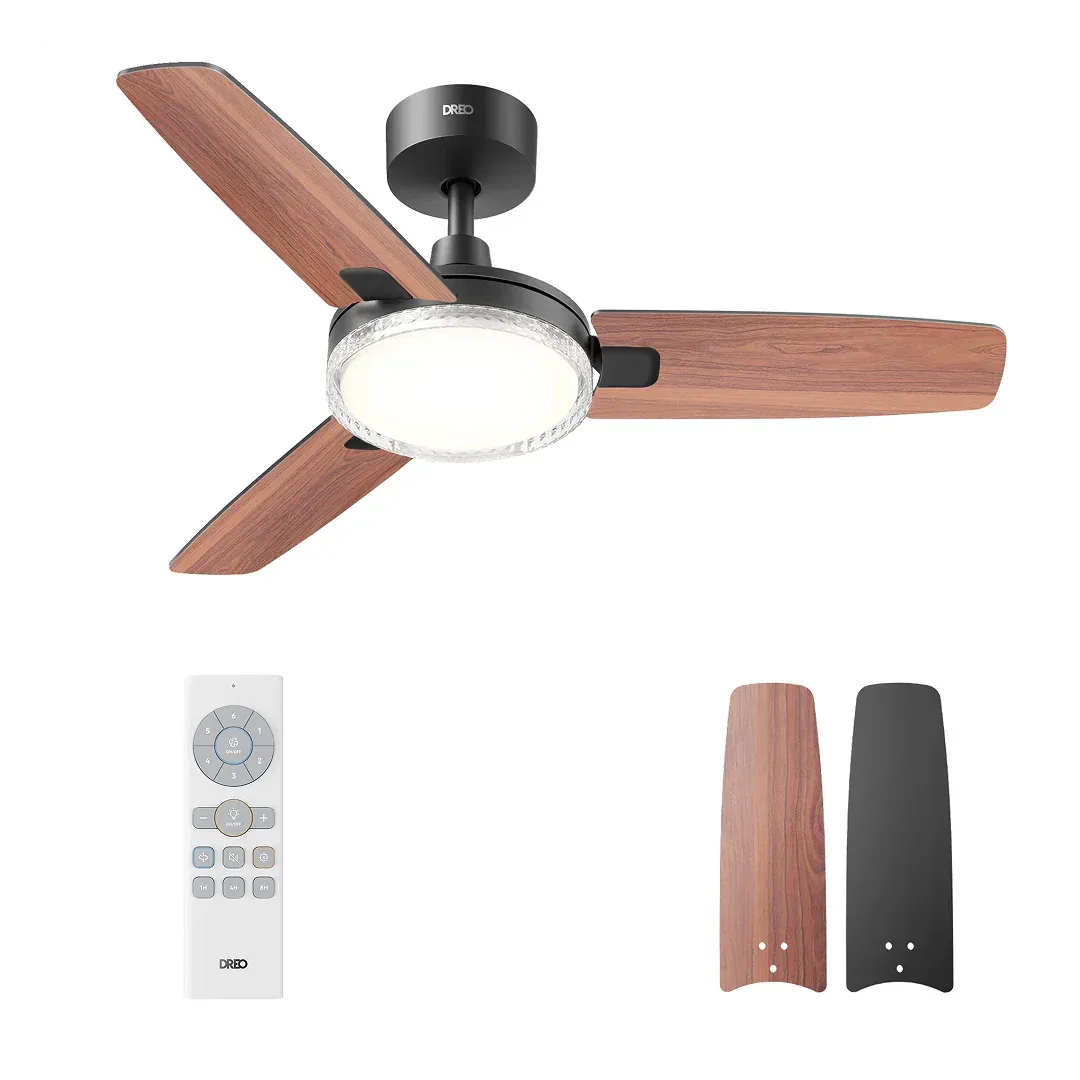
Ceiling Fan 325
-
Ceiling Fan 325: Preassembled design for quick installation. You save time because the motor and blades come already assembled, reducing the number of steps and the chance of misalignment.