Quick Answer
The Centurion Support Piece is a support component from Tier 1 Concealed that helps stabilize your holster and improve comfort. Install it by following the steps below to ensure a secure and comfortable fit.
Why a Support Piece Matters for Holster Comfort
A holster that shifts or presses unevenly can make all-day carry uncomfortable. The Centurion Support Piece is designed to add stability, which can reduce pressure points and keep your holster in place. This is especially useful if you carry for long hours or notice your holster tilting.
While the Centurion Support Piece is a small component, its role is to complement the Centurion line's fit. It doesn't replace a proper belt or holster choice, but it can make a noticeable difference in how the holster sits against your body.
How to Install the Centurion Support Piece
- Gather Your Tools: You'll need the Centurion Support Piece, the appropriate screwdriver (usually a small Phillips or hex, depending on your holster), and a clean, flat workspace. Having a towel or mat helps prevent scratches. Check the screw type on your holster before starting to avoid stripping.
- Remove the Holster from Your Belt: Take the holster off your belt or waistband so you can work on it comfortably. This prevents accidental damage and gives you better access to the mounting points. Work on a stable surface to keep screws from rolling away.
- Loosen the Screws on the Holster: Identify the screws that hold the support piece in place. Use the correct screwdriver to loosen them—don't remove them completely unless necessary. You just need enough play to slide the support piece into position. If screws are tight, apply gentle pressure; avoid over-torquing and stripping the head.
- Position the Support Piece: Align the Centurion Support Piece with the mounting holes on your holster. Make sure it sits flush against the holster body and doesn't interfere with the trigger guard or retention mechanism. Double-check that the piece is oriented correctly—reversing it can cause fit issues.
- Tighten the Screws: Re-tighten the screws evenly, alternating between them if there are multiple. Ensure the support piece is secure but not overly tight, which could crack the kydex or strip threads. Test for movement: if the piece wiggles, tighten slightly more; if it feels stressed, loosen a bit.
- Test the Fit and Comfort: Reattach your holster to your belt and do a quick dry run. Walk around, sit, and bend to see if the support piece improves stability and comfort. Adjust if needed. If you feel new pressure points, reposition the piece or check screw tightness.
Product Fact
-
Centurion Support Piece: The Centurion Support Piece from Tier 1 Concealed is a support component associated with the Centurion line, available in a Standard option. This piece is meant to work with your Centurion holster to add stability, which can improve overall comfort during carry.
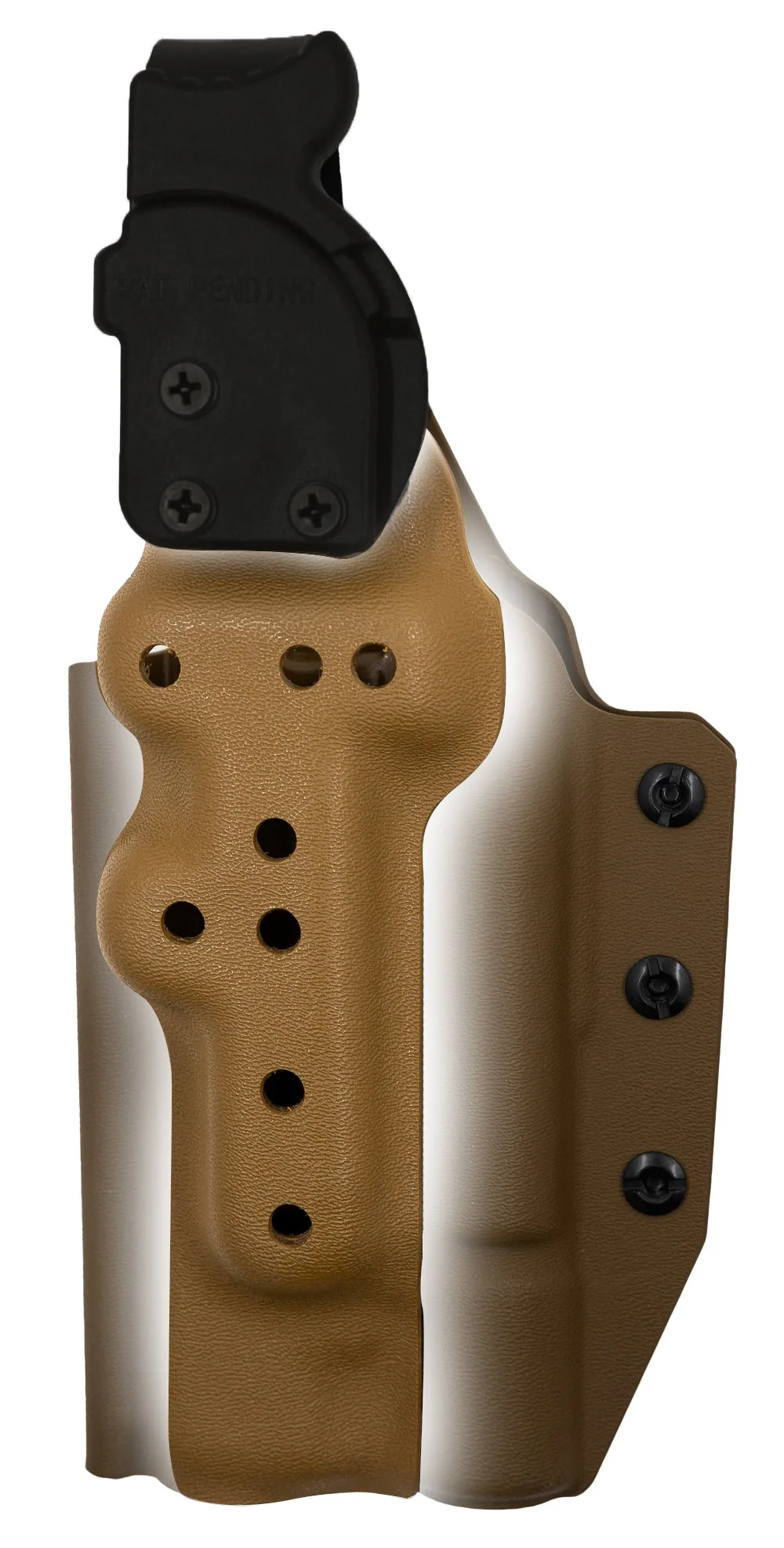
Centurion Support Piece