Quick Answer
Set up your Charge Block Pro by attaching the dongle to your Pro Controller, connecting the charging cable, and plugging it into a power source. This guide walks you through each step and highlights common pitfalls.
Why Use the Charge Block Pro?
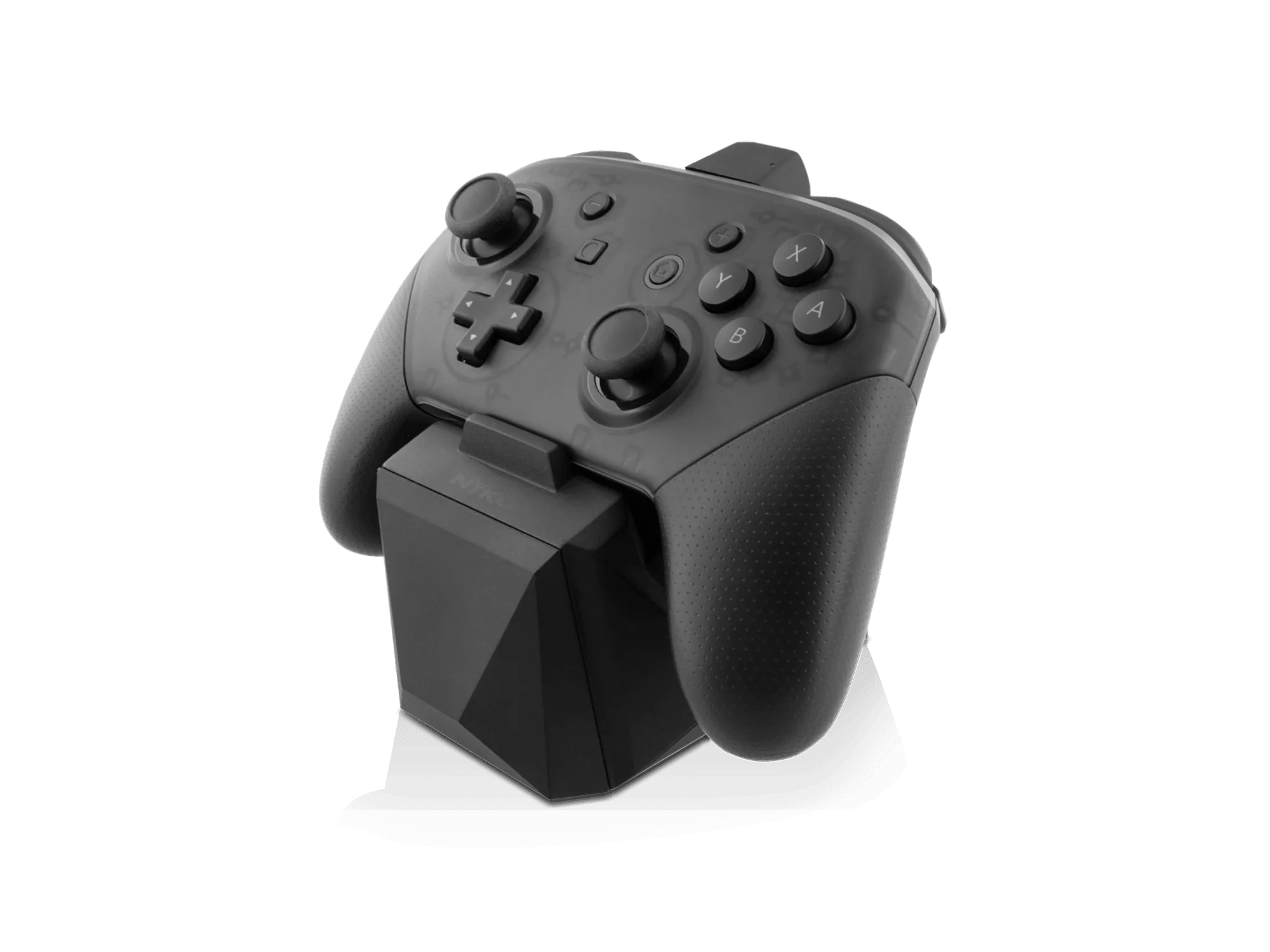
The Charge Block Pro uses a patented dongle system that attaches directly to your Pro Controller's USB-C port. This design keeps the controller's grip and ergonomics intact while eliminating tangled wires and fumbling with plugs. It's a convenient way to keep your controller charged and ready without interrupting your gameplay.
Charge Block Pro Setup Steps
- Attach the Dongle: Insert the dongle into the USB-C port on the bottom of your Nintendo Switch Pro Controller. Push it in firmly until it clicks into place. The dongle is designed to stay attached without affecting your grip. Common mistake: Not pushing the dongle all the way in can cause a loose connection. Make sure it clicks securely.
- Connect the Charging Cable: Plug the included USB-C charging cable into the dongle. Then connect the other end of the cable to a power source, such as the Nintendo Switch dock, a wall adapter, or a computer USB port. Common mistake: Using a low-power USB port (like an older computer) may charge slowly. Use the Switch dock or a 5V/2A adapter for best results.
- Confirm Charging: Check that the controller's LED indicator lights up or pulses to show charging. The Charge Block Pro itself has no separate light; the controller's own battery indicator will show the status. Common mistake: If the LED doesn't light up, re-check the dongle connection and cable. Try a different USB port or adapter.
- Charge and Store: Leave the controller with the dongle attached and the cable connected until fully charged. You can also store the controller with the dongle on—it won't drain the battery when not connected to power. Common mistake: Leaving the cable plugged in after full charge is fine; the controller stops drawing power automatically. No risk of overcharging.
Featured Product
-
Charge Block Pro for Nintendo Switch™: The Charge Block Pro attaches directly to your controller's USB Type-C port without messing with your grip or ergonomics. You can charge the controller while it's stored or in use, and the dongle stays securely attached without adding bulk or affecting how the controller feels in your hands.
Charge Block Pro for Nintendo Switch™