Quick answer
If your Charge Curve for PS4 stops charging, the fix is usually a quick reset or a cable check—here's how to diagnose the problem and get your controllers powered up again.
What can go wrong with the Charge Curve
The Nyko Charge Curve is a drop-and-charge dock that powers up to two DualShock 4 controllers at once. While it's designed for convenience, a few common issues can stop it from working: the power source, the controller's port, or the dock's contact pins.
Most problems are simple to fix at home, but knowing when to look for a replacement dock or cable saves you time.
Diagnosis: Charge Curve not charging
- Controller not placed correctly: Make sure the controller is fully seated on the dock. The Charge Curve uses a drop-and-charge design, and if the controller isn't aligned, the pins won't make contact. Check that both pins touch the metal contacts on the bottom of the controller. If the controller wobbles or doesn't click in, adjust its position.
- No power to the dock: The Charge Curve needs a 5V power source, typically from a USB wall adapter or the PS4 USB port. Try plugging the dock into a different USB port or wall adapter. Avoid using a computer USB port or a power strip that might limit current. If the dock still doesn't light up or charge, the power source is the suspect—try a known-working adapter.
- Dirty or corroded contacts: Over time, the charging pins on the dock or the contacts on the controller can collect dust or grime. Use a dry cotton swab or a soft cloth to gently clean both surfaces. Do not use liquid or abrasive materials. After cleaning, test the dock again. If it still fails, proceed to the next step.
- Controller port issue: If your controller charges fine with a micro-USB cable but not on the Charge Curve, the dock's pins may not align properly with your controller's contacts. This is rare but can happen with third-party controllers or older DualShock 4 models. Try a different DualShock 4 controller on the dock. If only one controller fails, the problem is with that controller, not the dock.
- Dock needs a reset: Unplug the Charge Curve from its power source for about 10 seconds, then plug it back in. This resets the internal circuit and often fixes intermittent charging issues. If the dock works after reset but fails again later, consider a replacement cable or power adapter.
- When to replace the dock: If you've tried different power sources, cleaned the contacts, reset the dock, and tested multiple controllers—and one or both slots still don't charge—the dock may have a faulty pin or circuit. At its catalog price, a replacement Charge Curve is often more cost-effective than repairing the unit. Stop troubleshooting and order a new dock if none of the above steps resolve the issue.
About the product
-
Charge Curve for Playstation®4: Conveniently and stylishly store and charge up to two DUALSHOCK®4 controllers simultaneously with the Nyko Charge Curve. If one or both slots stop working, the issue is usually with the power delivery or contact alignment, not the dock's design.
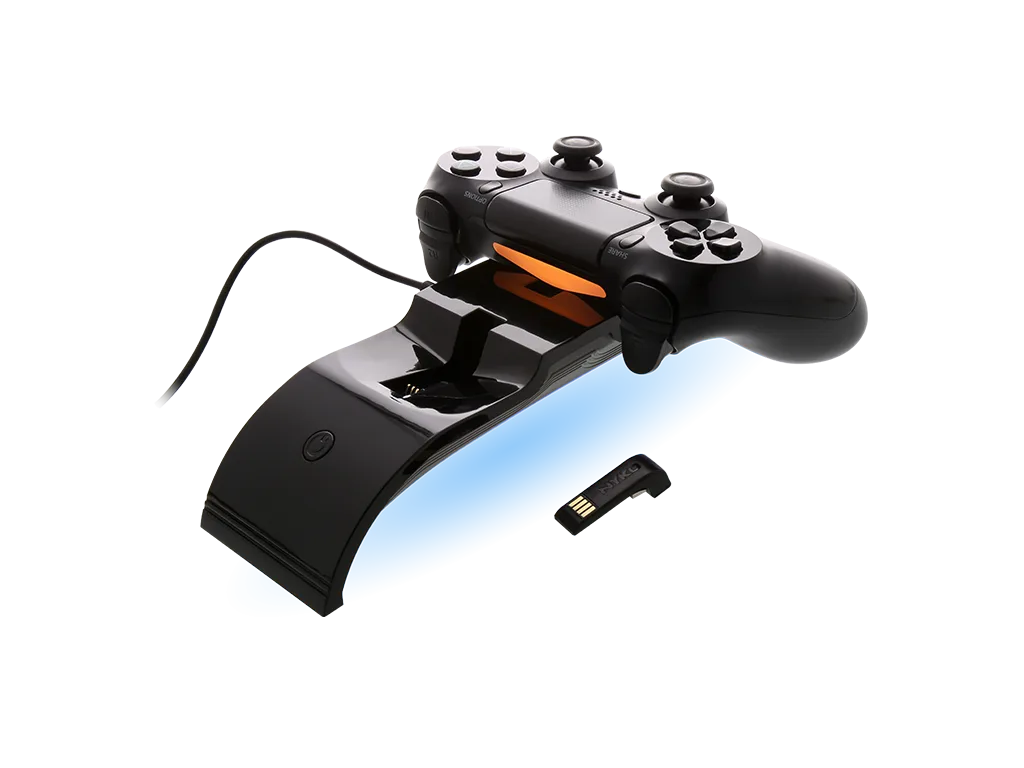
Charge Curve for Playstation®4